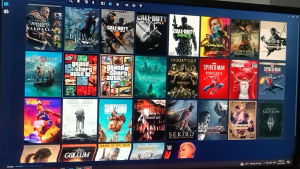
SanDisk Extreme Micro SD Cards: The Ultimate 4K Mobile Gaming Storage Solution
SanDisk Extreme Micro SD Cards: The Ultimate 4K Mobile Gaming Storage Solution
Introduction
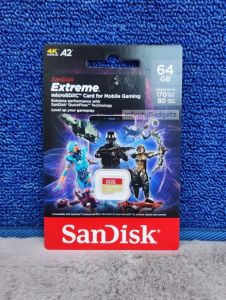
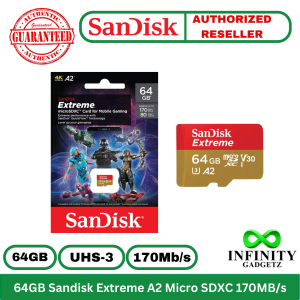
SanDisk Extreme Micro SD Cards are designed to provide gamers with reliable storage solutions for their Nintendo Switch, Steam Deck, and ROG Ally gaming devices. These cards come in various capacities, including 64GB, 128GB, and 256GB, ensuring there's an option to suit every gamer's needs.
What Are SanDisk Extreme Micro SD Cards?
SanDisk Extreme Micro SD Cards are high-performance storage solutions specifically tailored for mobile gaming devices. These cards offer fast read and write speeds, ensuring smooth gameplay and reliable storage for your gaming library.
Key Features of SanDisk Extreme Micro SD Cards
- Class 10 U3 V30 Gaming Card: These cards are designed to meet the demands of gaming devices, offering high-speed performance and reliability.
- 4K Mobile Gaming Storage: SanDisk Extreme Micro SD Cards provide ample storage space for your favorite games and media, ensuring a seamless gaming experience.
- Nintendo Switch, Steam Deck & ROG Ally Compatibility: These cards are compatible with popular gaming devices, making them the perfect choice for mobile gamers.
Benefits for Gaming
SanDisk Extreme Micro SD Cards offer several benefits for mobile gaming, including enhanced performance, fast read and write speeds, and reliable storage.
Enhanced Performance for Nintendo Switch, Steam Deck & ROG Ally
These cards are designed to meet the demands of gaming devices, providing high-speed performance and reliability. With SanDisk Extreme Micro SD Cards, you can enjoy smooth gameplay and quick load times.
Fast Read & Write Speeds for Smooth Gameplay
SanDisk Extreme Micro SD Cards offer fast read and write speeds, ensuring a seamless gaming experience. These cards can handle large files and data transfers quickly, making them ideal for mobile gaming.
Reliable Storage for Your Gaming Library
SanDisk Extreme Micro SD Cards provide ample storage space for your favorite games and media, ensuring reliable storage for your gaming library. With these cards, you can store all your games and media in one place, making it easy to access them whenever you want.
Choosing the Right Capacity
When it comes to choosing the right capacity for your SanDisk Extreme Micro SD Card, there are several factors to consider.
64GB vs. 128GB vs. 256GB: Which One to Choose?
- 64GB: This option is ideal for gamers who want to store a few games and media files on their device. It offers enough storage space for a moderate gaming library.
- 128GB: This option provides more storage space than the 64GB option, making it suitable for gamers who want to store a larger gaming library. It offers ample storage space for games and media files.
- 256GB: This option provides the most storage space, making it ideal for gamers who want to store a large gaming library. It offers plenty of storage space for games and media files.
Comparing SanDisk Extreme Micro SD Cards
| Capacity | Model Number | Read Speed | Write Speed | | --- | --- | --- | --- | | 64GB | SDSQXAH-064G | 170MB/s | 170MB/s | | 128GB | SDSQXAA-128G | 190MB/s | 190MB/s | | 256GB | SDSQXAV-256G | 190MB/s | 190MB/s |
How to Install SanDisk Extreme Micro SD Cards
Installing SanDisk Extreme Micro SD Cards is a simple process. Here's a step-by-step guide for Nintendo Switch, Steam Deck, and ROG Ally devices.
Step-by-Step Guide for Nintendo Switch, Steam Deck & ROG Ally
Nintendo Switch
- Turn off your Nintendo Switch device.
- Insert the SanDisk Extreme Micro SD Card into the Micro SD card slot on the back of your device.
- Power on your device and follow the on-screen instructions to format the card.
Steam Deck
- Turn off your Steam Deck device.
- Insert the SanDisk Extreme Micro SD Card into the Micro SD card slot on the back of your device.
- Power on your device and follow the on-screen instructions to format the card.
ROG Ally
- Turn off your ROG Ally device.
- Insert the SanDisk Extreme Micro SD Card into the Micro SD card slot on the back of your device.
- Power on your device and follow the on-screen instructions to format the card.
Troubleshooting Common Issues
If you encounter any issues while installing your SanDisk Extreme Micro SD Card, here are some troubleshooting tips:
- Ensure the card is properly inserted into the Micro SD card slot.
- Format the card using the device's built-in formatting tool.
- Check the device's user manual for specific installation instructions.
Conclusion
SanDisk Extreme Micro SD Cards are the ultimate 4K mobile gaming storage solution. These cards offer fast read and write speeds, reliable storage, and compatibility with popular gaming devices. Whether you're a casual gamer or a hardcore enthusiast, SanDisk Extreme Micro SD Cards have the capacity and performance to meet your needs.

infinitygadgetz
You May Also Like

ULTIMATE PLAYLIST MUSIC COLLECTION | USB FLASH DRIVE / MEMORY CARD | MP3 320 KBPS QUALITY + OTG
【Ready Stock】Seagate External Hard Drive 2TB/1TB High Speed USB3.0 HDD 2.5 Inch Portable Hard Disk
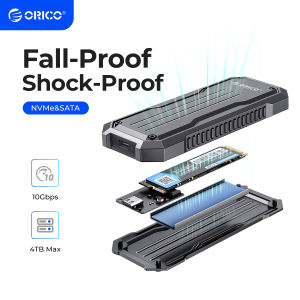
ORICO Portable Cooling M.2 NVMe SATA SSD Case: A Comprehensive Guide
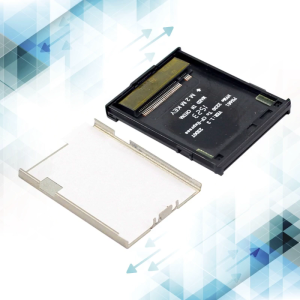
M.2 NVME Adapter NVME KEY-M Expansion Support For M.2 SSD 2230 to CFExpress Type-B Adapter Converter
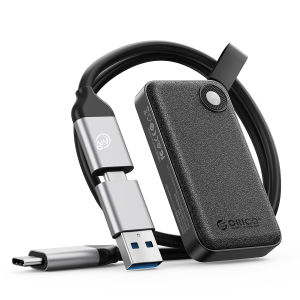
ORICO 2000MB/S Extreme Portable SSD 512GB 1TB 2TB 4TB USB 3.2 for Andriod Mobile Windows Mac Lightweight
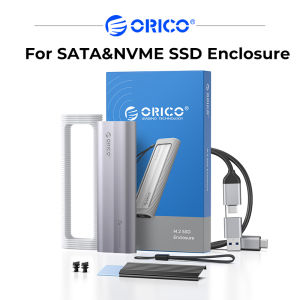
ORICO M.2 NVMe SATA SSD Enclosure Tool-less 10Gbps Stable No Drop Support UASP for PCIe NVMe and SATA SSDs (AXM2)

7 Habits of Effective People - Best of Inspiration Motivation Success by Stephen Covey in 32GB Flash Drive with Free OTG Connector for Android

OPM Female Songs Collection | USB Flash Drive Music | USB with Songs | MP3 High Quality | OTG Adapter OptionAL
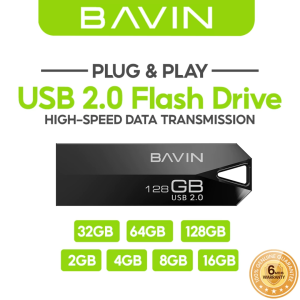
BAVIN UF01 USB 2.0 Flash Drive High-Speed Plug & Play Storage for Efficient & Fast Data Transfer
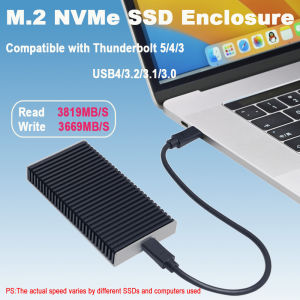
40Gbps USB4 M.2 NVMe SSD Enclosure Compatible with Thunderbolt 5/4/3 USB3.2/3.1/3.0 Support M/B+M Key for MacBook M1 M2 Pro/Max
Seagate 4TB 1TB 2TB External Hard Drive One TFeature USB3.0 Hard Drive Soft Pouch for Windows