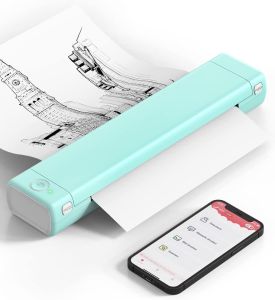
Phomemo M08F: A Portable Wireless Printer for Home & Travel
Phomemo M08F: A Portable Wireless Printer for Home & Travel
Phomemo M08F is a highly versatile, portable wireless printer that offers unparalleled convenience for both home and travel use. With its lightweight design, advanced thermal printing technology, and compatibility with various devices, it has become a popular choice among users looking for a reliable and efficient mobile printing solution.
What is the Phomemo M08F?
The Phomemo M08F is a portable wireless printer designed to cater to the needs of individuals who require a compact, easy-to-carry printing device. This Bluetooth phone printer features a sleek and lightweight design, making it ideal for carrying around in a backpack or laptop bag. It supports A4 paper size and offers seamless connectivity options for both Android and iOS devices, as well as laptops and computers running Windows 8/10.
Key Features
-
Lightweight and Compact Design: Weighing just 2 lb and measuring only 1.5 inches in thickness, the Phomemo M08F is a perfect companion for business travels and small work areas.
-
Advanced Thermal Printing Technology: The printer utilizes state-of-the-art thermal technology, allowing it to produce clear and clean texts and images without the need for ink or toner.
-
High Compatibility: The Phomemo M08F supports Bluetooth wireless connection and USB connectivity, making it compatible with a wide range of devices, including phones, tablets, laptops, and computers.
Compatibility with Android & iOS
The Phomemo M08F is designed to work seamlessly with both Android and iOS devices, offering users a hassle-free printing experience. By simply connecting the printer via Bluetooth, users can easily print documents, images, and other files from their smartphones or tablets.
How to Use the Phomemo M08F
Setting up and using the Phomemo M08F is a breeze, thanks to its intuitive design and straightforward instructions. Here's a step-by-step guide to help you get started:
Bluetooth Connection Setup
-
Turn on the Phomemo M08F by pressing the power button.
-
On your device, go to the Bluetooth settings and search for available devices.
-
Select the Phomemo M08F from the list of available devices to establish a connection.
-
Once connected, you can start printing documents, images, and other files from your device.
USB Connection Setup
-
Connect the Phomemo M08F to your laptop or computer using the provided USB cable.
-
Install the printer driver on your device if prompted.
-
Once the driver installation is complete, you can start printing documents, images, and other files from your laptop or computer.
Printing with Thermal Technology
The Phomemo M08F utilizes advanced thermal technology to produce clear and clean texts and images without the need for ink or toner. To print using thermal technology, simply follow these steps:
-
Load thermal paper into the printer.
-
Connect the printer to your device via Bluetooth or USB.
-
Open the file you wish to print and select the Phomemo M08F as your printer.
-
Click on the print button to start printing.
Benefits of Using the Phomemo M08F
There are numerous benefits to using the Phomemo M08F, including:
Cost & Environmentally Friendly
The Phomemo M08F is a cost-effective and environmentally friendly alternative to traditional inkjet printers. Since it doesn't require ink or toner, you'll save money on consumables and reduce waste.
Ideal for Business Travels
With its lightweight and compact design, the Phomemo M08F is perfect for business travels. It allows you to print urgent documents or contracts on the go, ensuring you never miss an important deadline.
Clear & Clean Texts & Images
Thanks to its advanced thermal printing technology, the Phomemo M08F produces clear and clean texts and images, making it an ideal choice for printing high-quality documents and images.
In conclusion, the Phomemo M08F is a portable wireless printer that offers a range of benefits for both home and travel use. Its lightweight design, advanced thermal printing technology, and compatibility with various devices make it a popular choice among users looking for a reliable and efficient mobile printing solution.

Zodzi Printer Store
You May Also Like
For HP 728 728XL Compatible Ink Cartridge With Full Ink F9J68A F9J67A F9J66A For HP DesignJet T730 T830 Printer
Phomemo D30s Thermal Label Printer: A Portable Bluetooth Mini Label Maker
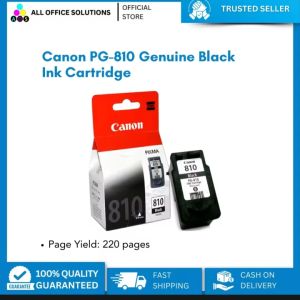
Canon PG-810 Black Ink Cartridge: Compatible with Canon Printer IP 2770 & More
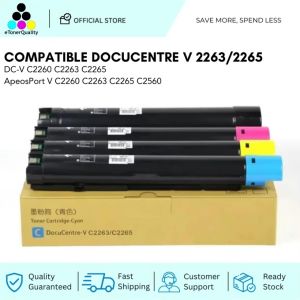
ETQ Compatible Toner Cartridge ApeosPort C2060 C2560 C3060 DocuCentre C2265 VC2265
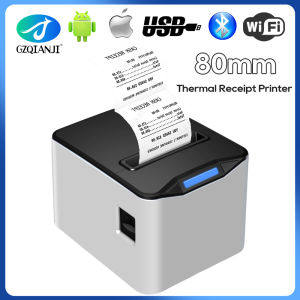
3inch Thermal Receipt Printer Restaurant Kitchen POS Printer USB Ethernet Bluetooth Wifi Cash Drawer Printer 80x80mm Paper Slot
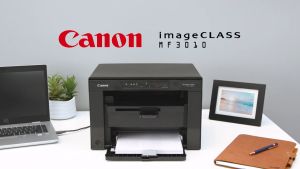
Canon imageCLASS LBP6030 Printer
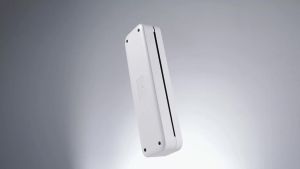
Phomemo A4 Thermal Paper Quick-dry Continuous Thermal Printing Paper Compatible with M08F/M832/M833/M834 MT810 and Other Portable Thermal Printer 8.5\"x11\" Documents Study Notes 2 Rolls
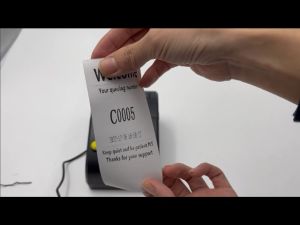
Queue Number Printer for Ticket Prints 4 Department Counter Numbers Plug-and-play No Need Internet Editable Logo Thermal Printer
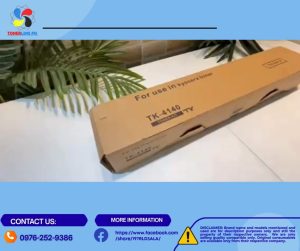
TK4140 Toner Cartridge For Use and Compatible with Taskalfa 2020
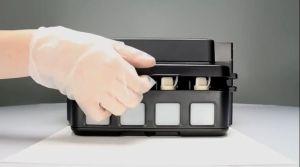
Original Epson Ink T664 Series: Black, Cyan, Magenta & Yellow

PGI320 PGI321 BCI-320 Ink Cartridge Compatible For Canon suit for MP540 MP550 MP560 IP3600 IP4600 IP4700 MX860 MX870 printer