OFIYAA P2 Pro 13.3inch Portable Monitor: A Compact Solution for Extended Screen Trio
OFIYAA P2 Pro 13.3inch Portable Monitor: A Compact Solution for Extended Screen Trio
Introduction to OFIYAA P2 Pro Portable Monitor
The OFIYAA P2 Pro 13.3inch Portable Monitor is an innovative device designed to extend your laptop screen, offering a versatile and convenient solution for users who require more screen space while working remotely or traveling. This portable monitor is compatible with both MacBook and Windows notebooks, making it an ideal choice for professionals who work on different operating systems.
Understanding the OFIYAA P2 Pro Portable Monitor
The OFIYAA P2 Pro 13.3inch Portable Monitor is a compact, energy-efficient, and lightweight monitor that can be easily carried around in a backpack or laptop bag. It features a Full HD refresh rate of 1080P, providing sharp and clear visuals for various tasks, including programming, design, and entertainment.
Key Features of OFIYAA P2 Pro
- Ultraportable Design: The OFIYAA P2 Pro is lightweight and ultrathin, making it easy to carry around in a backpack or laptop bag.
- Energy Efficient: The portable monitor is designed to save power, ensuring longer battery life for your laptop.
- Compact Size: The 13.3-inch display is perfect for extended screen usage without taking up too much space.
- Compatibility: The monitor is compatible with both MacBook and Windows notebooks, allowing users to extend their screen on different operating systems.
- Multiple Connection Options: The P2 Pro offers four ways to connect to your laptop, including Type-C, HDMI, and USB-A ports.
Compatibility with MacBook & Windows Notebooks
The OFIYAA P2 Pro Portable Monitor is compatible with both MacBook and Windows notebooks, making it a versatile solution for professionals who work on different operating systems. Here are the connection options for the P2 Pro:
- Type-C Port: The P2 Pro can be connected to your laptop using a Type-C port, allowing for easy setup and use.
- HDMI and USB-A Ports: If your laptop does not have a Type-C port, you can connect the P2 Pro using an HDMI and USB-A port combination.
- Two HDMI and Two USB-A Ports: If your laptop does not have a Type-C or HDMI port, you can connect the P2 Pro using two HDMI and two USB-A ports.
- Expansion Dock: If your laptop only has a Type-C port but no HDMI, you can connect the P2 Pro using an expansion dock supporting USB to HDMI.
For the P1 model, there are three connection options:
- Type-C Port: Connect the P1 to your laptop using a Type-C port.
- HDMI and USB-A Ports: If your laptop does not have a Type-C port, you can connect the P1 using an HDMI and USB-A port combination.
- Expansion Dock: If your laptop does not have a Type-C or HDMI port, you can connect the P1 using an expansion dock supporting USB to HDMI.
Usage Scenarios & Benefits
The OFIYAA P2 Pro Portable Monitor offers numerous benefits for users who require extended screen space while working remotely or traveling. Here are some usage scenarios and benefits:
- Multitasking & Productivity Boost: With the ability to extend your laptop screen, the OFIYAA P2 Pro allows you to multitask more efficiently, increasing productivity and reducing distractions.
- Ideal for Travelers & Remote Workers: The compact size and lightweight design make the OFIYAA P2 Pro perfect for travelers and remote workers who need to stay productive on-the-go.
Conclusion: Why Choose OFIYAA P2 Pro?
The OFIYAA P2 Pro 13.3inch Portable Monitor is a versatile and convenient solution for users who require extended screen space while working remotely or traveling. Its compatibility with both MacBook and Windows notebooks, multiple connection options, and compact design make it an ideal choice for professionals who value productivity and convenience.

wondering accessories
![[Wondering] OFIYAA P2 Pro 13.3inch Portable Monitor For Laptop Extended Screen Trio Screen Monitor Portable Full HD Refresh Rate 1080P HD Compatible With 13-17 MacBook Windows Notebook](https://img.lazcdn.com/g/p/c742a8c9452c3590dac76ad532d44641.jpg_300x300q80.jpg)
Review

You May Also Like
DIY SelfMade Motor Model Brushless Motor Physics Drive for DIY Computer Projects for Various PC Components
15.6" LCD Screen NV156QUM-N44 For Lenovo ThinkPad T570 T580 P51s P52s Display Matrix Panel Replacement UHD 3840x2160 eDP 40 Pins

Laptop Windows 11 Intel CORE i7 7500U Netbook 1920*1080 Portable Notebook 14.1 Inch 12GB RAM 512GB 1TB SSD Computer Gaming laptops
4S 40A 18650 Protective Board with Balance Lithium Protective Board for Cell Module Replacement
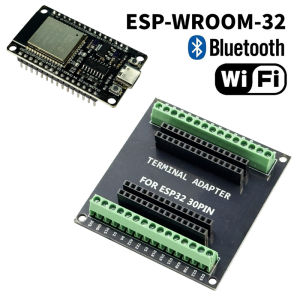
ESP-WROOM-32 ESP32-S DEVELOPMENT BOARD TYPE C ESP32 BLUETOOTH WIFI ESP32 NODEMCU BLUETOOTH MODULE + ESP 32 BREAKOUT BOARD 30 PIN
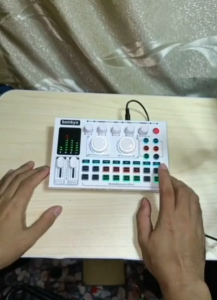
=Bonkyo F999Max Soundcard + Wireless mic live broadcast equipment full set Bluetooth live sound card.
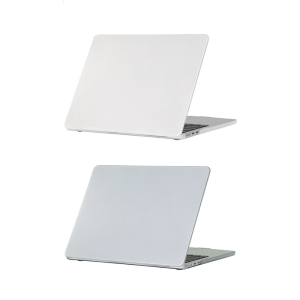
14inch Notebook Case For Models A3112 A3185 A3401 A2918 A2992 A2779 A2442 Laptops Protector 1mm Thickness
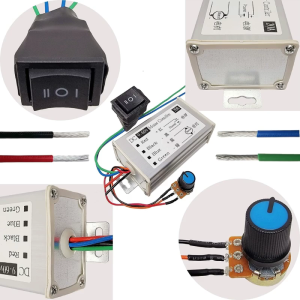
DC9V-60V DCMotor Speed Controllers 20A 1200W Motor Pulse Width Modulator Regulator PWMMotor Regulator Monitors Dimmer
Cost-Effective ESP32C3-LCDkit Development Board: Build Intelligent Displaying 240x240 Resolution & Low Power Consumption
Jonsbo ZA-140/420 Computer Case Fan DIY Exchange 2 Sets Fan Blades 5V ARGB 140mm ZA-420BR PWM Reverse Combination Cooling Fan
Microsoft Surface Book1 2 3 Motherboard Interface Laptop Charging Port Connection Cable Suitable for Digital Accessories