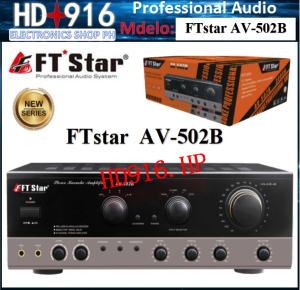
The Amplifier FTstar AV-502B 5.1 Channel Karaoke Amplifier (AV 502 B)
The Amplifier FTstar AV-502B 5.1 Channel Karaoke Amplifier (AV 502 B)
Overview of the FTstar AV-502B Amplifier
The FTstar AV-502B 5.1 channel karaoke amplifier is a high-performance audio amplifier designed to deliver an exceptional listening experience for home entertainment systems. With its advanced features and reliable performance, this amplifier is perfect for audiophiles and karaoke enthusiasts alike.
Key Features
- 5.1 Channel: The AV-502B supports a 5.1 surround sound system, providing an immersive audio experience for movies, music, and gaming.
- Tone Control: This amplifier offers adjustable tone controls for bass, treble, and loudness, allowing users to fine-tune their audio preferences.
- Speaker A/B Drive: The AV-502B provides dual speaker drive options, enabling users to switch between two sets of speakers effortlessly.
- Microphone Inputs: Two microphone inputs are included, making it easy to connect multiple microphones for a fun karaoke session.
- Built-in Fan: A built-in 4-inch fan helps keep the amplifier cool during extended use.
Technical Specifications
- Power Input: 220V-240V, 60Hz
- Frequency Response: 20Hz-20kHz
- Max Input Capability: 200mV
- Input Sensitivity: >10mV
- Harmonic Distortion: 0.5% (1W)
- Bass: 100Hz 10dB
- Mid: 1kHz 10dB
- Treble: 10kHz 10dB
How to Set Up Your Home Entertainment Amplifier
Setting up the FTstar AV-502B amplifier is straightforward and can be completed in just a few steps.
Connecting the AV-502B Amplifier
- Connect the power cord to the amplifier and plug it into a nearby outlet.
- Connect your audio source (e.g., TV, DVD player, or game console) to the appropriate input on the amplifier using an RCA cable.
- Connect your speakers to the amplifier using speaker wire. Be sure to match the positive and negative terminals.
- Turn on the power switch on the back of the amplifier.
Configuring Tone Controls
To adjust the tone controls on the AV-502B amplifier, follow these steps:
- Press the TONE button on the front panel to access the tone control menu.
- Use the UP/DOWN buttons to adjust the bass, treble, and loudness settings to your liking.
- Press the ENTER button to save your changes.
Maximizing Sound Quality with the AV-502B Amplifier
To get the best possible sound quality from your FTstar AV-502B amplifier, consider the following tips:
Utilizing Speaker A/B Drive
The AV-502B amplifier offers dual speaker drive options, allowing you to switch between two sets of speakers effortlessly. To switch between the A and B speaker outputs, press the A/B button on the front panel.
Enhancing Karaoke Experience with Microphone Inputs
The AV-502B amplifier includes two microphone inputs, making it easy to connect multiple microphones for a fun karaoke session. To connect a microphone, simply plug it into one of the microphone jacks on the front panel.
Customer Support and Warranty Information
For any questions or concerns about your FTstar AV-502B amplifier, contact customer service for assistance.
Local Supplier Warranty
This amplifier comes with a local supplier warranty, providing peace of mind for customers.
Contacting Customer Service
To reach customer service, visit the manufacturer's website or call the toll-free number listed on the product packaging.

HD916.Electronics.SHOP
Review

You May Also Like
Woofer Speaker TE-12600 Tosunra 600 Watts Double Magnet Speaker

Saramonic Xmic Z3 condenser microphone Podcast Microphone USB Desktop Gaming Mic for Videoke Studio PC Android

Ortizan Wireless Portable Bluetooth Speaker X30 with 40W Stereo Sound Rich Bass IPX7 Waterproof LED LightsPreset EQUSB Play
Protective Carrying Case For OpenFit2 T920/910 OpenFitAirT511 Open Ear Earbuds With Meshes Pocket For Accessories
![[BOSR]FT STAR PROFESSIONAL SPEAKER FT-1801SUB/18 INCHES/1500WATTS/8 OHMS/ PURE COPPER ELSV](https://img.lazcdn.com/g/ff/kf/S8f3d457ec2c540e3b49f9a0cd09507bbe.jpg_300x300q80.jpg)
[BOSR]FT STAR PROFESSIONAL SPEAKER FT-1801SUB/18 INCHES/1500WATTS/8 OHMS/ PURE COPPER ELSV
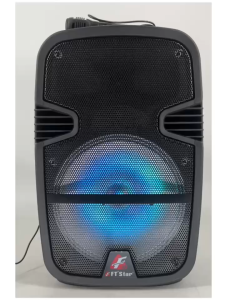
FT-Star 12\" LED Party Speaker with Bluetooth Micro SDFM and Wireless Mic & Remote FPA-812
Baofeng UV-5R Walkie Talkie 5W 128 Channels Long Range FM Radio Dual Band VHF/UHF Two Way Radio
Fantech Tamago II WHG04 Multi-Platform Wireless Headset Tri mode Connection Gaming Headphones
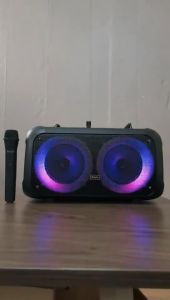
6.5 Inch Rechargeable Bluetooth Wireless Trolley Type Portable Speaker with Wireless MIC and AUX USB/ SD Card FM Radio Wireless Bluetooth Speaker BTS-1709
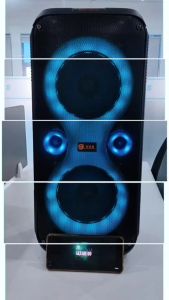
V2S PARTYBOX 2666: A Portable Karaoke System with Wireless Microphone Party Box
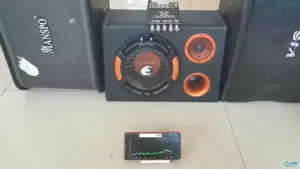
TDA7498E ZK-TB21 High Power 2.1 Channel Bluetooth Amplifier 160W*2+220W Subwoofer para sa Audio ng Kotse at Bahay