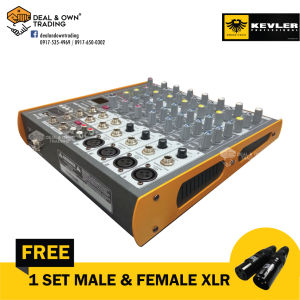
Kevler SMX-8BT 8 Channel Compact Passive Mixer USB/Bluetooth Ready
Kevler SMX-8BT 8 Channel Compact Passive Mixer USB/Bluetooth Ready
Introduction to the Kevler SMX-8BT
The Kevler SMX-8BT is a compact passive mixer designed for live sound applications, offering 8 channels and USB/Bluetooth connectivity. This mixer is ideal for musicians, DJs, and audio enthusiasts who require a portable, versatile, and reliable audio solution. With its professional-grade features and compact design, the Kevler SMX-8BT is a must-have tool for anyone looking to elevate their live sound performance.
Key Features & Specifications
- Channels: 8 (4 Mic/Line, 2 Stereo Input)
- Connectivity: USB/Bluetooth/MP3 Music Function
- Effects: Echo, Repeat, Delay Effect
- Power Supply: 15 volts + 48 volts Phantom Power
- Additional Notes: No Warranty. Do Not Overpower.
Why Choose the Kevler SMX-8BT?
The Kevler SMX-8BT is the perfect choice for musicians and audio enthusiasts looking for a compact, versatile, and reliable mixer. Its 8-channel design allows for multiple inputs, while its USB/Bluetooth connectivity enables seamless integration with other devices. The built-in effects and delay functions add depth and dimension to your sound, making it a must-have tool for live performances.
Setting Up Your Kevler SMX-8BT
Setting up your Kevler SMX-8BT is simple and straightforward. Follow these steps to get started:
Connecting Microphones & Line Inputs
- Connect your microphones and line inputs to the appropriate channels.
- Adjust the gain levels to ensure optimal sound quality.
Configuring USB/Bluetooth Connectivity
- Connect your device to the mixer via USB or Bluetooth.
- Adjust the settings to ensure optimal sound quality.
Powering Up Your Mixer
- Connect the power supply to the mixer.
- Turn on the mixer and adjust the settings as needed.
Using the Kevler SMX-8BT for Live Sound
The Kevler SMX-8BT is a powerful tool for live sound applications. Follow these tips to get the most out of your mixer:
Adjusting Gain & EQ Settings
- Adjust the gain levels to ensure optimal sound quality.
- Use the EQ settings to fine-tune your sound.
Utilizing Effects & Delay Functions
- Experiment with the built-in effects and delay functions to add depth and dimension to your sound.
- Adjust the settings to suit your preferences.
Recording & Playback Capabilities
- Record your live performances using the built-in recording capabilities.
- Playback your recordings using the mixer's playback functions.
Troubleshooting Common Issues
If you encounter any issues with your Kevler SMX-8BT, refer to these troubleshooting tips:
Overpowering & Warranty Concerns
- Do not overpower the mixer, as this may void the warranty.
- If you experience any issues, contact Kevler support for assistance.
Connectivity Problems & Solutions
- Check the connections between your devices and the mixer.
- Ensure that the settings are configured correctly.
Maintaining Optimal Performance
- Regularly clean and maintain your mixer to ensure optimal performance.
- Follow the manufacturer's guidelines for proper usage and maintenance.

Deal & Own Trading
You May Also Like
ZK-MT21 Subwoofer Digital Power Board 2.1 Channel Stereo Amp Module
【Quick Delivery】Bluetooth-Compatible HiFi Stereo Power Home Power Wireless Power for Home Theater Speaker【After Sales Guarantee】
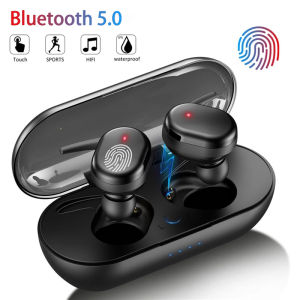
DISOUR Original B30 B60 TWS Bluetooth Earphones Sports Headset 5.0 Stereo Game HeadPhones Waterproof Wireless Earphone Touch Control Bass Earbuds For All Smartphones Y30 Y50
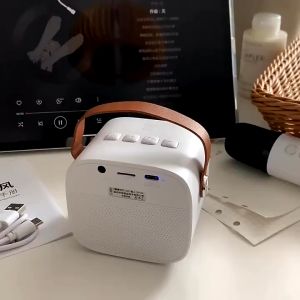
Wireless Bluetooth Dual Microphone Karaoke Family Party Bluetooth Audio Portable Stereo
MOTOROLA F1 Walkie Talkie Portable Two-Way Radio UHF Transceiver set (NTC Type Approved)walkie-talkies radio walkie talkie long range COD

SVFIREK 800 Hours Play Music Wireless Bluetooth Earphone Smart Voice Control Headphone Neck-Mounted Sport Headphones with Mic Heavy Bass Comfortable 12D Stereo Headset Support TF Card Bluetooth5.3 Earphones
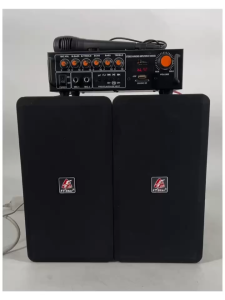
FT-Star NEW 2 pcs)Digital Player TV Wireless Speaker 1800W BF-708

Two-in-One Wireless Sleep Headphones Compact and Mini suitable for sports sleep work as well as careful wearing in the classroom. Enjoy high-quality bass effects. SeaSpark

Sports Headphones Wireless Bluetooth Headset High Quality Stereo Intelligent Noise Reduction Earphones
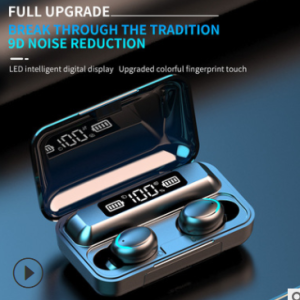
2024 New Bluetooth Earphone TWS Wireless Headphones 12D Stereo Sport Headset with Microphone Mini In-Ear Earbuds VS F9
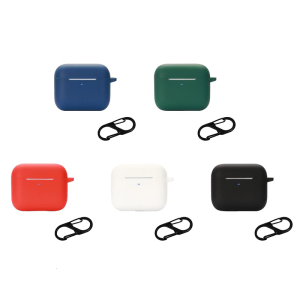
Earphone Shock Housing Skin-friendly Cover for Hyper-Speed CaseWashable Shell Protector Non-slip Sleeve Impact-resistant