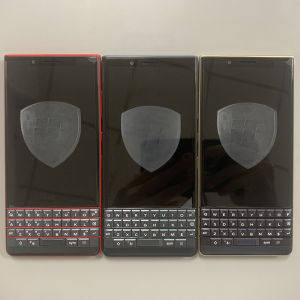
Original BlackBerry Key2 LE 4G Mobile Phone Unlocked 4.5 Display 13MP5MP Camera 64GB ROM Octa Core CellPhone
Original BlackBerry Key2 LE 4G Mobile Phone Unlocked 4.5 Display 13MP5MP Camera 64GB ROM Octa Core CellPhone
The BlackBerry Key2 LE 4G is a versatile smartphone that combines the classic physical keyboard with modern features like a 4.5-inch display, dual rear cameras, and an octa-core processor. In this comprehensive guide, we'll explore the device's specifications, unlocking process, and tips for maximizing its performance.
Key Features & Specifications
Display & Design
The BlackBerry Key2 LE 4G sports a 4.5-inch display with a resolution of 1620x1080 pixels, offering a sharp and vivid viewing experience. The screen material is LCD, and the refresh rate is set at 60Hz. This device supports multiple languages, including English, Russian, German, French, Spanish, Polish, Portuguese, Italian, Turkish, Norwegian, Korean, Japanese, and Arabic.
Camera & Photography
The BlackBerry Key2 LE 4G is equipped with dual rear cameras, featuring a 13MP primary sensor and a 5MP secondary sensor. These cameras work together to capture stunning photos and videos. The device supports FullHD (1080p) and 4K (2160p) video recording at 30 frames per second. Additionally, the front-facing camera has an 8MP sensor, perfect for selfies and video calls.
Connectivity & Performance
This smartphone boasts an octa-core processor and 64GB of ROM, providing ample storage space for your apps, photos, and videos. The device supports Wi-Fi transmission standards 802.11ac, 802.11n 2.4 GHz, 802.11b/g, and 802.11a. The device has a Type-C charging interface and supports NFC technology. Furthermore, the BlackBerry Key2 LE 4G is equipped with fingerprint recognition technology for enhanced security.
How to Unlock Your BlackBerry Key2 LE 4G
Steps to Unlock
To unlock your BlackBerry Key2 LE 4G, follow these steps:
- Connect your device to a computer using a USB cable.
- Download and install the appropriate software for unlocking your device.
- Follow the on-screen instructions to complete the unlocking process.
Benefits of Unlocking
Unlocking your BlackBerry Key2 LE 4G offers several advantages, including:
- The ability to use the device with any carrier or network.
- Access to a wider range of SIM cards and data plans.
- Enhanced flexibility and freedom when traveling internationally.
Tips for Using Your BlackBerry Key2 LE 4G
Customizing Your Device
Personalize your BlackBerry Key2 LE 4G by customizing the home screen, setting up widgets, and choosing your preferred apps. Additionally, you can adjust the device's settings to suit your preferences, such as enabling or disabling notifications, changing the wallpaper, and adjusting the screen brightness.
Maximizing Battery Life
To extend the battery life of your BlackBerry Key2 LE 4G, consider the following tips:
- Adjust the screen timeout settings to reduce power consumption.
- Disable unnecessary background apps and services.
- Turn off Wi-Fi, Bluetooth, and GPS when they're not in use.
- Lower the screen brightness.
Enhancing Security
Keep your BlackBerry Key2 LE 4G secure by implementing these measures:
- Enable fingerprint recognition for quick and easy unlocking.
- Set up a strong password or PIN code.
- Regularly update your device's software to ensure you have the latest security patches.
- Install reputable antivirus software to protect against malware and other threats.

XiaXiaYouMI Mobile Phone Store
Review

You May Also Like
SOYES XS15 3G Mini Smartphone Quad Core 3.0Inches HD Screen 2GB RAM 16GB ROM Dual SIM 1000mAh WIFI Bluetooth Android Mobile phone
Original unlocked Motorola Moto G6 Play Single SIM card Octa-core 5.7 inches Smartphone 3GB RAM 32GB ROM 13MP Rear Camera Fingerprint Android Mobile Phone

AVAYA J179 Voip phone
BAKEN 10-inch Android 15 tablet quad-core processor 12GB (3+9 expansion) RAM + 64GB storage 5G WiFi 1280*800 dual cameras
Unlocked Nokia N900 Mobile Phone: A Comprehensive Guide
Sony Ericsson Elm J10 J10i Mobile Phones Original Unlocked 2.2 Inch Bluetooth WIFI 5MP Camera Loudspeaker FM Radio
New X8 Ultra 4G/5G Smartphone 6.7-inch Screen Memory 8GB+256GB Camera 78MP+108MP Battery 8000Mah Android 13.0

Flower Wind Chime Pendant Phone Charm Hangings Rope Cute Phone Chain Strap Bag Decoration Lanyard Keychain Accessories
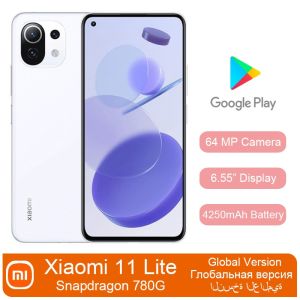
Refurbished Phone Smartphone Xiaomi Mi 11 Lite inch6.55 5G 8GB+128GB/256GB Xiaomi 11 lite 98% NEW USED Battery 4250mAh Snapdragon 780G 64MP NFC AMOLED Full Screen Used Phone

Multifunctional Number 0-9 Changeable Number Date Business Price Number
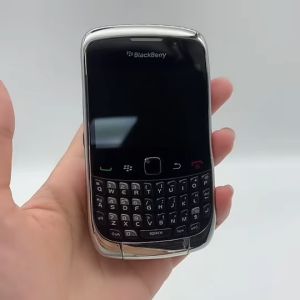
Blackberry 9300 Original WCDMA 3G 2.44 Inch 5MP 512MB RAM 1500mAh WIFI Cell Phone