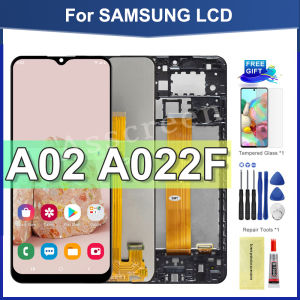
For Samsung Galaxy A02 A022 A022F Original LCD Display Digital Touch Screen Assembly Replacement with Frame
For Samsung Galaxy A02 A022 A022F Original LCD Display Digital Touch Screen Assembly Replacement with Frame
What is the Original Display Frame?
The Original Display Frame is a vital component of the Samsung Galaxy A02 A022 A022F LCD display assembly. It serves as a protective casing for the screen and is responsible for keeping the digital touch screen assembly securely in place. When purchasing a replacement screen, it is essential to consider whether the display frame is included. If you choose to buy a screen without the frame, you will need to remove the old frame and carefully glue the new screen onto the existing frame. This process can be challenging and may result in damage to the screen.
How to Install the Original Display Frame
Installing the original display frame requires precision and care. First, ensure that you have all the necessary tools, such as a pry tool, spudger, and adhesive remover. Begin by carefully removing the old display frame, taking care not to damage the screen or the device itself. Next, apply a small amount of adhesive to the new frame, align it properly, and press it firmly onto the device. Allow the adhesive to cure according to the manufacturer's instructions before proceeding with the installation of the digital touch screen assembly.
What Are the Benefits of Using the Original Display Frame
Using the original display frame offers several advantages:
- Enhanced protection: The original display frame provides better protection for the screen, reducing the risk of damage during daily use.
- Improved fit and alignment: The original frame is designed specifically for the Samsung Galaxy A02 A022 A022F, ensuring a perfect fit and proper alignment of the digital touch screen assembly.
- Better durability: The original frame is made from high-quality materials, which increases the lifespan of the display assembly.
A022F Touch Screen Assembly: Key Features & Installation Tips
The A022F Touch Screen Assembly is a crucial component of the Samsung Galaxy A02 A022 A022F LCD display. Here are some key features and installation tips:
Key Features of the A022F Touch Screen Assembly
- High-resolution display: The A022F Touch Screen Assembly offers a crisp and clear image quality, providing an excellent viewing experience.
- Responsive touch screen: The assembly includes a sensitive touch screen that responds quickly to user input, making it easy to navigate through the device's features.
- Durable construction: The A022F Touch Screen Assembly is made from robust materials, ensuring long-lasting performance.
How to Install the A022F Touch Screen Assembly
To install the A022F Touch Screen Assembly, follow these steps:
- Carefully remove the old touch screen assembly using a pry tool and spudger.
- Disconnect the flex cable from the motherboard.
- Carefully remove the old flex cable and connect the new one to the motherboard.
- Align the new touch screen assembly with the frame and secure it in place.
- Test the touch screen to ensure proper functionality.
Warranty Policy: Understanding Your Rights
When purchasing a replacement LCD display for your Samsung Galaxy A02 A022 A022F, it is crucial to understand the warranty policy. Here are some important points to consider:
No Warranty Conditions
There is no warranty if:
- The warranty sticker has been peeled off
- The products have been installed
- Scratches on LCD
- Physical Damage
- Inner LCD Cracked
- Screw Mark on LCD
- Flex Cable/Connector is damaged
What Is Covered Under Warranty
The warranty covers manufacturing defects and malfunctions that occur within the warranty period. It does not cover damage caused by improper installation or handling.
A022 LCD Replacement: A Step-by-Step Guide
Replacing the LCD display on your Samsung Galaxy A02 A022 A022F requires careful attention to detail. Here is a step-by-step guide to help you through the process:
Tools Needed for A022 LCD Replacement
- Pry tool
- Spudger
- Adhesive remover
- Screwdriver
How to Remove the Old A022 LCD
To remove the old A022 LCD, follow these steps:
- Power off the device and remove the battery.
- Carefully remove the back cover using a pry tool and spudger.
- Disconnect the flex cable from the motherboard.
- Carefully remove the old LCD display.
How to Install the New A022 LCD
To install the new A022 LCD, follow these steps:
- Align the new LCD display with the frame and secure it in place.
- Connect the flex cable to the motherboard.
- Reattach the back cover and battery.
- Power on the device and test the LCD display to ensure proper functionality.

Asscreen Store
You May Also Like

LPO Cellphone LCD Screen Infinix Hot 12 Play 2022 6.82 inches Compatible with X6816C X6816 with Digitizer Fully Assembly
Portable Mini Nylon Cloud Base Tripod Lamp Stand Universal Mount for Mobile Phone Mirror Card Micro Single Camera

Applicable Iqoo7 Tempered Film & Vivoiqoo7 Mobile Phone Film
Realme LCD Realme C33 C30 C31 C30S LCD Touch Screen Display Assembly for Replacement
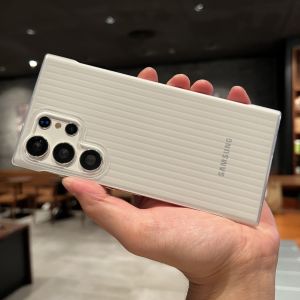
Matted Ultra-Thin Hardshell Suitcase Pattern Samsung S23 Ultra Phone Case Semi-Transparent Cover Protective Shell for Galaxy S24 Ultra
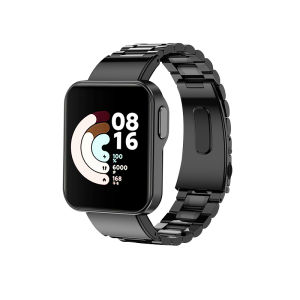
Stainless Steel Metal Straps for Xiaomi Smartwatches: A Comprehensive Guide
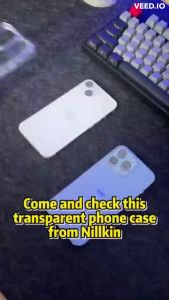
IPHONE 16 PRO MAX / 16 PRO / 16 PLUS / 16 16E Case NILLKIN Nature Pro Shockproof Case

Z16 METAL STAND Carbon steel all Metal holder 360° Rotating Foldable Desktop Live Phone tablet Stand

Wireless Bluetooth Butterfly Knot Airpods pro Protective Case Silver Plating Soft TPU Shell for Apple Earphones Second Generation

Ultra-Thin Full-Coverage Huawei Honor 90 Phone Case Curved Screen Anti-Fall Mens Style Protective Shell Liquid Silicone Soft Case
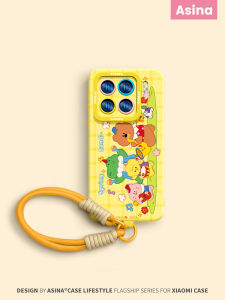
Ultra-Thin Liquid Silicone Phone Case for Xiaomi 17Pro Max Womens Full Cover Protective Shell Cute Animal Band Design Redmi K60