SZX 2.4G Wireless Presenter With Laser Pointer Laptop Remote Control Flip Pen For Powerpoint Presentation PPT
SZX 2.4G Wireless Presenter With Laser Pointer Laptop Remote Control Flip Pen For Powerpoint Presentation PPT
What is SZX 2.4G Wireless Presenter?
The SZX 2.4G Wireless Presenter is a versatile tool designed to enhance your presentation experience. This compact device includes a wireless remote control and ultra-slim receiver, allowing you to navigate through your slides effortlessly while maintaining a professional appearance.
Key Features
- 2.4G wireless technology for reliable and secure connection
- Ultra-slim receiver for easy portability
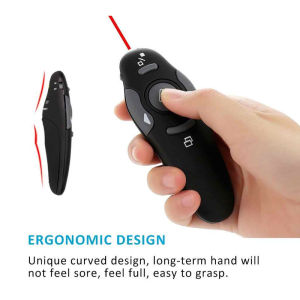
- Flip pen design for comfortable grip and easy handling
- Laser pointer for precise highlighting
- Remote control for laptop operation
How It Works
The SZX 2.4G Wireless Presenter operates using 2.4G wireless technology, which allows you to connect the ultra-slim receiver to your laptop and pair the remote control with ease. This ensures a secure and stable connection during your presentation, eliminating the risk of signal interference.
Setting Up Your Wireless Presenter
To get started with the SZX 2.4G Wireless Presenter, follow these simple steps:
Connecting the Ultra-Slim Receiver
- Plug the ultra-slim receiver into a USB port on your laptop.
- Ensure the receiver is properly connected and recognized by your computer.
Pairing the Remote Control
- Press and hold the pairing button on the remote control until the LED light blinks.
- Wait for the LED light to turn solid, indicating successful pairing.
How to Use the SZX 2.4G Wireless Presenter
Once your wireless presenter is set up, you can start using it to navigate through your presentation and control your laptop remotely.
Navigating Through Your Presentation
Use the arrow keys on the remote control to move forward and backward through your slides. This allows you to maintain eye contact with your audience while keeping control of your presentation.
Using the Laser Pointer
Press the laser button on the remote control to activate the laser pointer. This feature enables you to highlight specific areas on your slides, drawing attention to key points.
Controlling Your Laptop Remotely
With the SZX 2.4G Wireless Presenter, you can also control your laptop remotely using the function keys on the remote control. This includes adjusting the volume, changing the screen brightness, and accessing other essential functions.
Benefits of Using SZX 2.4G Wireless Presenter
Using the SZX 2.4G Wireless Presenter offers numerous benefits that enhance your presentation experience.
Improved Presentation Experience
With the SZX 2.4G Wireless Presenter, you can maintain a professional appearance by moving freely around the room while presenting. This keeps your audience engaged and focused on your message.
Enhanced User-Friendliness
The flip pen design of the SZX 2.4G Wireless Presenter ensures a comfortable grip, making it easy to handle during your presentation. Additionally, the intuitive layout of the remote control allows for seamless navigation through your slides.
Increased Efficiency
By using the SZX 2.4G Wireless Presenter, you can save time and effort during your presentation. With the ability to control your laptop remotely, you can easily adjust settings and access essential functions without interrupting your flow.

SZX SHANG ZHI XUAN
Review
You May Also Like
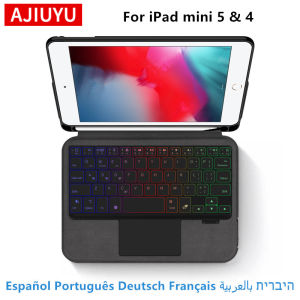
AJIUYU Smart Keyboard Case For iPad mini 5th Generation Mini 4 5 7.9 Inch Tablet Magic Cover Magnetic Separation Backlit Touch
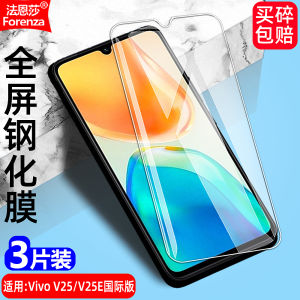
High Definition Diamond Film for Vivo V25/V25E/V2201/V2202/V2228/V2209/V2242 Full Screen Mobile Phone Tempered Glass Screen Protector Anti-Fingerprint Eye Protection Anti-Blue Light Explosion Proof

Original LCD For Vivo V9/ V9 Youth/Y85 1727 1726 1723 Display Touch Screen Digitizer Assembly Replacement With Free Tool
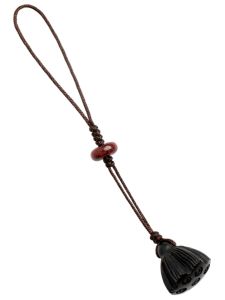
Classic Peach Wood Lotus Pod Mobile Phone Pendant & Creative Sandalwood Keychain
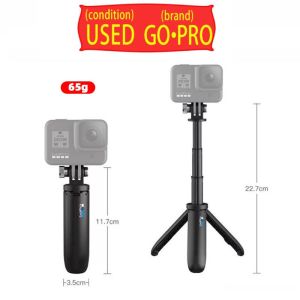
Selfie Stick Handheld Foldable GoPro Tripod Monopods For Action Camera 2nd Hand
2X Ultra Clear /Anti-Glare/Anti Blue-Ray Screen Protector Guard Cover for 13.3" HP EliteBook x360 1030 G2 Laptop 16:9
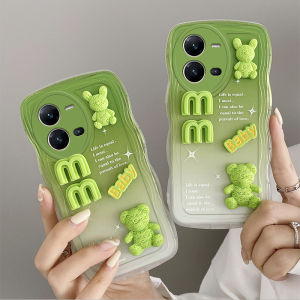
Hot Phone Case VIVO V25 V25e V23e 4G 5G Y16 Y35 Y22 Y22s New Fun Cartoon Gradient Big Wave Pattern Casing Cute Smile 3D Bear Rabbit Soft Cover 2023
2025 Retro Camera Style AirPods Pro 2/4/3 Case with Buckle - Shockproof 3D Design Protective Cover Anti-Scratch Anti-Drop Cute Gift Accessories
GOLLEY LION 1 Pair Hifi Speaker Cable with Banana Plug to 2.0 Pin for Home Theater Amplifier Surround System 2pcs
Cute Cartoon Beaver Silicone Phone Case for Samsung Note20 Ultra Note10+ A72 Transparent Full Cover A52 A31 S7/S8/S9+ Note9 Female

【Free Shipping+Local Seller】5pcs 3Pin XLR Cable Male to Female M/F Foil+Braided Shielded Audio Cable