Acodo 2 Din Android 12 Car Radio: A Comprehensive Guide
Acodo 2 Din Android 12 Car Radio: A Comprehensive Guide
Introduction
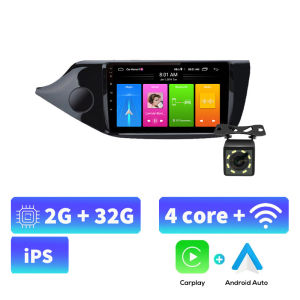
Acodo 2 Din Android 12 Car Radio is a cutting-edge multimedia player designed specifically for KIA CEED models from 2013 to 2015. This advanced car stereo system boasts an IPS screen, steering wheel controls, and compatibility with popular technologies like WiFi FM BT. In this comprehensive guide, we will explore the key features, installation process, and user experience of this impressive car headunit.
Installation & Setup
Unboxing & Components Included
Upon unboxing the Acodo 2 Din Android 12 Car Radio, you will find the following components:
- 1 car radio (with frame)
- 1 x GPS antenna
- 1 x 16-pin power cord
- 1 x RCA cable
- 1 x reversing video input cable
- 1 x USB data cable
- 1 x manual
Step-by-Step Installation Process
To install the Acodo 2 Din Android 12 Car Radio, follow these steps:
- Remove the old headunit from your KIA CEED.
- Connect the GPS antenna to the back of the new car radio.
- Attach the 16-pin power cord to the car radio and plug it into the vehicle's wiring harness.
- Connect the RCA cable and reversing video input cable to the appropriate ports on the car radio.
- Insert the USB data cable into the car radio for firmware updates.
- Secure the car radio in place using the included frame.
- Refer to the manual for any additional setup instructions.
Connecting External Devices
The Acodo 2 Din Android 12 Car Radio supports various external devices, including smartphones, USB drives, and SD cards. Simply connect the desired device using the appropriate port or cable.
Features & Capabilities
Navigation & GPS Integration
The Acodo 2 Din Android 12 Car Radio features built-in GPS navigation, allowing you to easily find your way around town. With support for popular map applications, you can enjoy seamless turn-by-turn directions right on your car's dashboard.
Audio & Video Playback
Enjoy high-quality audio and video playback from a variety of sources, including CDs, DVDs, USB drives, SD cards, and streaming services. The Acodo 2 Din Android 12 Car Radio supports a wide range of file formats, ensuring compatibility with your favorite media.
Bluetooth Connectivity & Hands-Free Calling
Stay connected on the go with the Acodo 2 Din Android 12 Car Radio's built-in Bluetooth connectivity. Pair your smartphone with the car radio to enjoy hands-free calling and audio streaming from popular music apps.
User Experience & Customization
Interface & Menu Navigation
The Acodo 2 Din Android 12 Car Radio features a user-friendly interface with intuitive menu navigation. Access all of your favorite features with ease using the touchscreen display or steering wheel controls.
Customizing the Display & Settings
Personalize your car radio experience by customizing the display and settings according to your preferences. Adjust screen brightness, font size, and other display options to make the most of your new multimedia player.
Utilizing Steering Wheel Controls
Take advantage of the Acodo 2 Din Android 12 Car Radio's steering wheel controls to access key functions while keeping your hands on the wheel. Navigate menus, adjust volume, and control media playback with ease.
Conclusion & Final Thoughts
The Acodo 2 Din Android 12 Car Radio is a top-of-the-line multimedia player designed specifically for KIA CEED models from 2013 to 2015. With its advanced features, easy installation process, and customizable user experience, this car headunit is sure to enhance your driving experience. Upgrade your car stereo system today and enjoy the benefits of an IPS screen, steering wheel controls, and WiFi FM BT connectivity." }

Acodo Official Store
Review

You May Also Like
Yamaha FAZZIO Fazio grand filano Air Filter Air Filter Yamaha Accessories
Baofeng Universal Microphone Holder Hand Hook Clip for Motorola Kenwood YEASU TYT Hytera BAOFENG Car Radio Walkie Talkie
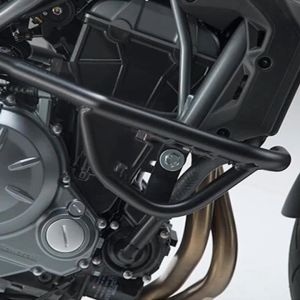
For KAWASAKI Z650 Z650RS Z 650 RS 2017 2018 2019 2020 2021 2022 2023 Black Motorcycle Engine Guards Bumper Crash Bar Frame Sliders Protection Falling Protector
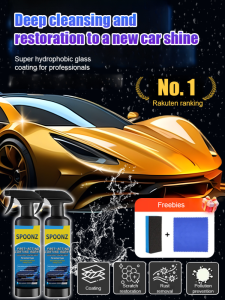
Nano Coating Agent Waxing Glaze Varnish Transfer Fluid Protection Performance Humanized Nozzle Fast And Efficient Stainresistant Towel Sponge Set Car Paint Coating Agent Enhance Brightness
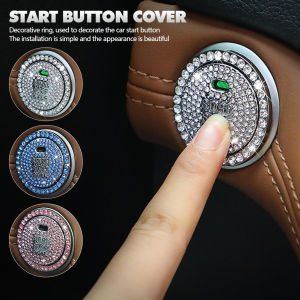
JaneDream 2Pcs/Set Car Interior Engine Ignition Start Stop Button Protective Cover One-click Start Button Crystal Decoration Accessories

Custom Magnetic Car Window Sunshade For Land Rover Range Rover Evoque L538 2011-2019 Curtain Mesh Front Windshield Frame Curtain
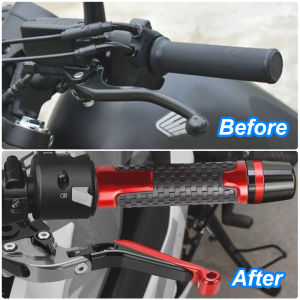
HONDA CBR650R & CB1000R 2008-2020: Modified Handlebar Grips Ends
![[Buy 1 Take 1]2pcs 1157 Motorcycle Tail Light Bay15d P21-5W Car Turn Signal Lighting Motorcycle Tail Light 12V 2835 32smd](https://img.lazcdn.com/g/ff/kf/S0d14e548dd22440284d8cedbdcb0dc27V.png_300x300q80.png)
[Buy 1 Take 1]2pcs 1157 Motorcycle Tail Light Bay15d P21-5W Car Turn Signal Lighting Motorcycle Tail Light 12V 2835 32smd
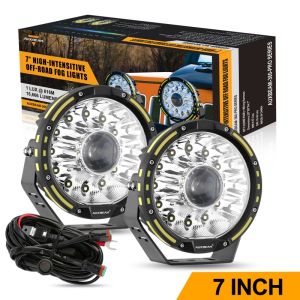
LED Driving Lights 7 Inch Round 115W Hyper Spot Beam Work Amber Spotlights Pod with 360 PRO Large Lens Lights with Amber DRL with DT Plug Wiring Harness Work Lights
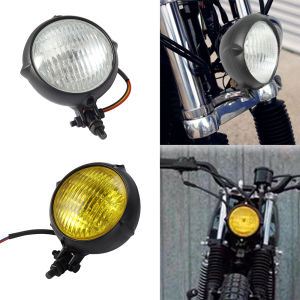
Round Motorcycle Headlight 4 Inch H4 Motorbike Headlamp Amber Lamp for Harley Bobber Chopper Custom Bikes Black Yellow Lens
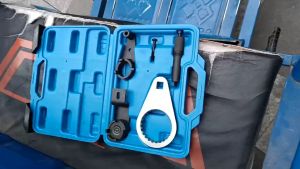
Diesel Engine Timing Tool Kit For Chrysler Jeep Cherokee Holden Colorado 2.8L CRD(3 PCS or 5 PCS)