Lenovo Gaming Laptop Intel Core i7 10510U Laptop RAM12/16GB SSD 256GB/512GB/1TB Play Valorant GTA V Support 180 Degree Folding 15.6inch Warranty 2 Year
Lenovo Gaming Laptop Intel Core i7 10510U Laptop RAM12/16GB SSD 256GB/512GB/1TB Play Valorant GTA V Support 180 Degree Folding 15.6inch Warranty 2 Year
Overview of the Lenovo Gaming Laptop
The Lenovo Gaming Laptop, powered by the Intel Core i7-10510U processor, offers a robust gaming experience with its 15.6-inch OLED display, 120Hz refresh rate, and resolution of 1920x1080. This gaming laptop comes with 12/16GB RAM and storage options ranging from 256GB to 1TB SSD. It supports popular games such as Valorant and GTA V, and features a 180-degree folding design for added convenience.
Key Features & Specifications
- Operating System: Windows 11
- Processor: Intel Core i7-10510U
- Display: OLED 15.6 inches, resolution 120Hz, 1920x1080
- Memory: 12/16GB RAM
- Storage: 256GB/512GB/1TB SSD
Comparison with Other Gaming Laptops
Compared to other gaming laptops in its price range, the Lenovo Gaming Laptop stands out due to its high-resolution OLED display, 120Hz refresh rate, and powerful Intel Core i7-10510U processor. It offers excellent performance for gaming and multitasking, making it a top choice for gamers looking for a reliable and efficient gaming laptop.
How to Choose the Right Lenovo Gaming Laptop
When selecting the right Lenovo Gaming Laptop, consider the following factors:
RAM & Storage Options
Choose the RAM and storage options that best fit your needs. For gaming, a minimum of 12GB RAM is recommended, while 16GB is ideal for multitasking and heavy workloads. As for storage, a 512GB SSD is sufficient for most users, but those who require more storage space may opt for the 1TB option.
Display & Performance Considerations
Look for a display with a high refresh rate and resolution to ensure smooth gameplay and crisp visuals. The Lenovo Gaming Laptop offers a 120Hz refresh rate and 1920x1080 resolution, providing an excellent gaming experience. Additionally, consider the processor's performance, as it plays a crucial role in determining the laptop's overall gaming capabilities.
How to Maximize Gaming Performance on the Lenovo Laptop
To get the most out of your Lenovo Gaming Laptop, follow these tips:
Optimizing System Settings
Adjust system settings to optimize performance for gaming. This includes setting the display to its highest resolution and refresh rate, enabling performance mode, and adjusting power settings for maximum efficiency.
Choosing the Right Games & Graphics Settings
Select games that are compatible with your laptop's hardware and adjust graphics settings accordingly. For example, lower the resolution and detail settings if you experience lag or frame rate drops during gameplay.
Warranty & Support for the Lenovo Gaming Laptop
Lenovo offers a comprehensive warranty and support package for their gaming laptops, ensuring peace of mind for customers.
Understanding the 2-Year Warranty
The Lenovo Gaming Laptop comes with a 2-year warranty, covering hardware defects and manufacturing issues. This warranty provides users with peace of mind, knowing they are protected against potential problems during the first two years of ownership.
Contacting Lenovo Support
For any issues or concerns, contact Lenovo Support for assistance. They offer various support options, including phone, email, and live chat, to help users resolve problems quickly and efficiently.

Kiana Digital
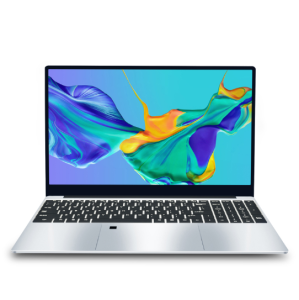
You May Also Like
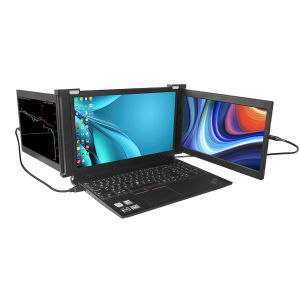
TRI-SCREEN Portable Monitor: Dual 11.6 Inch Display FHD IPS USB-A/Type-C/HDMI
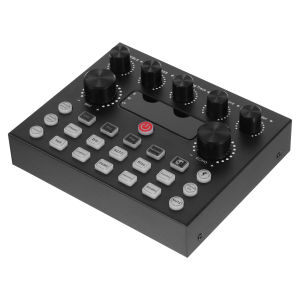
Koorfly V8S Sound Card: A Comprehensive Guide
AMD RYZEN 5 5600G / RYZEN 7 5700G / A520M / (BRAND NEW) WHITE BUILD / GAMING DESKTOP COMPUTER / FREE INSTALLATION OF GAMES AND APPS
Expose UPS Power Supply Mini 12400mAh 36W Mini UPS Uninterrupted For WiFi Router Modem Powerbank Security Camera battery
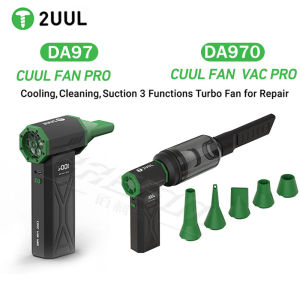
2uul DA970/DA97 Cuul Fan Vac Pro Cooling Cleaning Suction 3 Functions Turbo Fan Quick Cooling Drying for Mobile Phone Repair Too
【3 years local warranty】Gaming Laptop Windows 11 Woman Study Notebook Computer 11.4 Inch 11th Gen Intel I7-7500U 12GB DDR4 1TB WiFi Ultrabook
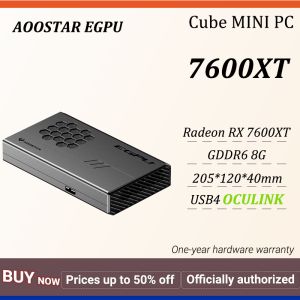
AOOSTAR EGPU Expansion Card 8 GB GDDR6 RDNA3 Architecture AMD Radeon RX 7600XT Oculink+Usb4 1Year Warranty
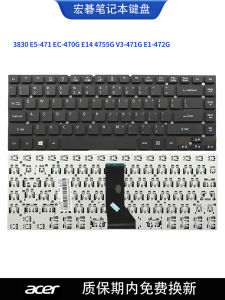
Compatible South Korea Brand Notebook Computer Keyboard for Acer 3830 E5-471 EC-470G E14 4755G V3-471G E1-472G

CPu only Intel Core i5 2nd Gen 4gb 500gb hdd 512mb 64bit Black Case 1pc LED FAN
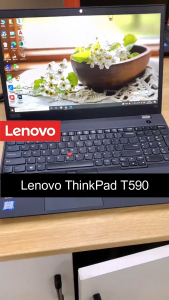
【Lenovo Laptop】Lenovo ThinkPad ,15.6 inch,Intel ® Core ™ Processor,Intel HD Graphics
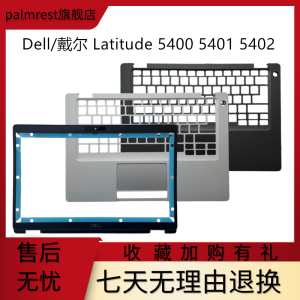
Dell Latitude 5400 E5400 B Shell C Shell Screen Frame Keyboard Surface Palm Rest Notebook Computer Parts And Accessories