


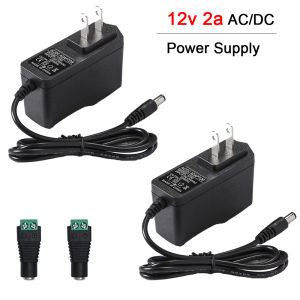
12V 2a AC/Dc Power Supply with 2 Tips 12 Volts Ac Adapter For Led Stripcctv Camerawireless RoutermonitorGPSWebcam

12V 2a AC/Dc Power Supply with 2 Tips 12 Volts Ac Adapter For Led Stripcctv Camerawireless RoutermonitorGPSWebcam
12V2a AC/Dc Power Supply with 2 Tips 12 Volts Ac Adapter For Led Stripcctv Camerawireless RoutermonitorGPSWebcam

GLORIAS Watp Shop
Seller ratings 97%
Review
5.0
/5
8 Ratings
น
น****.
Feb 14, 2025
Received it successfully, the delivery was fast. After waiting for a couple of days, I got it. The packaging was very good and the product matches what I ordered.
Helpful (0)
A
A****.
Feb 02, 2025
Very good for the LED strip, convenient size, suitable for surveillance cameras, compact and efficient.
Helpful (0)
You May Also Like
00:38
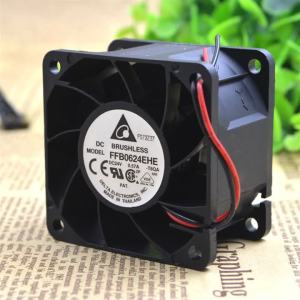
60mm 24V Axial Case Fan for Delta FFB0624EHE 60x60x38mm 24V 0.57A High-Performance Cooling Fan
00:30
GEEBON X One Power Supply Brick With Power Cord AC Adapter Replacement US Plug
00:36
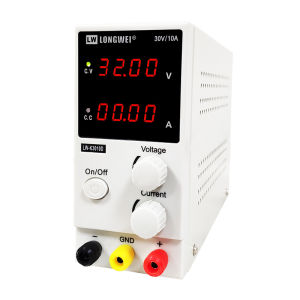
Longwei Factory sales LW-K3010D New 4 Digit Display Switching Laboratory DC Power Supply Adjustable 30V 10A High Precision Repair Lab Power Supply DC
00:22
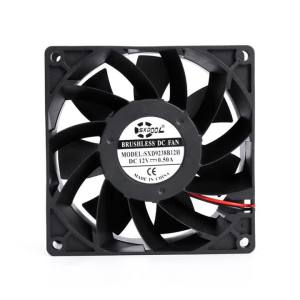
92mm cooling fan 9cm 90mm 92X92X38mm DC12V powerful cooling fan 0.50A 4000RPM 92.3CFM case cabinets chassis cooling fan
00:50
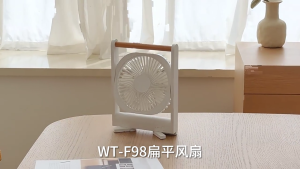
USB Charging Quiet Desk Fan with Adjustable Airflow Quiet Cooling Fan ABS Texture Perfect for Office or Bedroom Use
00:14
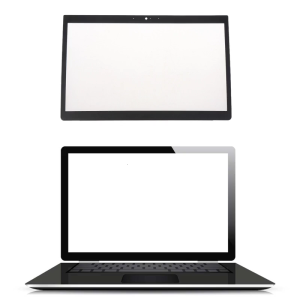
Laptop LCD Front Frame Cover Bezel Laptop Accessories New/Original for DellLatitude E7480 E7490 Laptop 33x21.3cmBlack

00:19
SVR Automatic Voltage Regulator 220V 500VA/1000VA/1500VA/2000VA Servo Type AVR
00:12
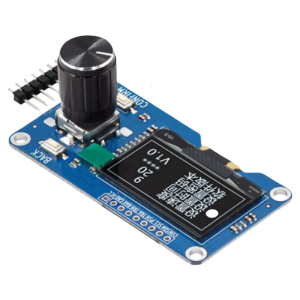
1.3inch LED Display EC11 Rotary Encoders Module IIC Interfaces Integrated Module Rotation Accurately Determined
00:14
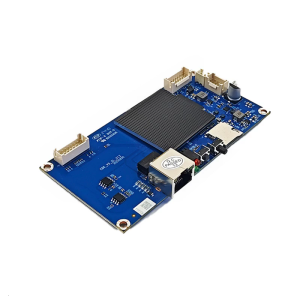
High Performances Control Board For M53 M53S M63 Mining Machines Enhances Cooling System And Stable Hashrate Output
02:55
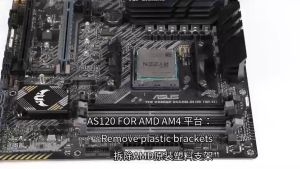
Thermalright Assassin Spirit 120 Vision ARGB Air Cooler: A Comprehensive Guide\\n\\n Introduction & Overview\\n\\nThe Thermalright Assassin Spirit 120 Vision ARGB Air Cooler is a top-tier cooling solution designed for PC enthusiasts who prioritize performance and aesthetics. This 120mm CPU cooler combines cutting-edge thermal technology with customizable RGB lighting, making it a must-have for gamers and overclockers alike.\\n\\n What is the Thermalright Assassin Spirit 120 Vision ARGB Air Cooler?\\n\\nThe Thermalright Assassin Spirit 120 Vision ARGB Air Cooler is a high-performance CPU cooler that utilizes advanced thermal design and ARGB lighting technology. This 120mm cooler offers exceptional thermal performance and customizable RGB lighting, making it a popular choice among PC enthusiasts.\\n\\n Key Features & Benefits\\n\\n- **Advanced Thermal Design**: The Assassin Spirit 120 Vision ARGB Air Cooler features a highly efficient heat sink and optimized fan design, ensuring superior thermal performance and quiet operation.\\n- **Customizable RGB Lighting**: With support for popular RGB lighting controllers, users can customize the lighting effects to match their system aesthetics.\\n- **Compatibility**: Designed to fit a wide range of CPU sockets, this cooler is compatible with most modern motherboards.\\n- **Ease of Installation**: The Assassin Spirit 120 Vision ARGB Air Cooler comes with all necessary mounting hardware and is easy to install, even for beginners.\\n\\n Why Choose the Thermalright Assassin Spirit 120 Vision ARGB Air Cooler?\\n\\nIf you're looking for a top-tier cooling solution that combines exceptional thermal performance with customizable RGB lighting, the Thermalright Assassin Spirit 120 Vision ARGB Air Cooler is the perfect choice. Its advanced thermal design, ease of installation, and compatibility make it a popular choice among PC enthusiasts.\\n\\n Performance & Efficiency\\n\\nThe Thermalright Assassin Spirit 120 Vision ARGB Air Cooler offers outstanding performance and efficiency, thanks to its advanced thermal design and ARGB lighting technology.\\n\\n How to Optimize Thermal Performance\\n\\nTo get the most out of your Thermalright Assassin Spirit 120 Vision ARGB Air Cooler, follow these tips:\\n\\n- **Ensure Proper Installation**: Follow the manufacturer's instructions carefully to ensure proper installation and optimal thermal contact.\\n- **Use High-Quality Thermal Paste**: Apply a thin layer of high-quality thermal paste to maximize heat transfer between the CPU and the cooler.\\n- **Monitor Temperatures**: Regularly monitor your CPU temperatures using software tools like HWMonitor or MSI Afterburner to ensure optimal performance.\\n\\n Understanding ARGB Air Cooler Technology\\n\\nARGB air coolers combine advanced thermal technology with customizable RGB lighting, allowing users to create a visually stunning PC build. The Assassin Spirit 120 Vision ARGB Air Cooler supports popular RGB lighting controllers, making it easy to customize the lighting effects to match your system aesthetics.\\n\\n Maximizing RGB Lighting Effects\\n\\nTo get the most out of your Thermalright Assassin Spirit 120 Vision ARGB Air Cooler's RGB lighting, consider the following tips:\\n\\n- **Choose a Compatible RGB Controller**: Ensure your motherboard or graphics card supports popular RGB lighting controllers like ASUS Aura Sync, MSI Mystic Light, or Corsair iCUE.\\n- **Experiment with Lighting Effects**: Try different lighting effects and colors to find the perfect match for your system aesthetics.\\n- **Synchronize with Other RGB Devices**: Sync your cooler's RGB lighting with other RGB devices in your build for a cohesive look.\\n\\n Installation & Setup\\n\\nInstalling the Thermalright Assassin Spirit 120 Vision ARGB Air Cooler is straightforward, even for beginners. Follow these steps to get started:\\n\\n How to Install the Thermalright Assassin Spirit 120 Vision ARGB Air Cooler\\n\\n1. **Prepare Your Workspace**: Ensure your workspace is clean and well-lit before beginning the installation process.\\n2. **Remove Old Cooler**: Carefully remove any existing CPU cooler before installing the Assassin Spirit 120 Vision ARGB Air Cooler.\\n3. **Apply Thermal Paste**: Apply a small amount of high-quality thermal paste to the CPU surface.\\n4. **Install the Cooler**: Mount the cooler onto the CPU socket, ensuring proper alignment and secure installation.\\n5. **Connect Power & RGB Cables**: Connect the power and RGB cables to the appropriate motherboard headers.\\n\\n Connecting the ARGB Lighting\\n\\nTo connect the ARGB lighting, follow these steps:\\n\\n1. **Identify ARGB Headers**: Locate the ARGB headers on your motherboard or graphics card.\\n2. **Connect ARGB Cable**: Connect the ARGB cable from the cooler to the appropriate header.\\n3. **Configure RGB Settings**: Use your motherboard or graphics card's software to configure the RGB settings.\\n\\n Configuring the RGB Lighting Settings\\n\\nTo configure the RGB lighting settings, follow these steps:\\n\\n1. **Launch RGB Software**: Open the RGB software provided by your motherboard or graphics card manufacturer.\\n2. **Select Cooler**: Locate the cooler in the software and select it for configuration.\\n3. **Choose Lighting Effects**: Select the desired lighting effects and colors.\\n4. **Save Settings**: Save your settings and exit the software.\\n\\n Maintenance & Troubleshooting\\n\\nRegular maintenance and troubleshooting can help ensure optimal performance and longevity of your Thermalright Assassin Spirit 120 Vision ARGB Air Cooler.\\n\\n How to Clean & Maintain the Thermalright Assassin Spirit 120 Vision ARGB Air Cooler\\n\\nTo clean and maintain your cooler, follow these steps:\\n\\n- **Power Off System**: Ensure your system is powered off before cleaning the cooler.\\n- **Remove Dust**: Use compressed air to remove dust from the cooler's fins and fan blades.\\n- **Check for Obstructions**: Inspect the cooler for any obstructions that may impede airflow.\\n- **Reapply Thermal Paste**: Reapply thermal paste every 6-12 months to maintain optimal heat transfer.\\n\\n Common Issues & Solutions\\n\\nIf you're experiencing issues with your Thermalright Assassin Spirit 120 Vision ARGB Air Cooler, consider the following solutions:\\n\\n- **High Temperatures**: Check for proper installation, thermal paste application, and dust buildup.\\n- **No RGB Lighting**: Ensure the ARGB cable is connected correctly and the RGB settings are configured properly.\\n- **Fan Noise**: Adjust fan speed settings or clean the cooler to reduce noise.\\n\\n FAQs & Additional Resources\\n\\nFor more information on the Thermalright Assassin Spirit 120 Vision ARGB Air Cooler, consult the following resources:\\n\\n- **User Manual**: Refer to the user manual for detailed installation and usage instructions.\\n- **Thermalright Website**: Visit the Thermalright website for product information, support, and warranty details.\\n- **Online Forums**: Join online forums like Tom's Hardware or Reddit to connect with other users and share experiences.\n}
00:18
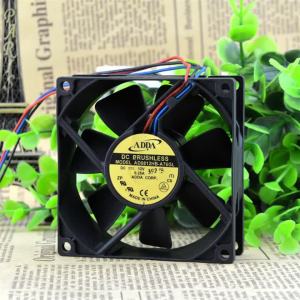
AD0812HB-A76GL 80mm Axial Fan for ADDA 8025 80X80X25mm DC 12v 0.25A CPU Case Fan 3Pin Cooler Heatsink Cabinets Server Inverter

01:00

















