Logitech G304/305 Mouse Honeycomb Battery Cover: A Comprehensive Guide
Logitech G304/305 Mouse Honeycomb Battery Cover: A Comprehensive Guide
What is the Honeycomb Design Mouse Accessory?
The Honeycomb Design Mouse Accessory, specifically designed for the Logitech G304 and G305 gaming mice, is a battery cover that offers enhanced durability, performance, and improved ergonomics. This innovative accessory seamlessly integrates with the existing mouse parts, ensuring a comfortable and reliable gaming experience.
Understanding the Logitech G304 Mouse Battery Cover
The Logitech G304 Mouse Battery Cover is crafted to fit the G304 wireless gaming mouse. Its honeycomb design not only provides a visually appealing aesthetic but also improves grip and reduces weight, making it easier to maneuver during intense gaming sessions.
Exploring the G305 Mouse Battery Cover
Similarly, the G305 Mouse Battery Cover is tailored for the G305 wireless gaming mouse. It shares the same honeycomb design, offering comparable benefits in terms of durability, performance, and ergonomics.
Key Features of Logitech Mouse Parts
Both battery covers feature the following key attributes:
- Honeycomb design for improved grip and reduced weight
- Durable construction for long-lasting use
- Easy installation and removal
- Compatibility with other Logitech mouse accessories
How to Install the Battery Cover
Installing the honeycomb battery cover on your Logitech G304 or G305 gaming mouse is a straightforward process. Follow these steps to ensure a seamless installation:
Preparing the Mouse for Installation
Before installing the battery cover, ensure that your mouse is turned off and that the batteries are removed.
Step-by-Step Installation Process
- Align the honeycomb battery cover with the mouse's battery compartment.
- Press the cover firmly onto the mouse until it clicks into place.
- Replace the batteries and turn on your mouse to verify proper installation.
Troubleshooting Common Issues
If you encounter any issues during installation, refer to the following troubleshooting tips:
- Ensure the battery cover is properly aligned before pressing it onto the mouse.
- Double-check that the batteries are inserted correctly.
- Verify that the mouse is turned on after installation.
Benefits of Using the Honeycomb Battery Cover
Incorporating the honeycomb battery cover into your gaming setup offers numerous advantages:
Enhanced Durability & Performance
The honeycomb design increases the mouse's durability by providing a robust grip surface. This reduces the risk of accidental drops and improves overall performance during intense gaming sessions.
Improved Comfort & Ergonomics
The honeycomb pattern enhances the ergonomic design of the Logitech G304 and G305 mice, offering a more comfortable grip and reducing hand fatigue during extended gaming sessions.
Compatibility with Other Logitech Mouse Accessories
The honeycomb battery cover is designed to work seamlessly with other Logitech mouse accessories, such as LED lighting kits and ergonomic wrist rests, allowing you to customize your gaming experience to suit your preferences.
Maintaining Your Logitech Mouse
To ensure optimal performance and longevity of your Logitech G304 or G305 gaming mouse, follow these maintenance tips:
Cleaning & Storage Tips
Regularly clean the mouse using a soft, lint-free cloth to remove dust and debris. Store the mouse in a cool, dry place when not in use to prevent damage.
Extending Battery Life
To maximize battery life, turn off the mouse when not in use and avoid exposing it to extreme temperatures. Replace the batteries as needed to maintain optimal performance.
When to Replace the Battery Cover
If the honeycomb battery cover becomes damaged or worn, it's time to replace it. Replacing the cover will restore the mouse's durability, performance, and ergonomic benefits, ensuring a comfortable and reliable gaming experience.

Sly Crafts

Review
You May Also Like
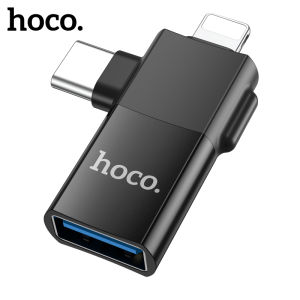
HOCO UA17 iOS /Type C Male To Micro USB female 2-in-1 adapter for Converter date transmission OTG Adapter

Mobile Special Base For Washing Machine and Refrigerator Household Appliance CPU Stand with Universal Wheels Stainless Steel Cooling Base Chassis Bracket Adjustable Multifunctional Rack
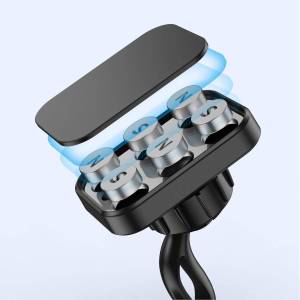
Creative Curved Surface Mobile Phone Car Mount Strong Magnetic Absorption Universal Extended Version Navigation Holder
OPPO Realme LCD Realme 2 Pro OPPO F9 LCD Display Screen Assembly for Replacement

Oppo True Me 11 & Realme 11 Pro Phone Cases: A Comprehensive Guide

Glossy Tempered Glass Backplane Macaron Color Phone Case For iPhone 16 15 14 13 12 11 Pro Max Large Window Camera Protect Cover

Portable Foldable Thin Mobile Phone Stand Stick on Mirror Surface Tulip Cartoon Dog Support Bracket Desktop Creative Bee Rabbit

Glowing LED Phone Case for Nubia Red Magic 8 & ZTE Redmagic 6

Ergonomic Pencil Grip Holder Silicone Pencil Case Compatible with Apple Pencil 1st & 2nd Generation
Boorca Xiaomi Civi5Pro UV Curing Film Full Screen Curved Screen Mobile Phone Film Protective Film for Xiaomi Civi4Pro Civi3 Civi2 Civi1/1s

Keychron Q1 HE QMK 2.4 GHz/Bluetooth/WiredWireless Custom Mechanical Keyboard: A Comprehensive Guide to Custom Mechanical Keyboards