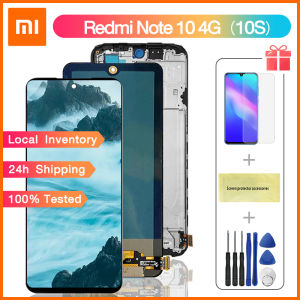
Original Screen For XIAOMI Redmi Note 10 4G / 10S LCD Display Touch Screen Digitizer Assembly Replacment Parts
Original Screen For XIAOMI Redmi Note 10 4G / 10S LCD Display Touch Screen Digitizer Assembly Replacment Parts
Introduction to XIAOMI Redmi Note 10 LCD Screen
XIAOMI Redmi Note 10 LCD screens are designed specifically for the Redmi Note 10 4G and 10S models. The original screen offers top-notch display quality, touch sensitivity, and durability. Choosing the right replacement parts ensures a seamless experience, as well as protects your investment in your device.
Key Features of the Original Screen
The original screen for XIAOMI Redmi Note 10 offers several key features:
- High-resolution display: A vivid and crisp picture quality ensures an immersive viewing experience.
- Touch sensitivity: An intuitive touch screen allows for smooth navigation and interaction.
- Durability: Built to withstand daily wear and tear, the original screen offers lasting performance.
Importance of Choosing Original Parts
Opting for original replacement parts guarantees compatibility, quality, and reliability. Original screens are manufactured to meet XIAOMI's strict standards, providing peace of mind for users. Non-original parts may lead to compatibility issues, decreased performance, and potential damage to your device.
How to Identify the Right LCD Display Touch Screen Digitizer Assembly
Selecting the correct LCD display touch screen digitizer assembly is crucial for a successful replacement. Here are some tips to help you identify the right part:
Common Issues with Non-Original Screens
Non-original screens can cause various problems, such as:
- Poor image quality: Blurry or distorted images may result from low-quality components.
- Touch sensitivity issues: A malfunctioning touch screen may lead to frustrating navigation problems.
- Short lifespan: Inferior parts may not last as long as original components, leading to repeated replacements.
Steps to Verify Authenticity
To ensure you're purchasing the correct original screen, follow these steps:
- Check the packaging: Look for the XIAOMI logo and product details on the packaging.
- Inspect the product: Examine the screen for any signs of damage or defects.
- Research the seller: Choose reputable sellers who offer genuine products and warranties.
Installing the Original Screen on Your XIAOMI Redmi Note 10
Replacing the original screen on your XIAOMI Redmi Note 10 requires careful attention to detail. Follow these guidelines to ensure a successful installation:
Tools Needed for Installation
- Screwdriver set
- Plastic opening tools
- Suction cup
- Screen replacement kit
Step-by-Step Guide to Replacement
- Turn off your device and remove the battery.
- Use the screwdriver to remove the screws securing the screen assembly.
- Carefully separate the screen assembly from the device using plastic opening tools.
- Disconnect the screen cable from the motherboard.
- Remove the damaged screen and attach the new one.
- Reconnect the screen cable and reassemble the device.
Maintaining Your XIAOMI Redmi Note 10 Screen
Proper care and maintenance are essential for extending the life of your XIAOMI Redmi Note 10 screen. Follow these tips to keep your device in top condition:
Tips for Daily Care
- Handle your device with care: Avoid dropping or applying excessive pressure to the screen.
- Clean the screen regularly: Use a soft cloth and gentle cleaning solution to remove dirt and smudges.
- Protect your screen: Consider using a screen protector to prevent scratches and damage.
Troubleshooting Common Problems
If you encounter issues with your XIAOMI Redmi Note 10 screen, try these troubleshooting steps:
- Restart your device: A simple reboot may resolve temporary glitches.
- Update the software: Ensure your device is running the latest software version.
- Check for hardware issues: Inspect the screen for any visible damage or defects.

ILIKE LCD Store
Review

You May Also Like

JFS Steel Gas Stove Rack Cabinet LPG Tank Stand Gasul Rack Stand with Tiles Kitchen Organizers Storage Shelf
2X Anti Blue Light and Anti Glare Screen Protector for Lenovo IdeaPad Slim 5i (16" Gen8) IdeaPad Pro 5/5i 16 Gen9 Laptop 16:10

Laptop Battery E7240 Compatible with DELL Latitude 12 7000 E7250 WD52H GVD76 HJ8KP

W10843353 LED Light Board for Whirlpool KitchenAid Maytag Jenn-Air Kenmore Refrigerator Replace W10412708 W10279030 W10660728 W11126053 W11205083Only LED PCB Board,Screwdriver Provided
Ultra-Thin Sticky Back Phone Holder 360 Degree Rotating Adjustable Mini Portable Lazy Stand for Tablets And Mobile Phones
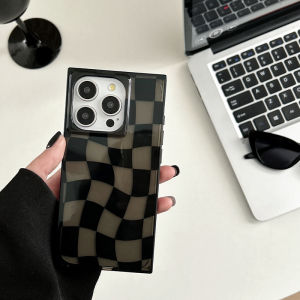
Simple Twisted Grid Design Phone Case for Apple iPhone 16 pro Max Square Right Angle Edge Female Style Non-Repeating Protective Shell
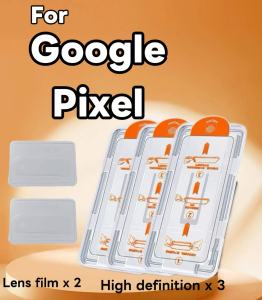
Google Pixel Tempered Glass Film 10 9 9a Pro XL 8A 8 A 8 7 7a 6a 5g HD Screen Protector Lens Film Set for 5pcs
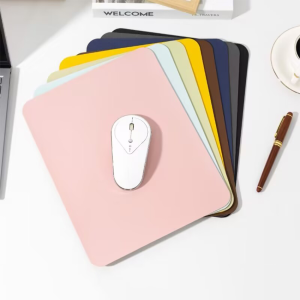
Portable Mouse pad PU Waterproof Non-slip PU Desktop Mouse Mats Easy To Clean Mat For PC Laptop Desktop 19x23CM 24x30CM 30x40cm
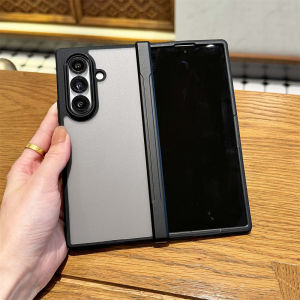
Hinge Protection Transparent Shockproof Phone Case For Samsung Galaxy Z Fold 7 Fold7 5G 2025 Clear Hard PC Protective Back Cover
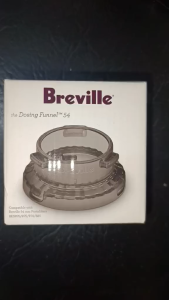
Breville Dosing Funnel 54mm: Cooking Accessory for Precision
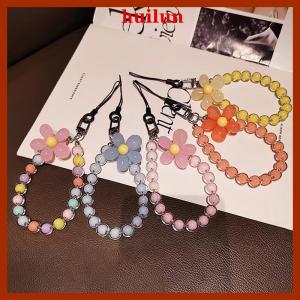
huilun 1pc Macaron-Colored Bead String Fashion Mobile Phone Lanyard Ins Style Handmade Beaded Anti-Lost Mobile Phone Chain