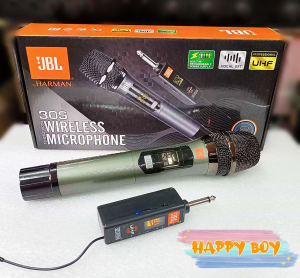
UHF JBL 30S PRO Wireless Microphone: High-Quality Audio Equipment
UHF JBL 30S PRO Wireless Microphone: High-Quality Audio Equipment
Introduction to JBL 30S PRO Wireless Microphone
The JBL 30S PRO is a top-tier UHF wireless microphone system designed for professional use. This high-performance audio equipment boasts an impressive range of features that cater to the needs of musicians, singers, and public speakers alike. In this article, we will delve into the product overview, key features, and reasons why choosing the JBL 30S PRO is a wise decision.
Product Overview & Key Features
The JBL 30S PRO wireless microphone system offers a wide range of features that set it apart from the competition. Some of the notable features include:
- 1.6.35 mm audio plug: Connect all kinds of speakers, karaoke, and input ports.
- Power switch: Control the power of the receiver by turning it up or down.
- Charging indicator light: Flashing or lighting up to show charging status.
- Micro-USB charging port: DC5V power input for easy charging.
- Battery compartment: Open the battery cover and install an 18650 battery.
- Receiver high sensitivity antenna: For very long-range reception.
- Radio frequency indicator light: Turns on when the handheld microphone is turned on.
Why Choose JBL 30S PRO?
The JBL 30S PRO wireless microphone system offers unparalleled performance and reliability, making it an ideal choice for professional use. Its wide range of features and compatibility with various speakers make it a versatile addition to any audio setup. Additionally, the high sensitivity antenna ensures stable reception even at long distances, allowing performers to move freely on stage without worrying about signal loss.
High-Performance Audio Equipment Explained
In this section, we will take a closer look at some of the key components of the JBL 30S PRO wireless microphone system and explain how they contribute to its high-performance capabilities.
Audio Plug: Connect All Kinds of Speakers
The JBL 30S PRO features a 1.6.35 mm audio plug that can connect to a variety of speakers, including karaoke systems and input ports. This versatility makes it easy to integrate the microphone into different audio setups, ensuring that users can enjoy clear and crisp sound quality regardless of the equipment they are using.
Power Switch & Charging Indicator Light
The power switch on the JBL 30S PRO allows users to easily control the power of the receiver by turning it up or down. Additionally, the charging indicator light provides visual feedback on the charging status, allowing users to monitor the battery level at a glance.
Micro-USB Charging Port & Battery Compartment
The JBL 30S PRO wireless microphone system features a micro-USB charging port that supports DC5V power input for easy charging. The battery compartment allows users to install an 18650 battery, providing a reliable power source for extended use.
UHF Wireless Microphone System: Basic Parameters
In this section, we will discuss the basic parameters of the JBL 30S PRO wireless microphone system, including frequency range, carrier frequency, receiving distance, sensitivity antenna, and radio frequency indicator light.
Frequency Range & Carrier Frequency
The JBL 30S PRO wireless microphone system operates within a specific frequency range, which is determined by the actual microphone parameters. The carrier frequency is set at 500 kHz, providing a stable and reliable signal for optimal performance.
Receiving Distance & Sensitivity Antenna
The JBL 30S PRO wireless microphone system boasts a high sensitivity antenna that ensures stable reception even at long distances. This feature allows performers to move freely on stage without worrying about signal loss, making it an ideal choice for professional use.
Radio Frequency Indicator Light
The radio frequency indicator light on the JBL 30S PRO wireless microphone system turns on when the handheld microphone is turned on, providing visual feedback on the signal strength. This feature helps users to quickly identify any potential issues with the microphone's performance.
How to Use JBL 30S PRO Wireless Microphone
In this final section, we will provide step-by-step instructions on how to set up, operate, maintain, troubleshoot, and frequently asked questions related to the JBL 30S PRO wireless microphone system.
Set-Up & Installation
Setting up the JBL 30S PRO wireless microphone system is simple and straightforward. First, connect the audio plug to the desired speaker or input port. Next, insert the 18650 battery into the battery compartment and turn on the power switch. Finally, ensure that the radio frequency indicator light is on before using the microphone.
Operation & Maintenance
Operating the JBL 30S PRO wireless microphone system is easy and intuitive. Simply hold the microphone close to your mouth and speak into it. To maintain the microphone, ensure that it is stored in a clean and dry environment when not in use. Additionally, regularly check the battery level and charge the microphone as needed.
Troubleshooting & FAQs
If you encounter any issues with the JBL 30S PRO wireless microphone system, refer to the troubleshooting guide provided in the user manual. Some common problems include poor sound quality, intermittent signal loss, and battery drain. To resolve these issues, check the connections, adjust the sensitivity antenna, and replace the battery if necessary.

Happy Boy
Review

You May Also Like

💥 Local Stock💥X7 Bone Conduction Swimming Bluetooth Headphones With MP3 Function Non-in-ear Earphone With IPX8 Deep Waterproof Surround Stereo Bluetooth 5.3

SHALANRA P5000S/PX6/PX8 2/4 Channel Digital Power Amplifier,8 Ohm 1200Watt D Class Professional Stage Performance KTV Audio Amplifier
ZEALOT-MP2m Karaoke Machine Portable bluetooth speaker with 1-2 Wireless Microphone Wireless Speaker 10Hrs Waterproof Speaker
Rapoo VH850 Dual-Mode Wireless Backlit Game Headset with RGB Lighting US - Black
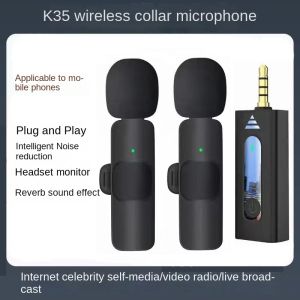
🎤【Readystock】 + FREE Shipping 🎙 K35 Wireless Lavalier Microphone Portable Audio Video Recording Plug Play Mic For iPhone Android Live Game Mobile Phone Camera
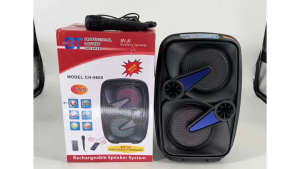
CH-6605 portable bluetooth Karaoke speaker With Wired Mic
Awei Y280 Portable Wireless Speaker Outdoor Sound Dual Stereo Track AUX TF Card FM IPX4 Waterproof Bluetooth-compatible Speakers For party
SHUKE SK18 Wireless Headphones: A Comprehensive Guide
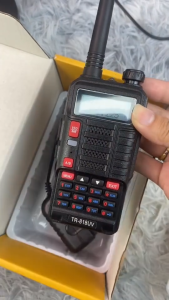
Baofeng 818-UV UHF VHF 10W Walkie Talkie Two Way Radio(Black)
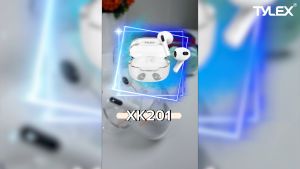
TYLEX XK201 Translucent Mascot Wireless Earphones: Bluetooth 5.0 & Type-C Charging
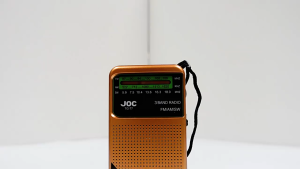
JOC a major American brand offers a full band radio with high sensitivity for the elderly. The semiconductor FM roller pointer is rechargeable