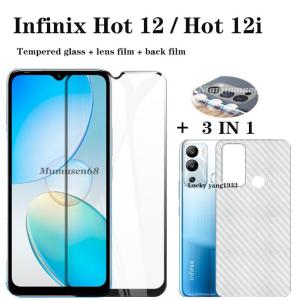
(3 in 1) For Infinix Hot 12i Hot 12 Hot 12play Screen Tempered Glass Film + Lens Film + Back Film
(3 in 1) For Infinix Hot 12i Hot 12 Hot 12play Screen Tempered Glass Film + Lens Film + Back Film
When it comes to protecting your Infinix Hot 12i, Hot 12, or Hot 12play, a reliable 3 in 1 tempered glass film set is essential. This article will guide you through selecting the right model, filling in shipping information, installation process, benefits, and troubleshooting common issues.
Understanding Your Purchase Options
Selecting the Right Model
This link sells multiple models. When you buy, choose the model you need, whether it's the Infinix Hot 12i Screen Tempered Glass Film, Protective Film for Infinix Hot 12, or Tempered Glass Film for Infinix Hot 12play. Ensure you select the correct model for your device.
Filling in Shipping Information
Fill in the correct address and phone number to receive your order. Thank you for your cooperation!
Installation Guide
Preparing Your Device
Before installing the films, clean your device thoroughly to remove any dust or debris. This will help ensure a smooth installation process.
Applying the Screen Film
- Remove the protective film from the screen protector.
- Align the edges of the screen protector with your device's screen.
- Slowly apply pressure to the center of the screen protector, working your way outwards to avoid air bubbles.
Attaching the Lens Film
- Carefully remove the protective film from the lens protector.
- Align the edges of the lens protector with your device's camera lens.
- Press down gently to secure the lens protector in place.
Securing the Back Film
- Peel off the protective film from the back protector.
- Align the edges of the back protector with your device's back panel.
- Apply pressure to the center of the back protector, working your way outwards to avoid air bubbles.
Benefits of the 3 in 1 Set
Enhanced Protection
The tempered glass film set provides superior protection against scratches, cracks, and accidental drops. The lens film safeguards your camera lenses from dust and damage, while the back film keeps your device's back panel free from scratches and scuffs.
Improved Display Quality
The screen protector enhances display quality by reducing glare and reflections, making it easier to view your device's screen in bright sunlight or low-light conditions.
Easy Installation Process
The 3 in 1 screen and lens film set is easy to install, requiring no special tools or skills. Simply follow the steps outlined above, and you'll have a fully protected device in no time.
Troubleshooting Common Issues
Air Bubbles Under the Films
If you notice air bubbles under the films, carefully lift the affected area and reapply pressure to eliminate the bubbles.
Incorrect Fit
If the films don't fit correctly, double-check that you've selected the right model for your device. If the issue persists, contact customer support for assistance.
Removing and Reapplying Films
If you need to remove and reapply the films, use a clean, lint-free cloth to gently lift the edges of the film. Then, carefully peel off the film and reapply it following the installation guide above.

FLYE STORE
Review
You May Also Like
Transparent Protective Cover: A Comprehensive Guide for 9.7 Inch iPad Air Case
3PCS Game Finger Cots for Mobile Games Touch Screen E-sports Positioning Breathable Non-slip Anti-sweat Anti-fingerprint
Stock Phone Case Infinix Smart 10 Plus HD Infinix GT 30 Pro 5G New Cartoon Trend Doraemon Hello Kitty Card Holder Casing Lens Protection Shockproof Couple Back Cover 2025
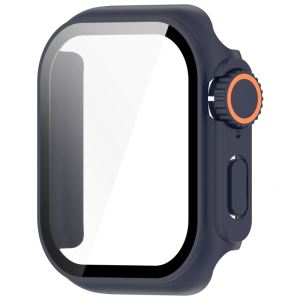
Smartwatch Shell Full Coverage Case with Film Screen Protector Cover for Watch Series 10 Scratchproof Case
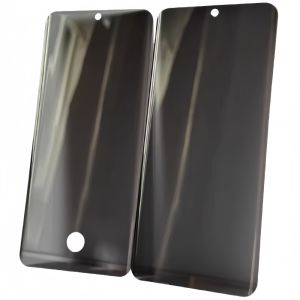
Privacy Screen Protector UV Tempered Glass Film for Vivo S17 S16 S18 Y78+ X200pro S20 X100 Ultra Curved Display Phone Protection
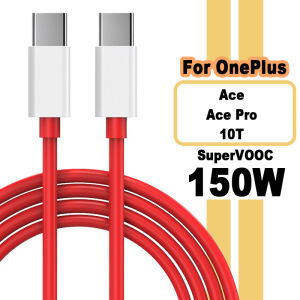
150W SUPERVOOC Fast Charger Cable USB Type C 8A For Oneplus Ace 2 Pro 10R 10T
For Huawei Nova 11i Case Xundd Shockproof Case Transparent Protective Airbags Soft Thin Cover for Nova11i
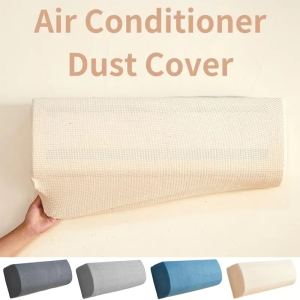
Polar Fleece Air Conditioner Dust Cover Anti-dust Wall Mounted Protector Home Textile Easy Cleaning Protective Cover
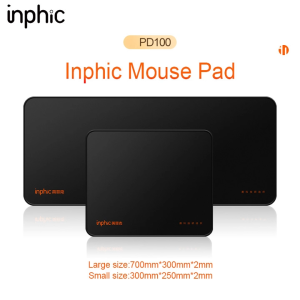
Inphic PD50/PD100 Extended Mouse Pad Keyboard Pad Non-Slip Desk Mat Washable game&office thickened locking edge
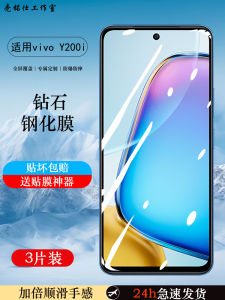
Vivoy200t Tempered Film: A Comprehensive Guide
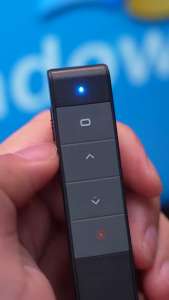
ZEUS X inphic Wireless Presenter Hyperlink Control Presentation Clicker RF 2.4GHz USB PowerPoint Clicker Presentation Remote Control Pointer Slide Advancer Rechargeable