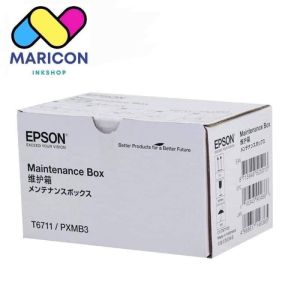
Brandnew INK Maintenance Box T6711 for PRINTER L1455
Brandnew INK Maintenance Box T6711 for PRINTER L1455
What is an Original INK Maintenance Solution?
An original INK maintenance solution, such as the INK maintenance box T6711, is designed specifically for PRINTER L1455 to ensure optimal performance and longevity. These solutions are manufactured by the printer's original equipment manufacturer (OEM), guaranteeing compatibility and quality.
Understanding the Importance of Proper Maintenance
Proper maintenance is crucial for preserving the functionality and lifespan of your printer. Regular maintenance helps prevent clogs, ink leaks, and other issues that can affect print quality and performance. By using original INK maintenance solutions, you can be confident that your PRINTER L1455 will continue to deliver high-quality prints for years to come.
Benefits of Using Original Solutions
Using original INK maintenance solutions offers several advantages:
- Compatibility: Original solutions are designed specifically for your PRINTER L1455, ensuring seamless integration and optimal performance.
- Quality: OEM-manufactured solutions guarantee consistent quality and reliability, reducing the risk of ink-related issues.
- Warranty: Using original solutions may help maintain your printer's warranty coverage, providing peace of mind in case of any unforeseen problems.
Compatible Ink Maintenance Kits vs. Original Solutions
While compatible ink maintenance kits may seem like a cost-effective alternative, they often come with drawbacks.
Key Differences Between Original & Compatible Kits
Original INK maintenance solutions, such as the T6711, offer several advantages over compatible kits:
- Quality: Original solutions are manufactured by the OEM, ensuring consistent quality and reliability.
- Compatibility: Original solutions are specifically designed for your PRINTER L1455, reducing the risk of compatibility issues.
- Warranty: Using original solutions may help maintain your printer's warranty coverage, providing peace of mind in case of any unforeseen problems.
Compatible kits, on the other hand, may not offer the same level of quality, compatibility, or warranty protection.
Choosing the Right Maintenance Solution for Your Printer
When selecting a maintenance solution for your PRINTER L1455, consider the following factors:
- Quality: Opt for a solution that guarantees consistent quality and reliability.
- Compatibility: Choose a solution specifically designed for your PRINTER L1455 to avoid compatibility issues.
- Warranty: Ensure that the solution does not void your printer's warranty coverage.
How to Replace the INK Maintenance Box
Replacing the INK maintenance box is a straightforward process that can be completed in just a few steps.
Step-by-Step Guide to Replacing Your Printer's INK Maintenance Box
- Turn off your PRINTER L1455 and unplug it from the power source.
- Open the ink cartridge access door and remove any used ink cartridges.
- Locate the INK maintenance box inside the printer and gently lift it out.
- Insert the new INK maintenance box T6711 into the designated slot.
- Close the ink cartridge access door and turn on your PRINTER L1455.
Troubleshooting Common Issues During Replacement
If you encounter any issues during the replacement process, refer to the following troubleshooting tips:
- Printer not recognizing new maintenance box: Ensure that the new INK maintenance box T6711 is properly inserted and aligned.
- Ink cartridge access door not closing: Make sure all ink cartridges and the INK maintenance box are securely in place before attempting to close the door.
PRINTER L1455 Accessories: What You Need to Know
To ensure optimal performance and longevity of your PRINTER L1455, it's essential to invest in the right accessories.
Essential Accessories for Optimal Printer Performance
- Original ink cartridges: Replace used ink cartridges with genuine OEM ink cartridges to maintain print quality and prevent clogs.
- Cleaning kit: Periodically clean your printer using a cleaning kit to remove dust and debris that can affect print quality.
- Replacement parts: Replace worn-out or damaged parts, such as printheads or rollers, to ensure consistent performance.
Where to Purchase Authentic PRINTER L1455 Accessories
To purchase authentic PRINTER L1455 accessories, visit authorized resellers or the manufacturer's official website. This will ensure that you receive genuine OEM products, helping to maintain your printer's warranty coverage and performance.
Conclusion: Ensuring Long-Term Printer Health with Proper Maintenance
By investing in original INK maintenance solutions, such as the INK maintenance box T6711, and using the right accessories, you can ensure the long-term health and performance of your PRINTER L1455. Regular maintenance, along with the use of genuine OEM products, will help preserve your printer's functionality and deliver high-quality prints for years to come.

Maricon Inkshop
You May Also Like
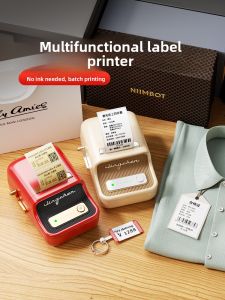
Portable Handheld Small Label Printer Jingchen B21 Thermal Printer Barcode Price Tag Sticker Clothing Jewelry Food Commercial Smart Printer for Home Use
Bluetooth Mini Printers: A Comprehensive Guide
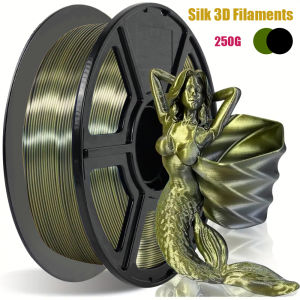
Two-color Silk PLA Filament Dimensional Accuracy +/- 0.03 mm 250g Spool(0.55lbs) 1.75 mm Bronze Black

Portable Inkjet Printer Handheld Inkjet Printer handheld label printer QR Code Date Number Logo
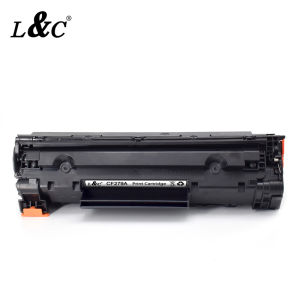
L&C 79A CF279A Toner Cartridge for HP LaserJet Printers
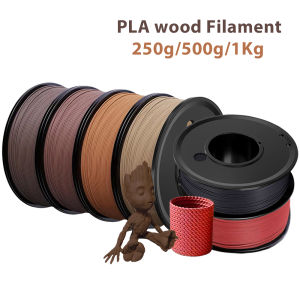
1.75mm Sandal wood 3D Printer PLA Cherry Wood Filament Teak wood 250g 500g 1Kg 3D Printing Materials Walnut PLA Cherry Red wood
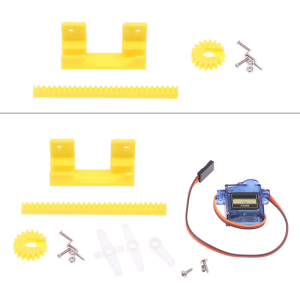
9g Servo Designed 3D Printing Science Production for Model Making Perfect For DIY 3D Printing Enthusiasts
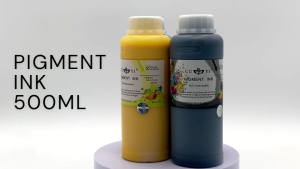
Digiprints PH - 500ml Pigment Ink CUYI Brand (C M Y. K)
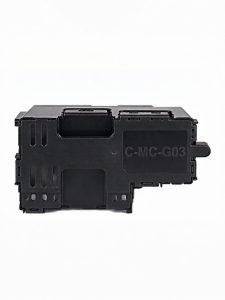
Compatible Canon Printers Ink Absorption Box
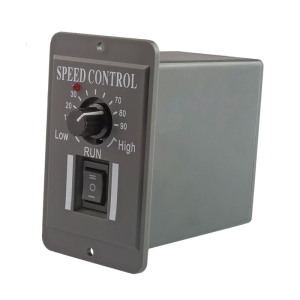
Motor Speed Controllers 10 60V 6A Inversable Operate Speed Regulator for Packaging & Printing Machines

SoonMark M4201 Thermal Transfer Printer WiFi Bluetooth