CarlinKit A2A: How to Activate & Use Android Auto Dongle
CarlinKit A2A: How to Activate & Use Android Auto Dongle
Introduction
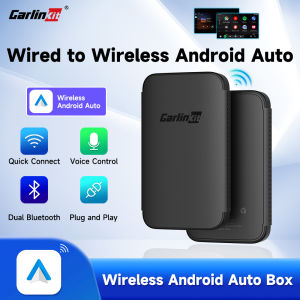
CarlinKit A2A is a versatile wired-to-wireless Android Auto adapter designed specifically for cars with built-in Android Auto support. This article will guide you through the activation process and help you get the most out of this innovative dongle, focusing on the key features, compatibility, and step-by-step instructions for enabling over-the-air (OTA) upgrades and setting up Bluetooth 5.2 connectivity.
What is CarlinKit A2A?
CarlinKit A2A is a powerful Android Auto dongle that allows you to connect your smartphone to your car's infotainment system, transforming your driving experience. This device is compatible with both Android and iOS devices, offering a seamless integration with Android Auto and Apple CarPlay. Key features include:
- A2A wired-to-wireless adapter
- OTA upgrade capability
- Bluetooth 5.2 connectivity
- Support for various audio formats
Compatibility
CarlinKit A2A is compatible with a wide range of cars that support Android Auto. It works with most Android smartphones running Android 5.0 Lollipop or later. To check if your car is compatible, refer to the manufacturer's documentation or consult the CarlinKit A2A compatibility list available on their website.
Step-by-Step Guide to Activating CarlinKit A2A
Follow these simple steps to activate and use your CarlinKit A2A Android Auto dongle:
Preparing Your Device
- Ensure your smartphone is running the latest version of Android or iOS.
- Download and install the CarlinKit A2A app from the Google Play Store or Apple App Store.
- Connect your smartphone to your car's USB port using the provided cable.
Connecting Android Auto Dongle
- Plug the CarlinKit A2A dongle into your car's USB port.
- Power on your smartphone and launch the CarlinKit A2A app.
- Follow the on-screen instructions to pair your device with the dongle.
Enabling OTA Upgrade
To ensure optimal performance and security, it's essential to keep your CarlinKit A2A dongle up-to-date. Here's how to enable over-the-air upgrades:
- Open the CarlinKit A2A app on your smartphone.
- Navigate to the Settings menu and select "OTA Upgrade."
- Enable the OTA upgrade feature and allow your device to automatically download and install updates.
Enhancing Your Driving Experience with Bluetooth 5.2
CarlinKit A2A supports Bluetooth 5.2, providing high-quality audio streaming and improved connectivity options. Here's how to set up and optimize your Bluetooth connection:
Setting Up Bluetooth Connection
- Turn on Bluetooth on your smartphone and car's infotainment system.
- In the CarlinKit A2A app, navigate to the "Bluetooth" menu and select your car's audio system.
- Follow the on-screen instructions to pair your device.
Improving Audio Quality
To enjoy the best audio quality while using CarlinKit A2A, consider the following tips:
- Connect your smartphone directly to the dongle via USB cable for the highest audio fidelity.
- If using Bluetooth, ensure both devices are within close proximity to maintain a strong connection.
- Experiment with different audio formats supported by your car's infotainment system to find the optimal setting.
Expanding Connectivity Options
CarlinKit A2A offers various connectivity options, including wired and wireless connections. By leveraging both USB and Bluetooth connections, you can enjoy seamless integration with your car's infotainment system and stay connected on the go.
Conclusion
CarlinKit A2A is a powerful Android Auto dongle that transforms your driving experience. With its support for OTA upgrades and Bluetooth 5.2 connectivity, this device provides a versatile solution for enhancing your car's entertainment and navigation capabilities. Follow the step-by-step guide provided in this article to activate and use your CarlinKit A2A Android Auto dongle, and take advantage of its advanced features to make every drive more enjoyable.

Lancol Official Shop
Review
You May Also Like
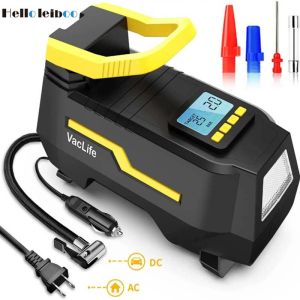
DC/AC 12V/100-230V 150PSI Car Air Compressor Tire Inflator Air Pump with Digital Pressure Gauge Tire Air Injector Tire Inflation
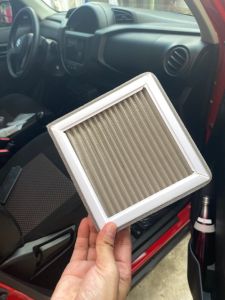
Filtera Washable Cabin Aircon Filter for Chevrolet Trailblazer 2013-2020 /Chevrolet Colorado 2013-2020
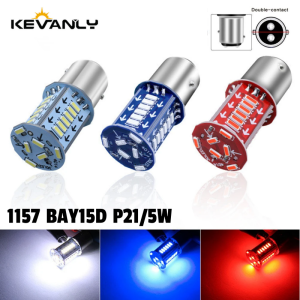
1x 1157 LED Strobe Brake Lights Motorcycle Car Turn Signal Tail Light 30SMD BAY15D DRL Water Flashing Reversing Parking Lamp Red
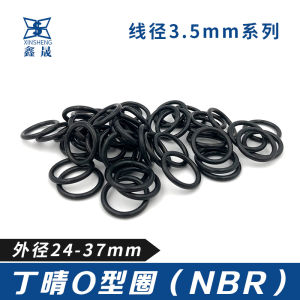
Nitrile O-Ring Sealing Ring 24/25/26/27/28/29/30/31/32/33/34/35/36/37*3.5 Hardware Mechanical Sealing Products Xuensheng Brand

MOTOWOLF Handle Bar Cover / Hand Guard with Light - MDL 3702
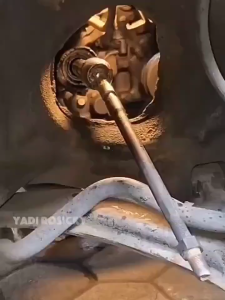
Universal Auto Mechanics Inner Tie Rod Tool 3/8" Steel Auto Inner Tie Rod Removal Tool
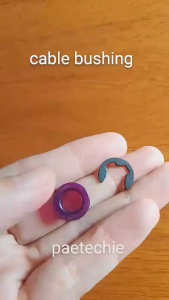
AT Gear Shifter Bushing Repair Kit Mitsubishi Mirage G4 Hatchback Automatic Transmission
DEPO-216-1531-AE 1995-1996 MZ PROTEGE CORNER LAMP ASSY ECE. 323

Quietness for Honda Binzhi Rearview Mirror Flowing Water Turn Signal with a Touch of Blue Daytime Running Light Modification - 5H3J8M Accessory

2024 NEW Honda ADV160 Logo Emblem For Motorcycle Decorative Side Body
Car Magnetic Mount Adapter Clip Mobile Phone Holder Navigation Stand Horizontal Vertical Screen Business Gentleman Style