ECILY A9 WiFi Mini Camera: A Comprehensive Guide
ECILY A9 WiFi Mini Camera: A Comprehensive Guide
Introduction
The ECILY A9 WiFi Mini Camera is a cutting-edge, wireless video recorder designed to offer comprehensive security monitoring for your smart home. This compact device boasts HD 1080p resolution, making it ideal for pet monitoring, infant supervision, and overall home surveillance.
What is ECILY A9 WiFi Mini Camera?
The ECILY A9 WiFi Mini Camera is a versatile, easy-to-use security camera that allows users to monitor their homes, pets, and infants remotely. With its wireless connectivity and advanced features, this camera provides reliable protection and peace of mind for families and pet owners alike.
Key Features & Benefits
- HD 1080p resolution for clear video quality
- Wireless connectivity for flexible placement
- Voice recording capabilities for added security
- Easy-to-use mobile app for remote monitoring
- Two-factor authentication for enhanced security
- Motion detection and night vision capabilities
Setup & Installation
Setting up the ECILY A9 WiFi Mini Camera is straightforward and can be completed in just a few simple steps.
Step-by-Step Setup Process
- Unbox the camera and connect it to power.
- Download the ECILY app from the App Store or Google Play.
- Connect the camera to your Wi-Fi network through the app.
- Customize settings such as motion detection and sound alerts.
- Start monitoring your home, pets, or infants remotely.
Tips for Optimal Placement
- Place the camera at eye level for the best view of your home.
- Position it near a power outlet for easy access.
- Ensure the camera has a clear view of the area you want to monitor.
- Avoid placing the camera near direct sunlight or bright lights to prevent glare.
Usage & Functionality
The ECILY A9 WiFi Mini Camera offers a wide range of features to enhance your smart home security and monitoring experience.
How to Monitor Pets & Infants
- Use the camera's motion detection feature to receive alerts when your pet or infant moves.
- Access live stream and playback footage to check on your pets or infants at any time.
- Utilize the voice recording feature to hear what's happening in real-time.
How to Record High-Quality Video & Audio
- Set the camera to record at HD 1080p resolution for clear video quality.
- Enable the camera's night vision feature to capture footage in low-light conditions.
- Use the voice recording feature to capture audio alongside video footage.
How to Access Live Stream & Playback
- Open the ECILY app and select the camera you want to monitor.
- Tap the live stream button to view real-time footage.
- Use the playback feature to access recorded footage from previous days.
Security & Privacy
The ECILY A9 WiFi Mini Camera prioritizes security and privacy, offering advanced encryption and data protection features.
Understanding Encryption & Data Protection
- The camera uses AES 128-bit encryption to secure your data and prevent unauthorized access.
- All video and audio recordings are stored securely on your local device or cloud storage.
Setting Up Two-Factor Authentication
- Enable two-factor authentication in the ECILY app settings for added security.
- Follow the prompts to set up a unique code that must be entered along with your password to access the camera.
Best Practices for Safe Usage
- Change your Wi-Fi password regularly to prevent unauthorized access.
- Update the ECILY app and camera firmware regularly to ensure maximum security.
- Keep the camera and its surroundings clean and free from obstructions.
In conclusion, the ECILY A9 WiFi Mini Camera is a powerful, user-friendly device that offers reliable security monitoring for smart homes, pets, and infants. With its advanced features and easy setup process, this camera is an excellent choice for anyone looking to enhance their home security and peace of mind.

Ecily
Review

You May Also Like
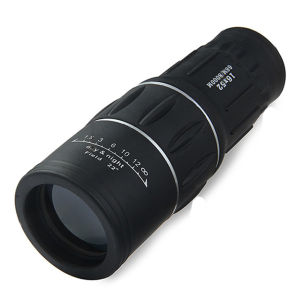
【Free Shipping】 High-Quality 16x52 Monocular Telescope Portable Handheld Optical Scope for Outdoor Sports and Wildlife Observation

TTARTISAN 35mm T2.1 full-frame MF Manual Cine Lens Unique Dual Bokeh Bubble Soft Follow Focus MVP
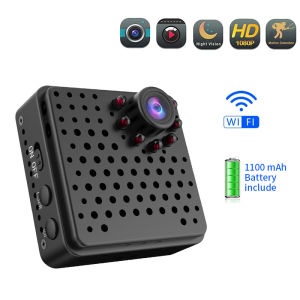
EKLEVA Mini Camera Wifi Wireless Full HD 1080P Home Security Micro Camcorder Battery Night Vision Motion Detection AP Hotspot Camera
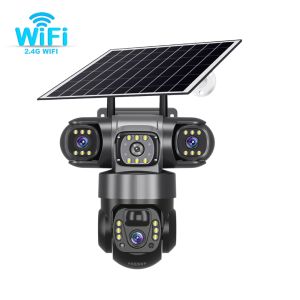
V380 Solar Camera 3 Lens Wifi Solar Camera HD 15MP 6K Outdoor CCTV Waterproof Night Vision Two-Way Mobile Tracking IP Camera
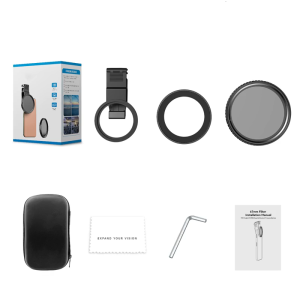
ND2-ND400 Lens for Phone 16 15 14 13 Phone Camera Lens ND Filters with Clip and Adapter Rings 11 Stop Adjustable
CCTV Camera V380 Pro Dual Lens Waterproof Outdoor No WIFI Needed Connect to Cellphone e Auto Tracking APP Control Two-way Audio Remote Video Surveillance
Dual Lens Y33A CCTV Camera: IP Security Needed for Wireless Outdoor Waterproof Full Color Night Vision
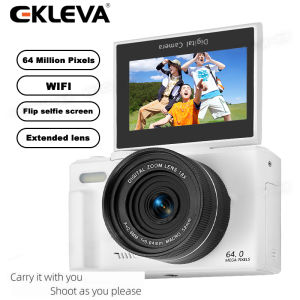
EKLEVA 64MP Digital Photography Camera 4K WIFI Web Camcorder Vintage Vlog Video Recorder YouTube 18X Digital Zoom Camera 3" Flip Screen Ekleva Fs02 Camera 4K Ultra Hd - Lazada
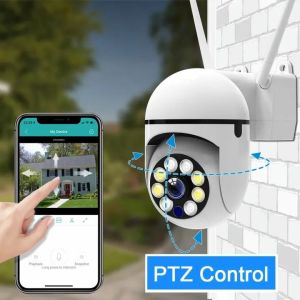
Buy 1 Take 1 V380 Pro 5G CCTV Camera: No Internet Needed
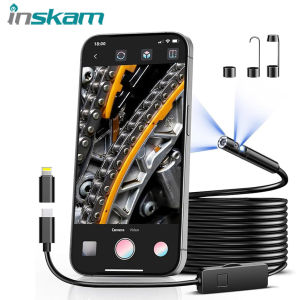
HD 1080P Endoscope Camera For IOS Android Dual Lens Waterproof Inspection Sewer Borescope Camera for Car Engine Semi-Rigid Cable

V380 PRO Dual Lens 2K 1080P Ultra HD CCTV PTZ Camera Motion Detect 360 Degree Rotation Infrared Night Vision Two-Way Voice Audio Surveillance Monitoring Security Color Camera Video