M-VAVE Chocolate BT Wireless MIDI Controller: A 4-Footswitch Pedal for Guitarists
M-VAVE Chocolate BT Wireless MIDI Controller: A 4-Footswitch Pedal for Guitarists
Introduction to M-VAVE Chocolate BT Wireless MIDI Controller
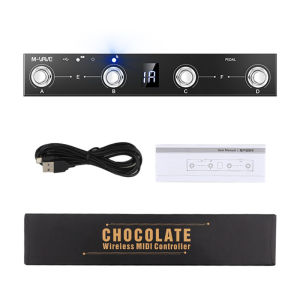
The M-VAVE Chocolate BT Wireless MIDI Controller is a versatile, high-quality 4-footswitch pedal designed specifically for guitarists who demand precision and flexibility from their equipment. This controller offers a range of features that make it stand out from other controllers in the market, including its sleek and durable design, wireless connectivity, and user-friendly app control feature.
Key Features & Benefits
- 4-Footswitch Pedal: The M-VAVE Chocolate BT Wireless MIDI Controller features four footswitches, allowing you to control various aspects of your guitar setup with ease.
- USB MIDI Foot Controller: Connect the controller to your computer via USB for seamless integration with your digital audio workstation (DAW).
- BT Wireless MIDI Controller: Enjoy wireless freedom with Bluetooth connectivity, allowing you to control your equipment without the hassle of cables.
- APP Control Feature: The M-VAVE Chocolate BT Wireless MIDI Controller comes with a dedicated app that allows you to customize your pedalboard and explore advanced functions.
How It Compares to Other Controllers
Compared to other controllers in the market, the M-VAVE Chocolate BT Wireless MIDI Controller offers a unique combination of features that make it stand out. Its sleek and durable design, wireless connectivity, and user-friendly app control feature make it an excellent choice for guitarists who demand precision and flexibility from their equipment.
Setup & Installation Guide
Setting up the M-VAVE Chocolate BT Wireless MIDI Controller is a straightforward process. Follow these steps to get started:
Connecting to USB MIDI Foot Controller
- Connect the M-VAVE Chocolate BT Wireless MIDI Controller to your computer via USB.
- Install the necessary drivers and software.
- Configure the controller settings within your DAW.
Setting Up Bluetooth Connection
- Turn on Bluetooth on your device.
- Pair the M-VAVE Chocolate BT Wireless MIDI Controller with your device.
- Test the connection by controlling your equipment using the footswitches.
Using the APP Control Feature
- Download the dedicated app for the M-VAVE Chocolate BT Wireless MIDI Controller.
- Connect the controller to your device using Bluetooth.
- Customize your pedalboard and explore advanced functions within the app.
Tips & Tricks for Optimal Performance
To get the most out of your M-VAVE Chocolate BT Wireless MIDI Controller, consider the following tips and tricks:
Customizing Your Pedalboard
- Experiment with different pedal configurations to find the setup that works best for you.
- Use the app control feature to customize your pedalboard and explore advanced functions.
Exploring Advanced Functions
- Utilize the M-VAVE Chocolate BT Wireless MIDI Controller's advanced functions to enhance your guitar setup.
- Refer to the user manual for more information on advanced functions.
Troubleshooting Common Issues
- If you experience connectivity issues, try restarting both the controller and your device.
- If you encounter software issues, consult the user manual or contact customer support for assistance.

Yisunder.sun
Review

You May Also Like
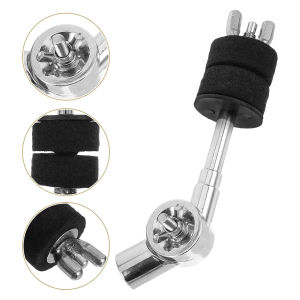
6inch Cymbal Stacker Attachment Arm Adjustable Rod Lever Cymbal Extension Mount Holder
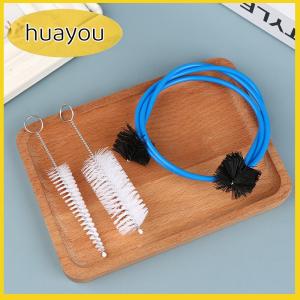
huayou 1Set Trumpet Maintenance Kit Grasp Snake Brush Mouthpiece Brush Cornet Cleaning

My Little Pony First Numbers Picture Book: Fun Learning for Kids
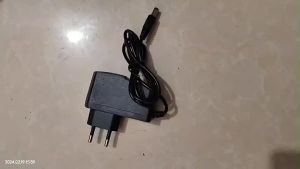
Pedal Power Supply Adapter 9v DC 1A Tip Negative 3/8 Way Daisy Chain Cables For Guitar Effect Pedals
![[BRAND NEW] ZERO TO ONE BY PETER THIEL](https://img.lazcdn.com/collect/social-img/5156089c39614359a94b8aed0c0fc7e2_8249BF483ED94DF6AA1C81D449E31CDA.jpg_300x300q80.jpg)
[BRAND NEW] ZERO TO ONE BY PETER THIEL

My Lovely Skull & Other Skeletons by Tunku Halim
Tracing Alphabet Worksheet Coloring Book Activity workbook for kids Workbook for preschool and kinder 100 pages
Eixiu Adjustable Oboe Clarinet Thumb Finger Rest Ergonomic Clarinet Oboe Accessories
AXW9994 Rubber Violin Bow Posture Corrector 4/4-3/4 Full Size Violin Bow Grip Partner Violin Parts 1/2-1/4 Violin Bow Hold Beginner

21inch Small Guitar Ukulele with Gig Bag 1 Standby String and 2 Picks All Basswood for Students Beginner

MaviesCymbal Hardware Drum Pedal Holder Hi-Hat Stand Mount Percussion