TG 1 To 2 Way Ethernet Cable Port Network Double Cable Splitter Extender Plug Connector
TG 1 To 2 Way Ethernet Cable Port Network Double Cable Splitter Extender Plug Connector
TG 1 network device is a plug-in network adapter designed to split a single Ethernet line into two separate connections. It allows two computers or devices to share one Ethernet line, providing a convenient solution for extending network connections. This article will provide a comprehensive overview of the TG 1 network device, including its features, benefits, installation process, and troubleshooting tips.
What is a TG 1 Network Device?
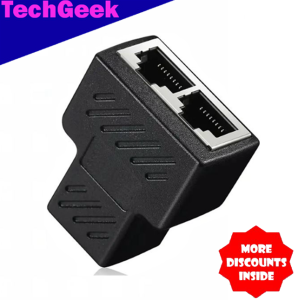
The TG 1 network device is a compact and lightweight Ethernet cable splitter that converts a single RJ45 outlet into two RJ45 sockets. This allows users to connect two devices to a single Ethernet line, expanding their network capabilities. The device is made of high-quality plastic and metal materials, ensuring durability and reliability.
Key Features & Benefits
- Model & Compatibility: The TG 1 network device is compatible with RJ45 network cables and can be used with various devices, such as computers, routers, and switches.
- Material & Build Quality: Made of sturdy plastic and metal materials, the TG 1 network device is built to last and withstand daily use.
- Port Configuration & Splitter Type: It features a 1 RJ45 female port to 2 RJ45 female splitter configuration, allowing users to easily convert a single Ethernet line into two separate connections.
- Compact Size & Lightweight: The compact design of the TG 1 network device makes it easy to install and store, saving valuable space.
How Does It Work?
The TG 1 network device works by splitting a single Ethernet line into two separate connections. This allows users to connect two devices to a single Ethernet line, expanding their network capabilities. The device is compatible with various devices, including computers, routers, and switches, making it a versatile solution for extending network connections.
How to Use the TG 1 Network Device
Using the TG 1 network device is simple and straightforward. Follow these steps to install and set up the device:
Installation & Setup
- Connect the TG 1 network device to a single Ethernet line using an RJ45 cable.
- Connect two devices to the two RJ45 sockets on the TG 1 network device using RJ45 cables.
Connecting Devices
To connect devices to the TG 1 network device, simply plug in the RJ45 cables from the devices into the two RJ45 sockets on the TG 1 network device. This will allow both devices to share the same Ethernet line, expanding their network capabilities.
Troubleshooting Common Issues
If you encounter any issues while using the TG 1 network device, here are some troubleshooting tips:
- Check Connections: Ensure that all connections are secure and properly plugged in.
- Check Cables: Verify that the RJ45 cables are not damaged or loose.
- Restart Devices: Restart both devices connected to the TG 1 network device to resolve any connectivity issues.
TG 1 Network Device Specifications
The TG 1 network device has the following specifications:
- Model: RJ45 Network Cable Splitter (2 Port)
- Compatibility: Compatible with various devices, including computers, routers, and switches
- Material: Made of sturdy plastic and metal materials
- Build Quality: Built to last and withstand daily use
- Port Configuration: 1 RJ45 female port to 2 RJ45 female splitter configuration
- Splitter Type: 2 way network extender
- Double Cable Connector: Allows two devices to share one Ethernet line
In conclusion, the TG 1 network device is a reliable and versatile solution for extending network connections. Its compact design, sturdy build quality, and ease of use make it an excellent choice for users looking to expand their network capabilities.

TG
Review

You May Also Like
Power Socket Surge Protector 10-13A 250V 2500W Child Protection Multi Protection Safety System Oxygen-Free Copper Low Resistance
LuBang Anti-Fall Silicone Phone Case for OPPO K11X Ultra-Thin Transparent Full-Coverage Soft Edges Quadrant Thickened Lens Protective Cover
Protective Carrying-Case Shockproof Compatible for Anker A20i Dustproof Protector Washable Charging Box Sleeve
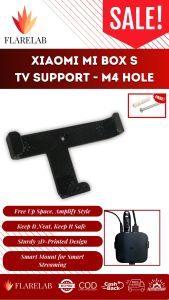
Wall Mount Compatible with Xiaomi Mi Box
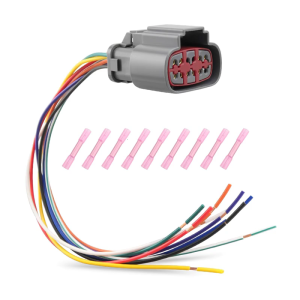
Efficient Wiring for E4OD & 4R100 Transmission Solenoids (1995-2007) – Your Vehicle’s

Luxury Glitter Bling Crystal Bead Phone Strap Charm Pendant Bracelet For iPhone Airpods Key Accessories Bag Women Girl Hanging Cord
![[2 Pack] CoreKnif Nylon Straps For Whoop 5.0/MG Loop Soft Bands for WHOOP ONE Peak Fitness Tracker Whoop Life ECG Straps](https://img.lazcdn.com/g/ff/kf/S8f767873d5d74ed487b0f8ebee081c6dq.jpg_300x300q80.jpg)
[2 Pack] CoreKnif Nylon Straps For Whoop 5.0/MG Loop Soft Bands for WHOOP ONE Peak Fitness Tracker Whoop Life ECG Straps
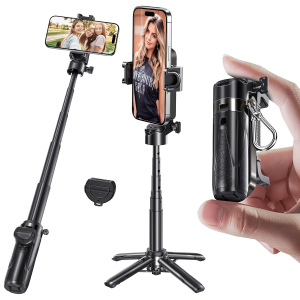
P15 Mini Tripod Stand Portable Pocket-Sized Selfie Stick for iPhone with Rechargeable Remote And Metal Clasp Black
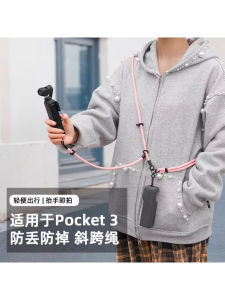
DJI Pocket 3 Camera Strap Protective Shell Handheld Diagonal Crossbody Adjustable Wrist Anti-Loss Sports Camera Nylon Line
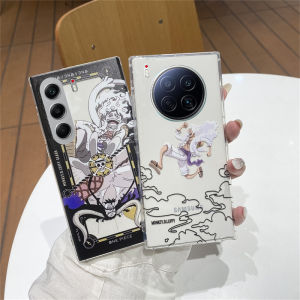
Tecno Camon 40 Pro & 30S Pro Phone Cases: 2025 Trends & Creative Fashion
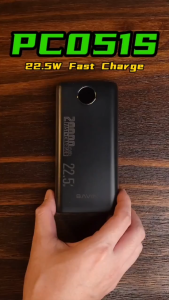
BAVIN PC051 20000mAh Digital Display Fast Charging Powerbank 22.5W Widely Compatible for iPh 16 Series & Android Devices