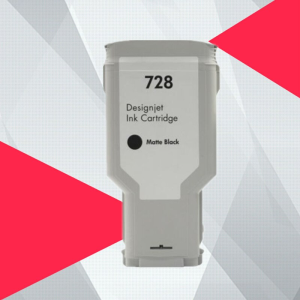
HP 728 Ink Cartridge: A Comprehensive Guide
HP 728 Ink Cartridge: A Comprehensive Guide
Understanding the HP 728 Ink Cartridge
What is the HP 728 Ink Cartridge?
The HP 728 ink cartridge is a high-quality ink cartridge designed specifically for use with HP Designjet T730 and T830 printers. It offers exceptional print quality and reliability, making it a popular choice among professionals who require precise and accurate printing results.
Key Features of the HP 728 Ink Cartridge
- Compatibility: Compatible with HP Designjet T730 and T830 printers.
- Ink Capacity: Available in two sizes - 300mL and 130mL.
- Color Options: Black, cyan, magenta, and yellow ink cartridges available.
- Manila Spot Goods: Known for its quality and reliability.
HP 728 Ink Cartridge Compatibility
Compatible Printers: HP Designjet T730 & T830
The HP 728 ink cartridge is compatible with HP Designjet T730 and T830 printers, ensuring seamless integration and optimal performance. These printers are widely used in professional settings, such as architectural firms, engineering companies, and graphic design studios.
Ink Capacity: 300mL & 130mL
The HP 728 ink cartridge comes in two sizes - 300mL and 130mL. The larger 300mL ink cartridge is ideal for heavy-duty printing tasks, while the smaller 130mL ink cartridge is perfect for lighter workloads.
Color Options Available
Black, Cyan, Magenta, & Yellow Ink Cartridges
The HP 728 ink cartridge is available in four colors - black, cyan, magenta, and yellow. Each color cartridge is designed to produce vibrant and accurate prints, ensuring consistent color reproduction across all printed materials.
Manila Spot Goods: Quality & Reliability
Manila spot goods are known for their quality and reliability, making them a trusted choice for professionals who demand the best from their printing equipment. The HP 728 ink cartridge is no exception, offering exceptional print quality and long-lasting performance.
Installation & Maintenance Tips
Installing the HP 728 Ink Cartridge
Installing the HP 728 ink cartridge is a straightforward process that can be completed in just a few simple steps. First, turn off the printer and open the access door. Next, remove the old ink cartridge by gently pulling it out of its slot. Finally, insert the new HP 728 ink cartridge into the appropriate slot and close the access door. Power on the printer and follow the on-screen instructions to complete the installation process.
Cleaning & Replacing the Ink Cartridge
Regular cleaning and maintenance of the HP 728 ink cartridge can help extend its lifespan and maintain optimal print quality. To clean the ink cartridge, use a soft, lint-free cloth to wipe away any dirt or debris from the printhead. If the ink cartridge becomes clogged, follow the printer's on-screen instructions to perform a cleaning cycle. If the ink cartridge needs to be replaced, repeat the installation process outlined above.
Frequently Asked Questions
Troubleshooting Common Issues
If you encounter any issues while using the HP 728 ink cartridge, refer to the printer's user manual or contact HP customer support for assistance. Some common issues include clogged printheads, low ink levels, and print quality issues. In most cases, these issues can be resolved by performing a cleaning cycle or replacing the ink cartridge.
Where to Purchase HP 728 Ink Cartridges
HP 728 ink cartridges are widely available through authorized HP dealers and online retailers. To ensure you receive genuine HP ink cartridges, always purchase from reputable sources. Some popular online retailers include Amazon, eBay, and HP's official website.

A'BOSS
You May Also Like
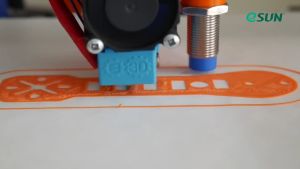
Esun ABS+ Filament 1kg 1.75mm
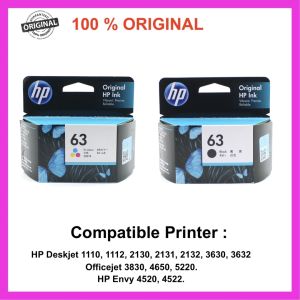
HP 63 100% Original Ink Advantage Cartridge for HP Deskjet 1110 1112 2130 2131 2132 3630 3632.Hp Envy 4520 4522.Hp Officejet 3830 4650 5220
Fimax KP-108IN: A Comprehensive Guide for Canon Selphy CP Series Printers
Eyoyo 1D Laser Mini Barcode Scanner Via Bluetooth 2.4G Wireless USB Wired With Power On/Off Button Volume Up/Down Button Portable Bar Codes Reader for Windows/Mac Computer/Android/iOS Phones
Printleaf - 6in1 CUYI Combo Heat Press Machine
![[COD] SHGMYD Filament Plastic For 3D Printer Multi-colored Optional Rubber Consumables Material](https://img.lazcdn.com/g/p/b90dd0b8fb0f92dbc6651b7a86633386.jpg_300x300q80.jpg)
[COD] SHGMYD Filament Plastic For 3D Printer Multi-colored Optional Rubber Consumables Material
GZQIANJI Omnidirectional Hands-Free Platform 1D 2D Desktop Barcode Scanner with Automatic Sensing Screen Scanning QR Bar Code Scan Reader for POS PC Supermarket Bookstore Retail Mall
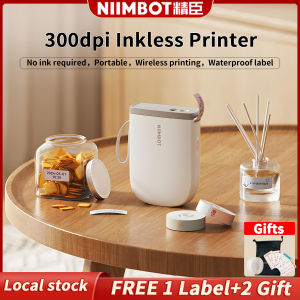
NIIMBOT D11 Bluetooth Label Maker Machine - 300DPI Portable Thermal Printer with Tape Wireless Sticker Maker for Home Office SchoolKitchen USB Rechargeable Multiple TemplatesChristmas Gift Stickers CardReady Stock Christmas Gift Stickers Card

INKSCRIBED 151A W1510A Compatible Toner Cartridge for HP Laserjet MFP 4103fdn Pro 4003 Printer
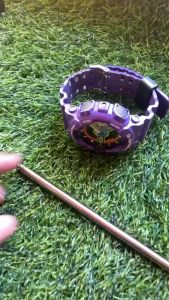
HP Printer Parts For HP 115 Shaft Rod. HP 315 Shaft Rod. HP 415 Shaft Rod. HP 500 Shaft Rod. Refurbished.
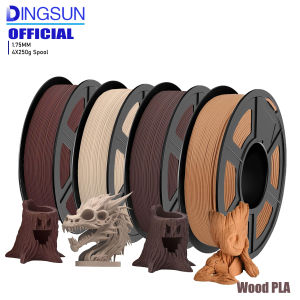
Wood PLA 3D Printer Filament Matt Surface & Low Warping Filament 4X250g Spool (Total 1kg 2.2 lbs) Accuracy 1.75mm +/- 0.02 mm