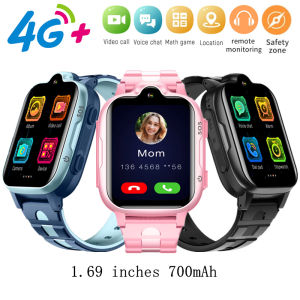
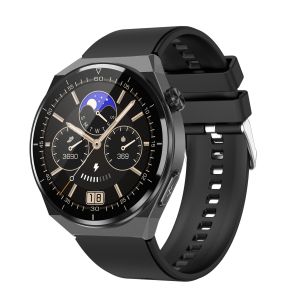
TK20 Smart Watch Blood Glucose Blood Oxygen Heart Rate ECG Body Temperature Monitoring Bluetooth Call Smartwatch IP68 Waterproof Fitness Tracker For Android And IOS
TK20 Smart Watch Blood Glucose Blood Oxygen Heart Rate ECG Body Temperature Monitoring Bluetooth Call Smartwatch IP68 Waterproof Fitness Tracker For Android And IOS
Key Features & Specifications
Display & Design
The TK20 Smart Watch features a 1.39-inch HD IPS color display with a resolution of 360 x 360 pixels (sRGB high color gamut), providing a clear and vibrant viewing experience. The watch comes in a stylish aluminum alloy metal case and offers over 100 watch faces to choose from, allowing you to customize your device to match your personal style.
Health Monitoring Capabilities
The TK20 Smart Watch is equipped with advanced health monitoring features, including ECG monitoring, 24-hour blood sugar testing, heart rate monitoring, blood pressure monitoring, body temperature monitoring, blood oxygen monitoring, sleep monitoring, and stress monitoring. These features help you stay informed about your overall health and make adjustments as needed.
Connectivity & Compatibility
The TK20 Smart Watch is compatible with both Android (4.4 and above) and iOS devices, allowing you to easily sync data and receive notifications. The watch supports Bluetooth calling, enabling you to take calls directly from your wrist. It also has an IP68 waterproof rating, making it suitable for use during rain or when washing hands, although it is not suitable for bathing or exposure to hot water or saltwater.
How to Maximize Your TK20 Smart Watch Experience
Setting Up Your Device
To get started with your TK20 Smart Watch, download the accompanying app on your Android or iOS device and follow the instructions provided to pair your watch with your phone. Once paired, you can customize your watch face, set up notifications, and adjust settings to suit your preferences.
Using the Health Monitoring Features
The TK20 Smart Watch offers a wide range of health monitoring features, including ECG monitoring, blood sugar testing, heart rate monitoring, blood pressure monitoring, body temperature monitoring, blood oxygen monitoring, sleep monitoring, and stress monitoring. To access these features, simply navigate to the corresponding app on your watch and follow the instructions provided.
Connecting to Your Phone & Other Devices
The TK20 Smart Watch connects to your Android or iOS device via Bluetooth, allowing you to sync data, receive notifications, and control your phone remotely. Additionally, the watch supports wireless charging, making it easy to keep your device powered up.
Tips for Optimal Performance
Maintaining Battery Life
To extend the battery life of your TK20 Smart Watch, avoid leaving it exposed to extreme temperatures, turn off unnecessary features when not in use, and charge your watch regularly using the included wireless charger.
Keeping Your Watch Clean & Safe
To keep your TK20 Smart Watch clean and safe, avoid exposing it to water or moisture beyond its IP68 waterproof rating, and handle it with care to prevent damage. If your watch becomes dirty, gently wipe it with a soft, dry cloth.
Troubleshooting Common Issues
If you experience issues with your TK20 Smart Watch, refer to the troubleshooting guide provided in the accompanying app or consult the user manual for additional assistance. Common issues may include connectivity problems, battery drain, or inaccurate readings.

CWEL
You May Also Like
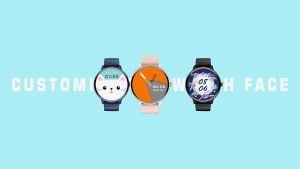
Aolon GTR Mini Smart Watch Bluetooth Call Dial Custom Fitness Traker Sports Watch Men Women
Oraimo OSW-807 Smart Watch 2.04" TFT Display Bluetooth V5.3 Smartwatch Phone Call Step Heartrate Blood Large 300mAh Battery Waterproof Smartwatchs
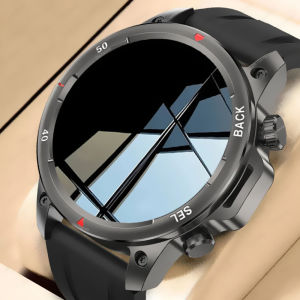
2025 New Outdoor Sports GPS NFC Mens Smart Watch Flashlight Compass Bluetooth Call Heart Rate Monitoring Waterproof Smart Watch
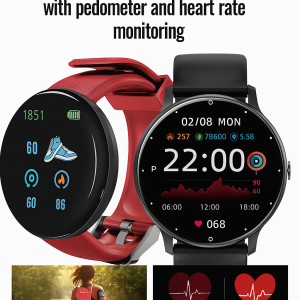
Smartwatch With Heart Rate And Blood Pressure Monitoring Function Waterproof Sports Watch Bluetooth Call Health Watch心率血压监测运动手表
Watch Connectors Metal Link for Smartwatch Rust Proof Alloy Material Perfect for All Bands Enhances Watch Security 2pcs
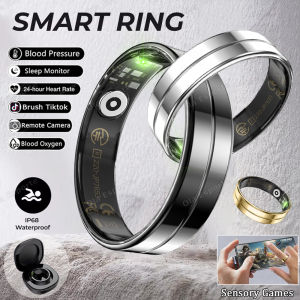
R112025 Smart Ring with Charging Box Heart Rate Blood Oxygen Sleep Monitoring 5ATM Waterproof Sports Smartring For Android iOS
Silicone Protective Case for Bluetooth Locator AirTag Anti-Lost Device Meileti Kulu Keychain Digital Accessories

Metal Detector Handheld Portable Outdoor Treasure Hunt Metal Detector Gold Detector Scanner High Sensitivity Metal Detector 10-15 Inch Depth Underground Metal Treasure Hunter Gold Digger Treasure Hunt Professional Detector
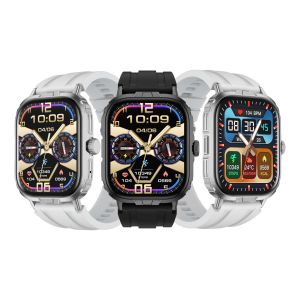
M106 Sport Smartwatch: A Comprehensive Guide
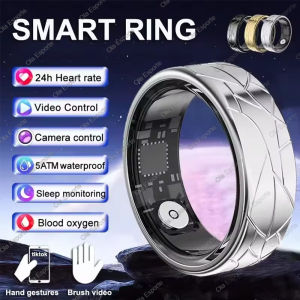
2025 New Smart Ring With Charging Case Men Women Ring Heart Rate Blood Oxygen Monitor IP68 & 5ATM Waterproof Multi-Sport Mode
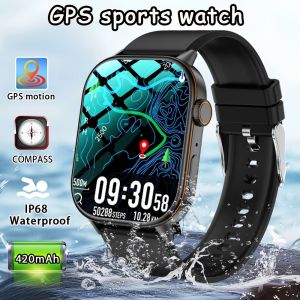
2025 GPS Positioning Smart Watch - Lightweight Fashionable Sports Compass Outdoor Fitness Tracker for Adults Men & Women Health Safety Wristband