EKLEVA Car Radio Android 12 Video Player: A Comprehensive Guide
EKLEVA Car Radio Android 12 Video Player: A Comprehensive Guide
Introduction to EKLEVA Car Radio Android 12 Video Player
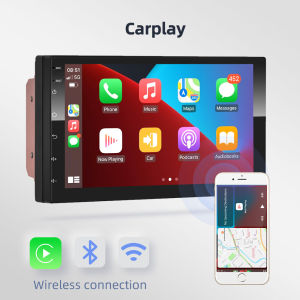
EKLEVA Car Radio Android 12 Video Player is a cutting-edge car audio system designed specifically for Volkswagen, Nissan, Hyundai, Kia, and Toyota vehicles. This 7 Inch HD Touch Screen Car Radio offers a wide range of features and benefits, making it a top choice for car enthusiasts and drivers who want to enjoy a seamless audio and video experience on the go.
Key Features & Compatibility
The EKLEVA Car Radio Android 12 Video Player is compatible with a variety of vehicles, including Volkswagen, Nissan, Hyundai, Kia, and Toyota models. Some of its key features include:
- Android 12 Video Player: Enjoy a smooth and responsive video playback experience with the latest Android OS.
- Bluetooth & WiFi Connectivity: Connect your smartphone or other devices to stream music, podcasts, and more.
- 7 Inch HD Touch Screen Display: Get a crystal-clear view of your media and navigation options with the large, high-definition touch screen.
- 2 Din Car Audio System: The EKLEVA Car Radio Android 12 Video Player fits perfectly into most standard 2 din car audio system slots.
Benefits of Using EKLEVA Car Radio
Using the EKLEVA Car Radio Android 12 Video Player offers numerous benefits, including:
- Enhanced audio and video playback capabilities
- Easy-to-use interface and navigation
- Improved connectivity options with Bluetooth and WiFi
- Compatibility with a wide range of vehicles
How to Install EKLEVA Car Radio Android 12 Video Player
Installing the EKLEVA Car Radio Android 12 Video Player is a straightforward process. Follow these steps to get started:
Preparation & Tools Needed
Before installing the EKLEVA Car Radio Android 12 Video Player, make sure you have the following tools and materials:
- Screwdriver
- Wire cutters/strippers
- Electrical tape
- Wiring harness (if needed)
Step-by-Step Installation Guide
- Remove the existing car radio from your vehicle.
- Connect the wiring harness (if needed) to the EKLEVA Car Radio Android 12 Video Player.
- Mount the EKLEVA Car Radio Android 12 Video Player in the 2 din slot.
- Connect the power and ground wires to the vehicle's electrical system.
- Test the installation by turning on the car and accessing the EKLEVA Car Radio Android 12 Video Player.
Exploring the Features of EKLEVA Car Radio Android 12 Video Player
Once installed, you can start exploring the features of the EKLEVA Car Radio Android 12 Video Player. Here are some highlights:
User Interface & Navigation
The EKLEVA Car Radio Android 12 Video Player features a user-friendly interface and intuitive navigation options. With a large, high-definition touch screen display, you can easily access all of the system's features and settings.
Audio & Video Playback Capabilities
Enjoy a smooth and responsive audio and video playback experience with the EKLEVA Car Radio Android 12 Video Player. The Android 12 Video Player ensures seamless playback of your favorite media files.
Bluetooth & WiFi Connectivity
Connect your smartphone or other devices to stream music, podcasts, and more using the EKLEVA Car Radio Android 12 Video Player's Bluetooth and WiFi connectivity options.
Troubleshooting Common Issues with EKLEVA Car Radio Android 12 Video Player
If you encounter any issues while using the EKLEVA Car Radio Android 12 Video Player, here are some common problems and solutions:
Common Problems & Solutions
- Issue: No sound output Solution: Check the audio settings and make sure the volume is turned up.
- Issue: Bluetooth/WiFi connectivity issues Solution: Restart the EKLEVA Car Radio Android 12 Video Player and try reconnecting your device.
Tips for Optimizing Performance
To get the most out of your EKLEVA Car Radio Android 12 Video Player, follow these tips:
- Keep the system updated with the latest software and firmware.
- Regularly clean the touch screen display to maintain optimal performance.
- Use high-quality media files for the best audio and video playback experience.

Get it more
Review

You May Also Like
MRP-BRAKE MASTER PUMP FOR XRM110 REAR(1PC)
Sunshade Windshield Car Front Glass Heat Insulation Curtain Board for Extreme Fox Alpha T5 Koala S5 Automobile Accessories

Ruihui Huitu 19-25 Models Specific Electric Tailgate Reminder Sticker Self-adhesive Modification Warning Tool Pterodactyl Version

KAWASAKI CT 100 MOTORCYCLE NET SEAT COVER COLOR BLACK SCOOTER MESH BREATABLE CUSHION HIGH QUALITY
for Tesla Model Y Juniper 2025 2026 Trunk Guard Panel Protection Cover Leather Trunk Liner Waterproof Backplate Car Accessories
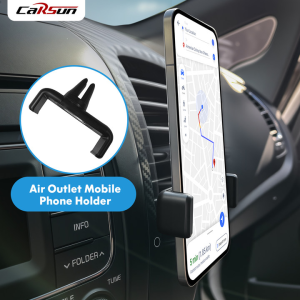
CARSUN Car Phone Mount for Navigation - 360° Rotatable Air Vent Holder Non-Slip Universal Fit
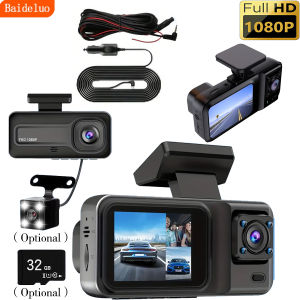
High-definition 1080P car recorder optional 32G memory card optional rear third camera
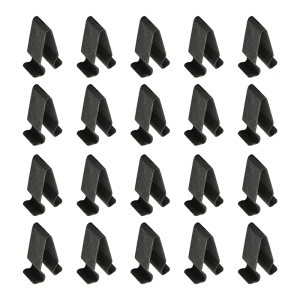
20pcs Door Sill Clips Plastic Replacement Threshold Clips Car Sill Fasteners 4B0867276A 3B9867289 Replacement for Car

High Performance Windshield Visor for Yamaha NMAX V2 with Bolts Motorcycle Wind Screen Deflectors
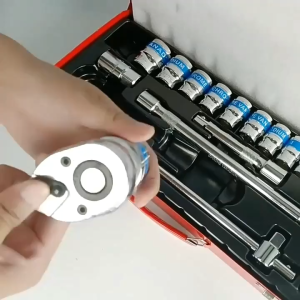
24pcs 1/2" Socket Set with Steel Case sleeve set Auto repair tool Manual tool set Sleeve tool set
Car Steering Wheel Cover Women's Pink Diamond-Encrusted Leather Handle Cover Without Inner Ring Decoration for All Seasons