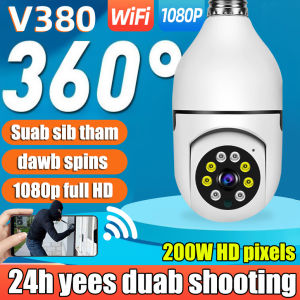
360° Rotatable IP Camera: A Comprehensive Guide
360° Rotatable IP Camera: A Comprehensive Guide
What is a 360° Rotatable IP Camera?
A 360° rotatable IP camera is a cutting-edge surveillance device that provides a panoramic view of its surroundings, rotating both horizontally and vertically to capture every angle. This type of camera offers a more comprehensive security solution compared to traditional cameras, which have limited field of view.
Key Features
- 360° horizontal and vertical rotation
- 200W HD pixel resolution
- Automatic tracking of moving objects
- Motion detection and alerts
- Two-way audio communication
- Cloud recording and storage options
- Waterproof and wireless design
- Compatible with memory cards
- Remote control via smartphone app
Comparison with Traditional Cameras
Traditional cameras have fixed positions and limited fields of view, whereas 360° rotatable IP cameras offer greater flexibility and coverage. These cameras can automatically track moving objects and provide real-time alerts, making them ideal for home surveillance systems.
How Does It Work?
A 360° rotatable IP camera works by using advanced sensors and motors to rotate horizontally and vertically, capturing a panoramic view of its surroundings. It connects to a home network via Wi-Fi and transmits live video feeds to a smartphone app, allowing users to monitor their property remotely.
Choosing the Right IP Camera
When selecting a 360° rotatable IP camera, consider the following factors:
-
Important Specifications: Look for cameras with high pixel resolution, such as 200W HD pixels, and support for H.264 and H.265 video compression formats. These features ensure high-quality video streaming and efficient storage usage.
-
Compatibility with Home Security Systems: Ensure the camera is compatible with popular home security systems, such as Nest, Ring, or Arlo, to integrate seamlessly with existing setups.
-
Cost Considerations: While high-end cameras offer more features, they may come at a higher price point. Consider your budget and prioritize essential features when choosing a camera.
Setting Up Your IP Camera
Setting up a 360° rotatable IP camera involves several steps:
-
Installation Process: Mount the camera in a secure location, such as a wall or ceiling, using the included mounting set. Connect the camera to power and ensure it has a clear line of sight.
-
Connecting to WiFi: Follow the manufacturer's instructions to connect the camera to your home Wi-Fi network. This may involve downloading a smartphone app and entering network credentials.
-
Configuring App Settings: Once connected, configure the camera settings through the smartphone app, such as motion detection sensitivity, alert preferences, and recording options.
Enhancing Home Security with IP Cameras
A 360° rotatable IP camera offers several features to enhance home security:
-
Motion Detection & Alerts: The camera automatically detects motion and sends real-time alerts to your smartphone, allowing you to respond quickly to potential threats.
-
Two-Way Audio Communication: Two-way audio allows you to communicate with visitors or intruders, deterring unwanted activity.
-
Cloud Recording & Storage Options: Store video footage securely in the cloud, ensuring access to recorded events even if the camera is compromised.

Cute V
You May Also Like
IMOU Ranger 2C Indoor Camera Wireless Security CCTV Connect to Cellphone Baby / Pet Monitor Night Vision 2-Way Audio
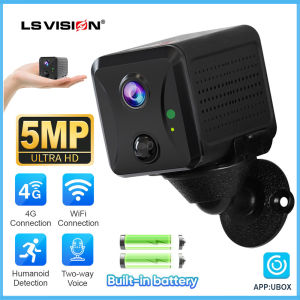
LS VISION 2K 5MP Wifi/4G Mini Battery Camera Home Indoor wireless IR Night Vision Two-way Voice PIR Humanoid Detection Alarm Security IP Network Cameras Built-in 2400mAh battery
V380 pro E27 LED cctv bulb camera HD 1080P PTZ Controls indoor and outdoor waterproof 360 rotation night vision two way audio wireless 2.4G wifi motion detection connection mobile phone remote monitoring CCTV camera

Printing Camera by Toytinkr
2-Way Articulating Endoscope Joystick 360° 180° Steering Slide Rod Rotation Camera HD1080P Car Inspection Borescope Waterproof
Nikon D5300 DSLR 24MP WiFi 18-55mm Kit Lens PRELOVED
Lens Filters ForInsta360 Go 3 ND8 ND16 ND32 UV CPL Waterproof For Insta360GO3 Action Sports Camera Accessories

Dahua 4CH /8CH /16CH 4K CCTV NVR Face Detection H.265 Motion Detect Video Recorder For IP Camera
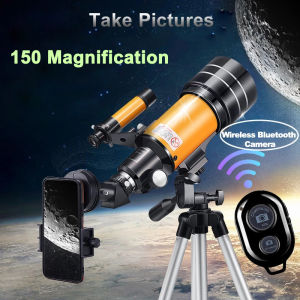
F30070M Professional Astronomical Telescope AZM70300 HD High-Power Portable Tripod 150 Times Zoom Night Vision View Moon Star
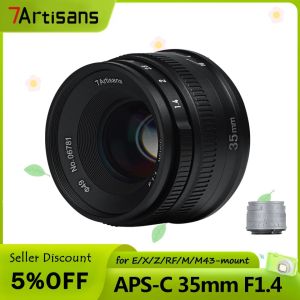
7artisans 35mm F1.4 ASP-C Large Aperture Lens For Sony E mount A7/Fuji XF/M4/3mount/Nikon Z 7Artisans 35Mm F1 2 7Artisans 35Mm F0 95 - Lazada
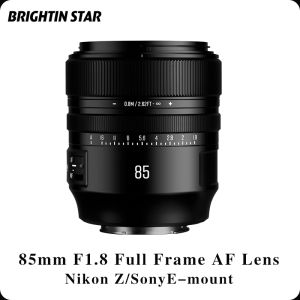
Brightin Star 85mm F1.8: A Custom Mirrorless Camera Lens for Sony & Nikon