4 Gang Smart Scene Switch 12 Mode Scenes Operated Wire-Free Switch Works with Smart App Smart Life Tuya App Phone Control
4 Gang Smart Scene Switch 12 Mode Scenes Operated Wire-Free Switch Works with Smart App Smart Life Tuya App Phone Control
Introduction to the 4 Gang Smart Scene Switch
The 4 Gang Smart Scene Switch is a wireless, smart scene switch designed to seamlessly integrate with your existing home setup. This versatile switch offers 12 mode scenes control, making it perfect for various usage scenarios, including bedrooms, kitchens, bathrooms, and living rooms. With its compact size of 868613mm, it can easily be pasted onto any surface, allowing you to control your smart home devices effortlessly.
Key Features
- Wire-free installation
- 12 mode scenes control
- Compatible with Tuya App
- Works with Smart Life app
- Phone control
Usage Scenarios
The 4 Gang Smart Scene Switch is suitable for multiple usage scenarios, including:
- Bedrooms: Control your lights, fans, and other devices with ease.
- Kitchens: Manage your appliances and lighting with just a tap.
- Bathrooms: Adjust the lighting and fan settings effortlessly.
- Living rooms: Control your entertainment systems and home theater devices with a single switch.
How to Install the 4 Gang Smart Scene Switch
Installing the 4 Gang Smart Scene Switch is a breeze. Follow these simple steps to get started:
Preparation
Before installation, make sure you have the following:
- 4 Gang Smart Scene Switch
- Smartphone with Tuya App installed
- Internet connection
Installation Steps
- Choose a suitable location for the switch.
- Peel off the adhesive backing and paste the switch onto the surface.
- Connect the switch to your Wi-Fi network using the Tuya App.
How to Connect the Switch with Tuya App
Connecting the 4 Gang Smart Scene Switch with the Tuya App is simple and straightforward. Follow these steps:
Downloading the Tuya App
- Visit the Apple App Store or Google Play Store.
- Search for 'Tuya App' and download it onto your smartphone.
Setting Up the Switch with the App
- Open the Tuya App and sign in to your account.
- Tap on the '+' icon to add a new device.
- Select 'Smart Scene Switch' from the list of available devices.
- Follow the on-screen instructions to connect the switch to your Wi-Fi network.
Using the 12 Mode Scenes Control
The 4 Gang Smart Scene Switch offers 12 mode scenes control, allowing you to customize your home automation experience. Here's how to get started:
Understanding the 12 Mode Scenes
The 12 mode scenes include various lighting and device settings, such as:
- Scene 1: Soft lighting for relaxing evenings
- Scene 2: Bright lighting for reading
- Scene 3: Dimmed lighting for watching TV
- Scene 4: Full lighting for entertaining guests
- Scene 5: Night lighting for late-night activities
- Scene 6: Energy-saving mode for eco-friendly living
- Scene 7: Wake-up mode for a gentle morning start
- Scene 8: Sleep mode for a restful night's sleep
- Scene 9: Away mode for security and energy savings
- Scene 10: Party mode for lively gatherings
- Scene 11: Movie mode for immersive entertainment
- Scene 12: Custom mode for personalized settings
Customizing Your Scenes
To customize your scenes, follow these steps:
- Open the Tuya App and navigate to the 'Smart Scene Switch' section.
- Select the scene you want to customize.
- Adjust the lighting and device settings according to your preferences.
- Save your custom scene and enjoy your personalized home automation experience.
Conclusion
The 4 Gang Smart Scene Switch is a versatile, wire-free smart switch that offers 12 mode scenes control, making it perfect for various usage scenarios. With its seamless integration with the Tuya App, you can easily customize your scenes and enjoy a personalized home automation experience. Say goodbye to complicated wiring and hello to effortless control with the 4 Gang Smart Scene Switch.

Hot House

Review

You May Also Like
SHUNAICHI UTHAI Mens Electronic Watch High School Student Sports Watches Waterproof LED Alarm Clock Calendar Kids Digit Smart Wristwatch

HW-710 Multi-functional Stud Finder Wall Scanner AC Cable Wires Depth Tracker Wall Metal Detector Electronic Wood Finder
Uhoofit R10 Smart Ring with Charging Case Men Women Health Heart Rate Sleep Monitor IP68 & 5ATM Waterproof Multi-sport Mode

New Smart Watch Men: Full Touch Screen & Bluetooth Call Heart Rate Monitor
GPS Locator Tracker Anti-Lost Device Waterproof Dog Tracker GPS Wireless Anti-Lost Sensor Device GPS LBS Positioning

AirTag cover AirTags anti-drop device air tag shell all-inclusive anti-drop child tracker all-around cover
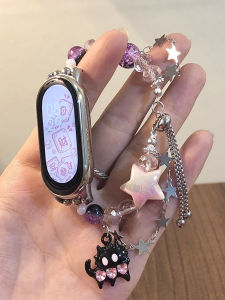
Smart Watch for Female Students: A Stylish & Functional Choice
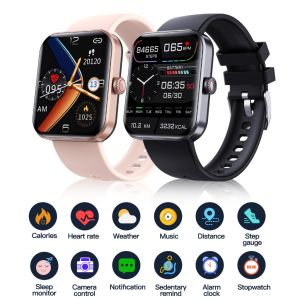
🎁 Original Product + FREE Shipping 🎁 XIAOMI 2023 NEW Blood Glucose Smartwatch Electrocardiogram Temperature Blood Oxygen Sleep Monitoring ECG+PPG Sports Smart Watch

AMOLED HK10 Ultra3 Smart Watch Series 10 ChatGPT 1GB ROM AI Watch Face BT Call Games Music Compass Sports Smartwatch Men Women
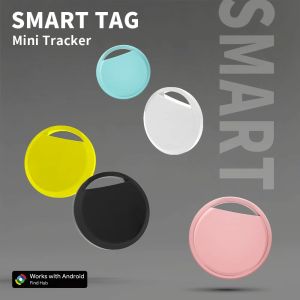
2025 Tracker Android Work With Googles Find Hub App Moto Security Locator for Samsung Xiaomi Vehicle Smart Tag
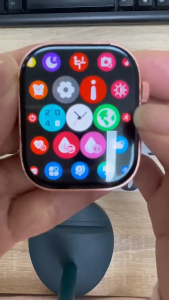
Smart Watch Women Waterproof Bluetooth Call Health Monitoring For Men sports Smartwatchs 2.01 inch touch screen T900