Xixo A9 Mini Camera: A Comprehensive Guide
Xixo A9 Mini Camera: A Comprehensive Guide
Introduction to the Xixo A9 Mini Camera
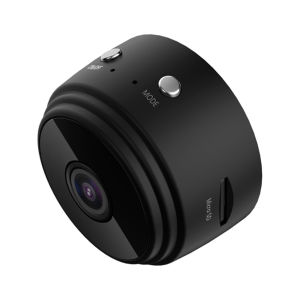
The Xixo A9 Mini Camera is a top-of-the-line security camera designed for remote monitoring and mobile detection. With its sleek design and powerful features, this camera offers an unbeatable combination of performance and convenience. In this guide, we'll delve into the key features, specifications, and benefits of choosing the Xixo A9 Mini Camera.
Key Features & Specifications
- Resolution: 1080P Full HD
- Number of Frames: 25
- Video Format: ASF
- Viewing Angle: 90°
- Detection Distance: Straight line 6 meters
- Minimum Illuminance: 1LUX
- Business Hours: More than 1 hour
- Compression Format: H.264
- Record Range: 5m²
- Power Consumption: 240MA/3.7V
- Storage Temperature: -20-80 degrees Celsius
- Operating Temperature: -10-60 degrees Celsius
- Working Humidity: 15-85% RH
- Memory Card Type: TF card (maximum support 128G, excluding TF card)
- Operating System: Applicable to IOS/Android
Benefits of Choosing the Xixo A9 Mini Camera
- Remote Control: Monitor your home or office remotely using a smartphone or tablet.
- Mobile Detection: Detect motion and receive alerts directly on your mobile device.
- Night Vision: Clear visibility even in low-light conditions thanks to its night vision capabilities.
- WiFi Connectivity: Connect to your home network and access live footage anytime, anywhere.
- High-Quality Video: Record high-definition video with a resolution of 1080P.
How to Set Up Your Xixo A9 Mini Camera
Setting up your Xixo A9 Mini Camera is simple and straightforward. Follow these steps to get started:
Connecting to Your Smartphone
- Download the Xixo A9 app from the App Store or Google Play Store.
- Connect your camera to your home WiFi network by following the instructions in the app.
- Add your camera to the app and start monitoring.
Setting Up the 360 Rotating Base
- Place the camera on the 360 rotating base.
- Adjust the angle of the camera to cover the desired area.
Installing the TF Card
- Insert the TF card into the camera's memory slot.
- Format the card if necessary.
Enhancing Security with the Xixo A9 Mini Camera
Maximize the security features of your Xixo A9 Mini Camera by utilizing its night vision capabilities, recording high-quality video, and detecting motion.
Using Night Vision for Optimal Monitoring
With its night vision feature, the Xixo A9 Mini Camera provides clear visibility even in low-light conditions. This allows you to monitor your surroundings 24/7 without any interruptions.
Recording High-Quality Video
Record high-definition video with a resolution of 1080P using the Xixo A9 Mini Camera. This ensures that every detail is captured, providing you with a reliable record of events.
Detecting Motion with the Xixo A9 Mini Camera
Stay informed about any movement in your monitored area by setting up motion detection alerts. These alerts will notify you immediately if any activity is detected, allowing you to take action quickly.
Troubleshooting Common Issues
Encountering issues with your Xixo A9 Mini Camera? Here are some common problems and their solutions:
Connectivity Problems
- Symptom: Unable to connect to WiFi network.
- Solution: Ensure that your camera is within range of your WiFi network and that the password is correct.
Low Battery Life
- Symptom: Camera shuts off after a short period of use.
- Solution: Charge the camera fully before use and ensure that it is placed in a location with sufficient power supply.
Video Quality Issues
- Symptom: Blurry or pixelated video.
- Solution: Adjust the camera's position to ensure it is facing the desired area and check if there are any obstructions blocking the view.

Xixo store
![Xixo Store A9 Mini Camera 1080 WiFi HD Night Version Micro Voice Recorder CCTV Remote Control Camera Mobile Detection [Ready Stock!]](https://img.lazcdn.com/g/p/26a51107b50d54582ad31952c921a535.jpg_300x300q80.jpg)
You May Also Like

Hikvision DVR 8 Channel 2 Way Audio iDS-7208HQHI-M1/XT Acusense 5MP 3K

Panasonic Lumix G9II KIT Mirrorless Camera with 12-60mm
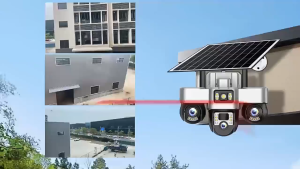
V380 Pro Three lens solar CCTV surveillance camera outdoor high-definition night vision full-color solar-powered camera
V380 Pro Bulb PTZ Camera Auto Tracking Night Vision 1080 Wireless CCTV IP Security Camera
Reolink Lumus 2K+ 4MP Outdoor Dual-Band WiFi CCTV Security Camera Color Night Vision Two-Way Audio

JIUYIN sports camera cycling recorder 2K high-definition picture quality 8-hour long battery life IP65 waterproof rating
2K 5MP 4G Solar Security Camera Wireless Outdoor Color Night Vision Battery Powered Support 2.4G WiFi PIR Waterproof 2-Way Alexa
V380 Q15 CCTV Camera Connect Cellphone Culb CCTV Camera WiFi Connect 360 Wireless Indoor 3D Panoramic Security 1080P HD Bulb Smart Home 10M Night Vision Monitoring Cam Two way audio CCTV With E27 Standard Lamp Holder
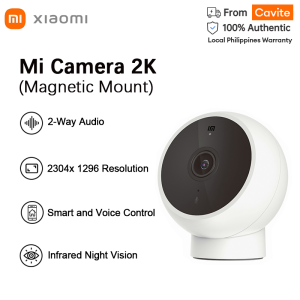
Xiaomi Mi Smart Camera IP CCTV 2K Magnetic Mount 3MP 1296P Standard Edition IR Night Vision Cam Motion Detection MJSXJ03HL
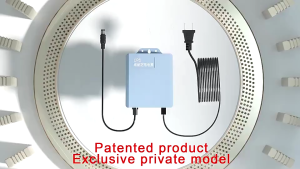
【FAST Delivery】12V 1.5A Uninterruptible Power Supply Mini UPS Battery Backup for WiFi Router Modem and Outdoor CCTV Security Camera UPS Monitoring Power Outage Endurance Power Supply Outdoor CCTV Built-in Battery Working System IP Camera Power Cord
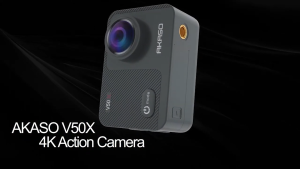
AKASO V50X | EIS 3.0 Image Stabilization | 4K30FPS Ultra HD Videos