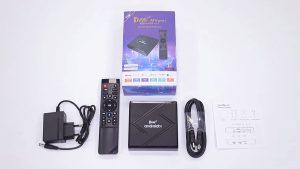
C3P50 Mini LED Projector: Compact Home Entertainment Solution
C3P50 Mini LED Projector: Compact Home Entertainment Solution
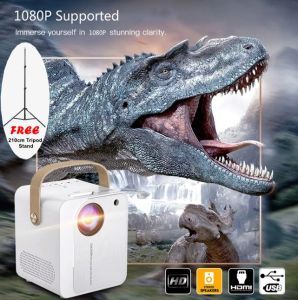
The C3P50 Mini LED Projector is a powerful yet compact home entertainment solution designed to bring cinematic experiences directly to your living room. This versatile projector supports a wide range of media sources and connectivity options, making it perfect for streaming movies, playing games, or even conducting virtual meetings. In this article, we will explore the key features, specifications, setup process, and maintenance tips for the C3P50 Mini LED Projector.
C3P50 Mini LED Projector Overview
Key Features
- Model: CP350
- Lamp Type: LED
- Aspect Ratio: 4:3 / 16:9
- Projection Distance (m): 1.2 ~ 6m
- Projection Screen Size (inch): 50-180
- Connectors: HD * 1 / USB * 1 / TF / AV / Audio (3.5 mm)
- System: Multi Media
- Lens: Manual Focus
- OSD Languages: Multi-language
- Input Voltage(V): 110V-240V (±10%), 50-60Hz
- Power Consumption (W): 55W
- Speakers Included: 1 * 5W Speaker
Specifications & Compatibility
The C3P50 Mini LED Projector is compatible with various devices, including computers, gaming consoles, and mobile devices. It supports multiple media formats, allowing you to enjoy your favorite movies, TV shows, and games on a large screen. With its compact size and lightweight design, this projector is easy to carry around and set up anywhere in your home.
Setting Up Your C3P50 Mini LED Projector
Connecting Devices & Media Sources
To connect your devices to the C3P50 Mini LED Projector, simply use the available connectors: HD, USB, TF, AV, and Audio (3.5 mm). You can connect your computer, gaming console, or mobile device using the appropriate cable and enjoy your content on a large screen. The projector also supports Wi-Fi connectivity, enabling you to stream content wirelessly from your device.
Positioning & Adjusting the Projector
To achieve optimal projection quality, position the projector at a distance of 1.2 to 6 meters from the screen. Adjust the projector's angle to avoid any obstructions and ensure a clear image. The manual focus lens allows you to fine-tune the image sharpness according to your preferences.
Enhancing Your Viewing Experience
Audio & Video Settings
The C3P50 Mini LED Projector comes equipped with a built-in 5W speaker, providing clear audio quality for your entertainment needs. You can adjust the audio settings through the on-screen display (OSD) menu, which supports multi-language options. Additionally, you can connect external speakers or audio systems for enhanced sound quality.
Customizing the User Interface
Customize your viewing experience by adjusting the projector's settings through the OSD menu. You can change the aspect ratio, brightness, contrast, and color settings to suit your preferences. The multi-language support allows you to navigate the menu in your preferred language.
Troubleshooting & Maintenance
Common Issues & Solutions
If you encounter any issues with the C3P50 Mini LED Projector, consult the user manual or contact customer support for assistance. Some common problems include poor image quality, audio issues, and connectivity problems. Follow the troubleshooting steps provided in the manual to resolve these issues.
Cleaning & Care Tips
To maintain the performance of your C3P50 Mini LED Projector, follow these cleaning and care tips:
- Clean the lens regularly with a soft, lint-free cloth to prevent dust buildup.
- Keep the projector in a dry and well-ventilated area to avoid moisture damage.
- Avoid exposing the projector to extreme temperatures or direct sunlight.
- Turn off the projector and unplug it when not in use to prolong its lifespan.

weiweishop
Review

You May Also Like
H96 Max H313 Android TV Stick Quad Core 4K Wifi 2.4G Voice Assistant RAM 2GB ROM 16GB Game Media Player Smart TV Box
M5 Portable Mini Movie Projector Laser Beamer Suitable For Outdoor Camping Drive-in Home Theater 1080P Wired Wireless Phone Mirroring
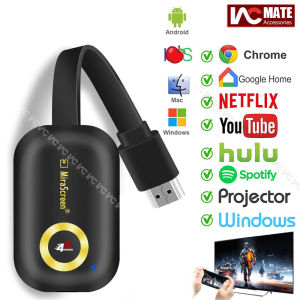
4K HDMI Wireless Display Adapter & WiFi Miracast Dongle: A Comprehensive Guide
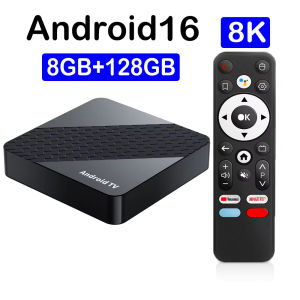
Smart TV Box X10 8GB 128GB Android 16 Streaming Media Player RK3518 8K Ram 4GB 8GB Rom 64GB 128GB Wifi6 Very Fast Set Top Box
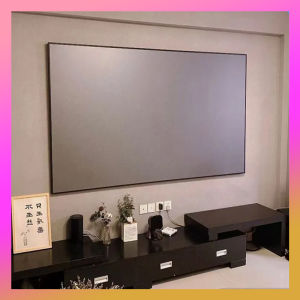
Projector Screen Simple folding metal anti-light curtain 60/72/84/92/100/110/120/130 inch 16: 9 HD portable projector curtain small and large sizes
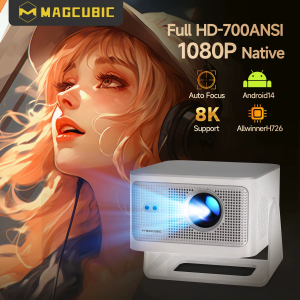
Magcubic 900ANSI Android 14 Projector Auto Focus Support 8K Native 1080P With Wifi6 BT5.4 16G Allwinner H726 Portable HY350Max
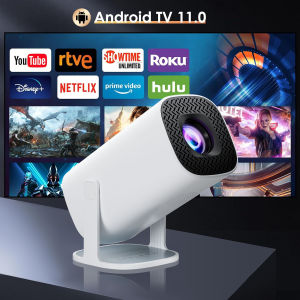
Salange P30Pro Smart Mini Projector Android 11 WiFi6 Support 4K 1080P BT5.0 Support 1080P Projector Home Cinema Portable Projector
60-110 inch anti light screen simple version suitable for office outdoor and indoor use projection screen
SAINTVILLA BAIERDI 4K 16:9 Portable Projector Screen 84-150 Inch Movie Screen for Indoor Outdoor Home Theater and Backyard Use
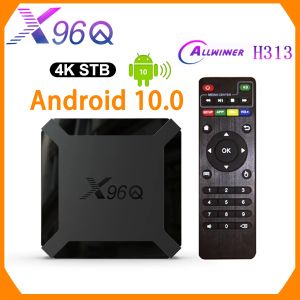
X96Q Android10 TV Box: A Comprehensive Guide
XIAOHUI Wall Mounted Projector Screen Shredded Milk 60-133 Inch White Wrinkle-Free 160° Viewing Angle Screen Home Theater Indoor