LinYuvo Switch Steering Wheel: A Comprehensive Guide
LinYuvo Switch Steering Wheel: A Comprehensive Guide
Introduction to LinYuvo Switch Steering Wheel
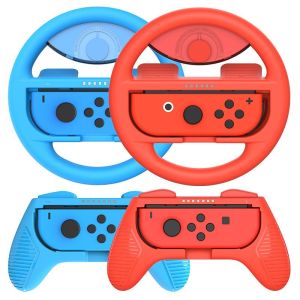
The LinYuvo Switch Steering Wheel is a gaming controller accessory specifically designed for the Nintendo Switch Joy-con 2 Pack racing steering wheel accessories. This high-quality racing steering wheel offers an immersive experience for players looking to enhance their racing game performance. With its ergonomic design, customizable settings, and improved handling, the LinYuvo steering wheel is a must-have accessory for any racing enthusiast.
Key Features
- Ergonomic design for comfortable gameplay
- Customizable settings for personalized gaming experience
- Improved handling for better control in racing games
- Compatible with Joy-con 2 Pack accessories
Compatibility with Joy-con 2 Pack Accessories
The LinYuvo steering wheel is fully compatible with the Nintendo Switch Joy-con 2 Pack, allowing players to seamlessly integrate the racing steering wheel into their gaming setup. The compatibility ensures a smooth and enjoyable experience while playing racing games on the Nintendo Switch console.
Installation & Setup
Setting up the LinYuvo steering wheel is a straightforward process that can be completed in just a few steps. Follow these instructions to get started:
Unboxing & Assembly Instructions
- Carefully unbox the LinYuvo steering wheel and remove all packaging materials.
- Assemble the steering wheel by attaching the Joy-con holder to the base of the steering wheel.
- Connect the Joy-con controllers to the Joy-con holder.
Connecting to Nintendo Switch Console
Once the steering wheel is assembled, connect it to your Nintendo Switch console by following these steps:
- Power on your Nintendo Switch console.
- Press the Home button to access the main menu.
- Select "System Settings" and navigate to the "Controllers and Sensors" option.
- Follow the on-screen instructions to pair the Joy-con controllers with the steering wheel.
Enhancing Gaming Experience
The LinYuvo steering wheel offers several features that enhance the gaming experience for players. Here are some ways the steering wheel improves gameplay:
Customizable Settings
Customize the settings of the LinYuvo steering wheel to suit your preferences. Adjust the sensitivity, force feedback, and other parameters to achieve the desired level of control and responsiveness.
Improved Handling for Racing Games
The LinYuvo steering wheel provides better handling for racing games, allowing players to navigate tracks with precision and accuracy. The ergonomic design and customizable settings make it easier to control the vehicle and achieve faster lap times.
Troubleshooting Common Issues
If you experience any issues with the LinYuvo steering wheel, refer to the following troubleshooting guide:
Connectivity Problems
If you encounter connectivity problems, try the following solutions:
- Restart the Nintendo Switch console and the steering wheel.
- Ensure the Joy-con controllers are properly connected to the steering wheel.
- Check the connection between the steering wheel and the Joy-con controllers.
Compatibility Concerns
If you have compatibility concerns, refer to the following tips:
- Make sure the steering wheel is compatible with the Joy-con 2 Pack accessories.
- Check if there are any firmware updates available for the steering wheel or the Nintendo Switch console.
Conclusion
The LinYuvo Switch Steering Wheel is a valuable addition to any racing enthusiast's gaming setup. With its ergonomic design, customizable settings, and improved handling, the steering wheel enhances the gaming experience and helps players achieve better performance in racing games. Follow the installation and setup instructions, and troubleshoot any issues that may arise to ensure a seamless and enjoyable experience.

LinYuvo
You May Also Like
Case for Oppo A96 4G A76 4G phone casing hard case TPU protector smooth shockproof cover new design aesthetic with Holder for men gyro Mount cytlzj01
1 Sets/20Pcs Mini Standard 345H022 Slot monoblock R0th MIM monoblock Bracket 345h MBT
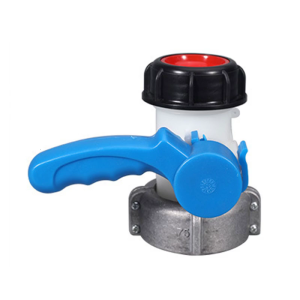
Aluminum & Plastic Valves DN50 Heavy Duty Adapter Accuracy Engineered Flows Valves Quick Installation for 1000L IBC Tanks
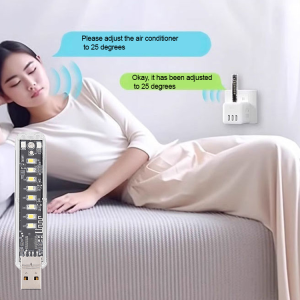
Air Conditioner Companion Intelligent Voice Control Voice Control Smart Light Warm Light Provide Light
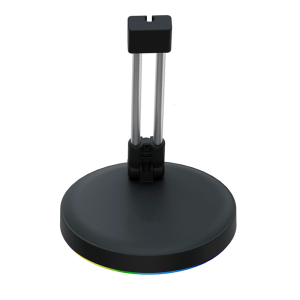
Ergonomic Mouse Cord Holder Featuring Color Lighting And Stable Metal Weighted Design Cable Holder For Gamers
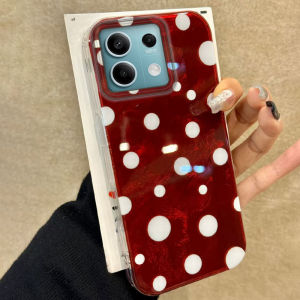
Christmas Red Cirular Dots Phone Case For Xiaomi Redmi Note 14 13 12 11 10 11S 10S 8 9 Pro 15 15C 14C 13C A3 A1 A2 9A A5 Cover

For Samsung A15 Phone Case Cartoon Design Silicone Soft Shell TPU Case Shockproof Casing Camera Protective Case

✅100% Original Smilee B399-10 Portable Strong Fan Handheld Mini USB Charging with Mobile Phone Holder

Kumeng for Apple iPhone 15 Pro Max Case: All-Inclusive Protection for Your Device

Realme GT2 Master Exploration Edition Phone Case RMX3551 Protective Cover Full Package Anti-Fall Mens Silicone Frosted Anti-Scratch

9D Metal Aluminum Alloy Camera Lens Tempered Glass Film For Huawei Pura 70 Pro Plus Ultra Anti Scratch Phone Lens Protector