Bluetooth Thermal Shipping Label Printer - Portable Thermal Label Printer for Shipping Packages - Thermal Shipping Label Printer Wireless Label Makers Compatible with USPS Fedex DHL
Bluetooth Thermal Shipping Label Printer - Portable Thermal Label Printer for Shipping Packages - Thermal Shipping Label Printer Wireless Label Makers Compatible with USPS Fedex DHL
What is a Bluetooth Thermal Shipping Label Printer?
A Bluetooth Thermal Shipping Label Printer is a portable device designed specifically for printing shipping labels directly from smartphones, iPads, computers, and Chrome browsers. This wireless label maker is compatible with major carriers like USPS, FedEx, and DHL, offering a cost-effective and time-efficient solution for businesses and individuals who frequently ship packages.
Key Features
- Bluetooth connection for smartphones and iPads (iOS & Android)
- USB cable connection for computers (Mac & Windows)
- Labelife extension for Chrome Web Store
- Advanced thermal direct technology for inkless printing
- 203DPI print quality for clear barcode scanning
- Up to 150mm/s printing speed (up to 72 sheets 4x6 labels/min)
How It Works
Using a Bluetooth Thermal Shipping Label Printer is simple and straightforward. First, connect your device to the printer via Bluetooth or USB cable. Then, download the Labelife extension from the Chrome Web Store to print labels directly from your Chrome browser. The thermal direct technology ensures clean, mess-free printing without the need for expensive toner or ink.
Benefits
- Cost savings through inkless printing
- Time efficiency with high-speed printing
- Flexibility with multiple connection options
How to Use a Bluetooth Thermal Shipping Label Printer
Using a Bluetooth Thermal Shipping Label Printer is easy and convenient. Follow these steps to get started:
Setting Up Your Device
- Connect your smartphone, iPad, or computer to the printer via Bluetooth or USB cable.
- Download the Labelife extension from the Chrome Web Store.
Printing Labels
- Open the Labelife extension and select the desired carrier (USPS, FedEx, or DHL).
- Enter the shipping information and print the label.
Troubleshooting Tips
If you encounter any issues while using the printer, try the following troubleshooting steps:
- Check the connection between your device and the printer.
- Restart the printer and reconnect to your device.
- Update the Labelife extension to the latest version.
Why Choose a Bluetooth Thermal Shipping Label Printer?
There are several reasons why a Bluetooth Thermal Shipping Label Printer is the ideal choice for businesses and individuals who frequently ship packages:
Cost Savings
The advanced thermal direct technology used in this printer eliminates the need for expensive toner or ink, resulting in significant cost savings over time.
Time Efficiency
With a printing speed of up to 150mm/s, this printer can print up to 72 sheets of 4x6 labels per minute, greatly improving productivity and saving precious time.
Flexibility
This printer is compatible with multiple devices and platforms, offering flexibility and convenience for businesses and individuals alike.
Compatible with USPS, FedEx, and DHL
The Bluetooth Thermal Shipping Label Printer is compatible with major carriers like USPS, FedEx, and DHL, allowing users to print labels directly from their devices.
How to Connect
Connect your device to the printer via Bluetooth or USB cable, then download the Labelife extension from the Chrome Web Store.
Supported Platforms
This printer supports iOS, Android, Mac, Windows, and Chrome browsers.
Printing Directly from Chrome
With the Labelife extension installed, users can print labels directly from their Chrome browser.
Conclusion
The Bluetooth Thermal Shipping Label Printer is a cost-effective, time-efficient, and flexible solution for businesses and individuals who frequently ship packages. With its advanced thermal direct technology, high-speed printing, and compatibility with major carriers, this printer is the ideal choice for anyone looking to streamline their shipping process.

Zodzi Printer Store
Review

You May Also Like
Esun ABS+ Filament 1kg 1.75mm
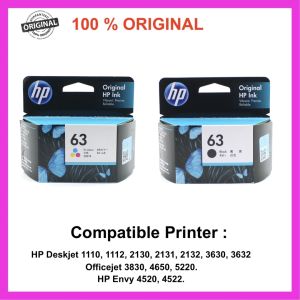
HP 63 100% Original Ink Advantage Cartridge for HP Deskjet 1110 1112 2130 2131 2132 3630 3632.Hp Envy 4520 4522.Hp Officejet 3830 4650 5220
Fimax KP-108IN: A Comprehensive Guide for Canon Selphy CP Series Printers
Eyoyo 1D Laser Mini Barcode Scanner Via Bluetooth 2.4G Wireless USB Wired With Power On/Off Button Volume Up/Down Button Portable Bar Codes Reader for Windows/Mac Computer/Android/iOS Phones
Printleaf - 6in1 CUYI Combo Heat Press Machine
![[COD] SHGMYD Filament Plastic For 3D Printer Multi-colored Optional Rubber Consumables Material](https://img.lazcdn.com/g/p/b90dd0b8fb0f92dbc6651b7a86633386.jpg_300x300q80.jpg)
[COD] SHGMYD Filament Plastic For 3D Printer Multi-colored Optional Rubber Consumables Material
GZQIANJI Omnidirectional Hands-Free Platform 1D 2D Desktop Barcode Scanner with Automatic Sensing Screen Scanning QR Bar Code Scan Reader for POS PC Supermarket Bookstore Retail Mall
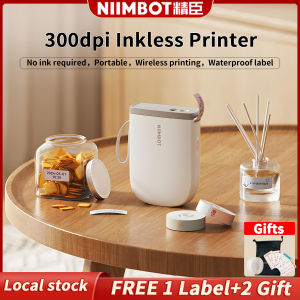
NIIMBOT D11 Bluetooth Label Maker Machine - 300DPI Portable Thermal Printer with Tape Wireless Sticker Maker for Home Office SchoolKitchen USB Rechargeable Multiple TemplatesChristmas Gift Stickers CardReady Stock Christmas Gift Stickers Card

INKSCRIBED 151A W1510A Compatible Toner Cartridge for HP Laserjet MFP 4103fdn Pro 4003 Printer

HP Printer Parts For HP 115 Shaft Rod. HP 315 Shaft Rod. HP 415 Shaft Rod. HP 500 Shaft Rod. Refurbished.
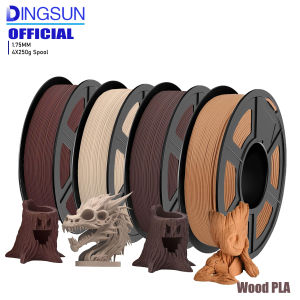
Wood PLA 3D Printer Filament Matt Surface & Low Warping Filament 4X250g Spool (Total 1kg 2.2 lbs) Accuracy 1.75mm +/- 0.02 mm