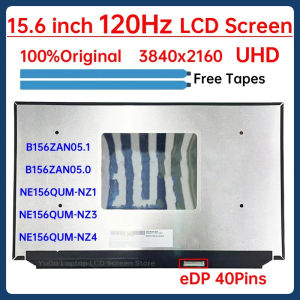
Acer TravelMate & Nitro 5 LCD Screen Guide
Acer TravelMate & Nitro 5 LCD Screen Guide
Introduction to Acer TravelMate TMP214 & Nitro 5 LCD Screens
Acer is a well-known brand that offers a wide range of laptops, including the TravelMate TMP214 and Nitro 5 series. Both models feature high-quality LCD screens with exceptional display capabilities. The TravelMate TMP214 boasts a 14-inch screen with a 144Hz FHD IPS display, while the Nitro 5 AN515-54 offers a 15.6-inch screen with a 144Hz FHD IPS display.
Key Features: 144Hz FHD IPS Display
Both the TravelMate TMP214 and Nitro 5 AN515-54 screens share the same key feature: a 144Hz FHD IPS display. This high refresh rate ensures smooth and responsive visuals, making these laptops ideal for gaming, video editing, and multitasking. The IPS technology provides wide viewing angles, accurate color reproduction, and excellent contrast ratios.
Compatibility: 120/144HZ Laptop LCD
The TravelMate TMP214 and Nitro 5 AN515-54 screens are compatible with 120/144Hz laptop LCDs. This compatibility allows users to upgrade their existing displays or replace damaged ones with ease. The N156HRA-GAA, B156HAN13.0, and LM156LF2F03 models are suitable replacements for the Nitro 5 series, while the N19Q7 model is compatible with the TravelMate TMP214.
Choosing the Right LCD Screen for Your Acer Laptop
When selecting a new LCD screen for your Acer laptop, consider the following factors:
-
Model Compatibility: Ensure the replacement screen is compatible with your specific laptop model. Refer to the product description for details on which models are supported.
-
Display Specifications: Look for screens with similar display specifications, such as resolution, refresh rate, and panel type. This ensures a seamless upgrade experience.
-
Pin Configuration: Verify that the replacement screen has the correct pin configuration. The TravelMate TMP214 requires a 30-pin slim connector, while the Nitro 5 series uses a 40-pin connector.
Acer TravelMate TMP214 LCD Screen
The Acer TravelMate TMP214 LCD screen is available in several models, including the N19Q7, TMP214-52-5873, TMP214-41, TMP214-52G, and TMP214-53. These screens feature a 14-inch display with a 144Hz FHD IPS panel, making them ideal for users who prioritize performance and visual quality.
Acer Nitro 5 AN515-54 LCD Screen
The Acer Nitro 5 AN515-54 LCD screen is available in the N156HRA-GAA, B156HAN13.0, and LM156LF2F03 models. These screens feature a 15.6-inch display with a 144Hz FHD IPS panel, providing gamers and content creators with a powerful and immersive experience.
Installation & Troubleshooting Tips
Installing a new LCD screen on your Acer laptop requires some technical knowledge and patience. Follow these steps to ensure a successful installation:
-
Prepare Your Workspace: Clear a flat surface and gather the necessary tools, such as a screwdriver and spudger.
-
Power Off and Unplug: Turn off your laptop and unplug it from the power source.
-
Remove the Back Cover: Carefully remove the back cover of your laptop, exposing the internal components.
-
Disconnect the Old Screen: Locate the connector cable for the old screen and gently disconnect it from the motherboard.
-
Install the New Screen: Connect the new screen's connector cable to the motherboard and secure it in place.
-
Reassemble the Laptop: Replace the back cover and reattach any screws or clips you removed during disassembly.
-
Test the New Screen: Power on your laptop and test the new screen to ensure it's working correctly.
If you encounter any issues during installation or after completing the process, consult the troubleshooting guide provided by Acer or seek assistance from a professional technician.
Conclusion
Upgrading or replacing your Acer TravelMate TMP214 or Nitro 5 AN515-54 LCD screen can significantly enhance your laptop's performance and visual experience. By choosing the right screen and following proper installation procedures, you can enjoy smoother gameplay, better image quality, and improved overall usability. Remember to always refer to the product description and compatibility information before making a purchase.

yunyidalcdscreen
You May Also Like
220V input DC 12V 30A output 360W Power Supply Centralize Switching Power Supply for Security Camera CCTV Fan Automatically Universal Led Module Regulated Switching Power Supply
Efficiency QY60083 Printer Head For QY60083 MG6380 MG7180 iP8780 And Additional Supported Printers Models Heads

Chest Protection & Anti-Exposure Tube Top: A Comprehensive Guide
Radiator Coolant Water Hose 2035010882 A2035010882 1314303400 for C200 C230 CL203 W203 S203 203 Water Pump Cooling Pipe
EXPOSE Gaming Monitor Curved 24 27 Inch 165Hz 4K Frameless IPS Monitor For Laptop Extension Low Blue Light
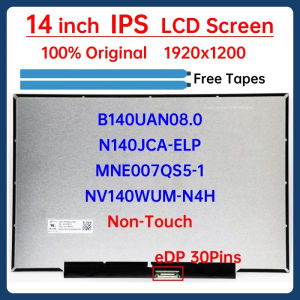
14 Inch Laptop LCD Screen NV140WUM-N4H B140UAN08.0 N140JCA-ELP MNE007QS5-1 Display Matrix Panel 1920x1200 eDP 30 Pins Non-Touch
![[COD] PkYeG Tool 1 Piece 30g Gray 7.5W m-k GD-3-CN30 Thermal Paste For CPU GPU Heat Sink Cooling Cooler Grease Compound Silicone CN SY BB](https://img.lazcdn.com/g/p/5b83b7dff4877209557d5afaecddd9af.jpg_300x300q80.jpg)
[COD] PkYeG Tool 1 Piece 30g Gray 7.5W m-k GD-3-CN30 Thermal Paste For CPU GPU Heat Sink Cooling Cooler Grease Compound Silicone CN SY BB
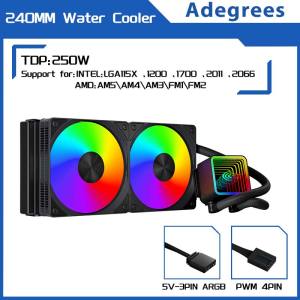
120MM/240MM Liquid Heatsink Integrated Cooler PC Water Radiator for Intel LGA 2011 1700 1200 1155 2066 AMD AM4 AM5 AM3 FM2
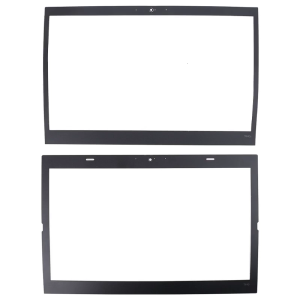
LCD Bezel Cover for Case LCD Screen Frame Sticker for ThinkPad T440 T440s Notebook Laptop Parts
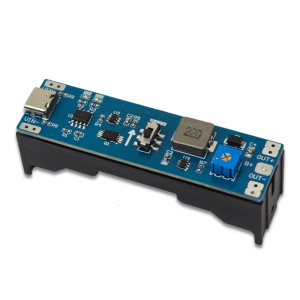
Professional 3.7V to 9V 12V Charging Booster Regulator Discharger Step Up Module Regulator Module for PC
Set Of 5 Temperature Humidity Sensors Module with Cable Home Automation Sensors Suitable for Greenhouses And More