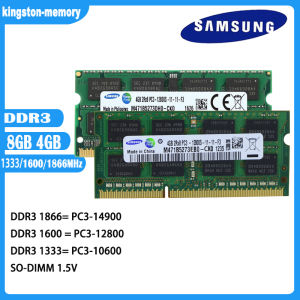
Samsung Laptop RAM DDR3 4G 8G 1066/1333/1600MHz Laptop Memory PC3-8500 10600 12800 14900 1.5V SODIMM 204pin Memory For Notebook new
Samsung Laptop RAM DDR3 4G 8G 1066/1333/1600MHz Laptop Memory PC3-8500 10600 12800 14900 1.5V SODIMM 204pin Memory For Notebook new
Understanding Samsung Laptop RAM DDR3
Samsung Laptop RAM DDR3 is a type of memory module designed specifically for laptops, providing increased performance and efficiency compared to older memory types. With capacities of 4GB and 8GB, Samsung Laptop RAM DDR3 operates at frequencies of 1066MHz, 1333MHz, and 1600MHz, making it suitable for a wide range of applications.
Key Features of Samsung Laptop RAM DDR3
- Non-ECC: Samsung Laptop RAM DDR3 is non-ECC, meaning it does not have error-correcting capabilities, making it ideal for consumer-grade laptops.
- Frequency: The memory operates at frequencies of 1066MHz, 1333MHz, and 1600MHz, ensuring optimal performance.
- Number of Pins: Samsung Laptop RAM DDR3 has 204 pins, which is standard for SODIMM modules used in laptops.
- Memory Capacity: Available in 4GB and 8GB capacities, providing ample storage for various applications.
- Memory Voltage: Samsung Laptop RAM DDR3 operates at 1.5V, which is the standard voltage for DDR3 memory modules.
How to Choose the Right Samsung Laptop RAM DDR3
When selecting the right Samsung Laptop RAM DDR3, consider the following factors:
- Capacity: Determine the memory capacity required for your laptop based on its intended use. For example, if you plan to run resource-intensive applications, an 8GB module may be necessary.
- Frequency: Choose a frequency that matches your laptop's specifications. Higher frequencies provide better performance, but ensure compatibility before purchasing.
- Compatibility: Verify that the Samsung Laptop RAM DDR3 is compatible with your laptop model and motherboard.
Installing Samsung Laptop RAM DDR3
Installing Samsung Laptop RAM DDR3 is a straightforward process that can be completed in a few simple steps.
Preparing Your Laptop for Installation
Before installing Samsung Laptop RAM DDR3, take the following precautions:
- Power Off: Turn off your laptop and unplug it from any power sources.
- Static Protection: Wear an anti-static wrist strap or touch a grounded metal object to discharge any static electricity.
- Tools: Gather the necessary tools, such as a screwdriver, to access the laptop's memory slots.
Step-by-Step Guide to Installing Samsung Laptop RAM DDR3
- Locate the memory slots on your laptop's motherboard.
- Remove the existing memory module, if applicable, by gently pressing down on the retention clips.
- Align the Samsung Laptop RAM DDR3 module with the memory slot and insert it at a 45-degree angle.
- Press down firmly until the retention clips snap into place.
- Reassemble the laptop and power it on to verify the new memory has been recognized.
Maximizing Performance with Samsung Laptop RAM DDR3
To get the most out of your Samsung Laptop RAM DDR3, consider the following tips:
Optimal Settings for Samsung Laptop RAM DDR3
- BIOS Settings: Access your laptop's BIOS settings and adjust the memory timings and voltage to match the specifications of your Samsung Laptop RAM DDR3.
- Operating System Settings: Configure your operating system to utilize the available memory effectively, such as enabling virtual memory or adjusting the page file size.
Troubleshooting Common Issues with Samsung Laptop RAM DDR3
If you encounter issues with your Samsung Laptop RAM DDR3, try the following solutions:
- Check Compatibility: Verify that the memory module is compatible with your laptop model and motherboard.
- Reseat the Memory Module: Gently remove and reinsert the memory module to ensure proper contact with the memory slot.
- Check BIOS Settings: Review your BIOS settings to ensure they match the specifications of your Samsung Laptop RAM DDR3.
By following these guidelines, you can successfully install and optimize Samsung Laptop RAM DDR3, enhancing the performance of your laptop and improving your overall computing experience.

kingston-memory
You May Also Like
1.69 Inch TFT LCD Screen ST7789 Small Screen 240x280 Display Lcd Rounded Screen Spi Color Screen Blue Board Module ST7789V3
For 4056 R40W12BS5AC-65 12V 0.80A 4cm FAN-0086L4 Cooling Fan

HYUNDAI HLED-32BX100 Power Supply & HKC-PLO5 REV.1.0
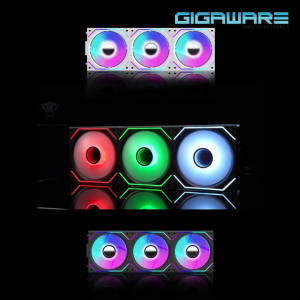
Jungle Leopard Interstellar V2 3in1 ARGB Block Chassis Fan
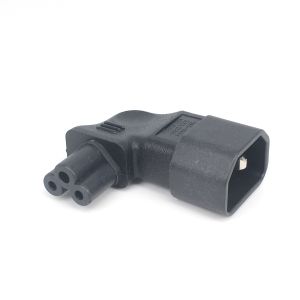
IEC 320 C14 To C5 Power Adapter Left Right Angled 10A 250V 90 Degree Bend For Server UPS PDU Industrial Equipment Heavy Duty
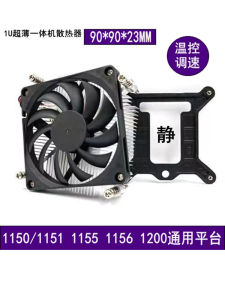
Ultra-Thin 1U All-In-One Computer Silent CPU Cooler Fan ITX HTPC Heat Sink OPS Standard Intel Platform Compatible Computer Hardware
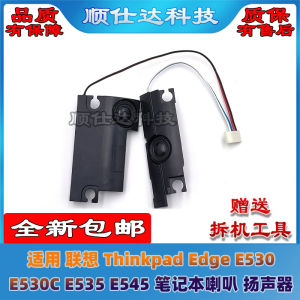
Compatible Notebook Speakers: Enhancing Your Lenovo ThinkPad Edge E530, E535 & E545 Audio Experience
100A AC 220/380V RS485 Modbus Power Monitor Three Phase AC Energy Meter Module Clear View Energy Meter Wattmeter
Nextfun 2in1 10.1 inch 8GB RAM+512GB SSD shipped from Bulacan Touchscreen HD 1920x1200 for Laptop/PC wind11
16 Inch 144Hz Laptop LCD Screen NE160WUM-NX3 B160UAN05.A N160JME-GTK For Lenovo Legion Slim 5 16APH8 16IRH8 Display Matrix Panel
DELL Chromebook Laptop 3100 4GB RAM 16GB 128GB SSD Online Learning Office Work Laptops Refurbished