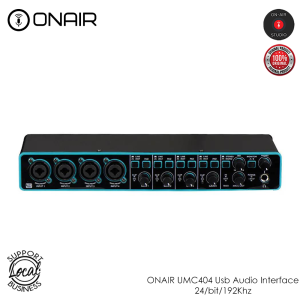
ONAIR UMC404: A Comprehensive Guide to 4-Channel 24bit/192Khz Audio Interface
ONAIR UMC404: A Comprehensive Guide to 4-Channel 24bit/192Khz Audio Interface
What is the ONAIR UMC404?
The ONAIR UMC404 is a professional USB audio interface that offers 4 inputs and 4 outputs, making it perfect for musicians looking to set up a home studio. It supports 24-bit/192kHz resolution, providing studio-grade audio quality that meets the needs of even the most discerning music producers.
Key Features & Specifications
- Inputs: 4x4 USB 2.0 Audio/MIDI Interface
- Resolution: Audiophile 24-Bit/192 kHz
- Compatibility: Popular recording software, including Avid Pro Tools*, Ableton Live*, Steinberg Cubase*
- Latency: Ultra-low latency streaming to computer, supporting Mac* OS X* and Windows XP* or higher
- Phantom Power: +48 V phantom power
- Analog Inserts: For external effects such as compressors, etc.
- Direct Monitoring: Zero-latency direct monitoring
Compatibility with Popular Recording Software
The ONAIR UMC404 is compatible with a wide range of popular recording software, including Avid Pro Tools, Ableton Live, and Steinberg Cubase. This ensures that users can seamlessly integrate the audio interface into their existing workflow, regardless of their preferred recording software.
How to Set Up Your ONAIR UMC404
Setting up the ONAIR UMC404 is straightforward and easy to follow. Here are some essential steps to help you get started:
Connecting Your Microphones & Instruments
To connect your microphones and instruments to the ONAIR UMC404, simply plug them into the appropriate input jacks. The interface features two XLR inputs for microphones and two TRS inputs for line-level instruments. If you're using a dynamic microphone, you won't need to worry about phantom power. However, if you're using a condenser microphone, ensure that the +48 V phantom power switch is turned on.
Configuring Audio Settings
Once your microphones and instruments are connected, it's time to configure the audio settings. Start by selecting the desired sample rate and bit depth in your recording software. The ONAIR UMC404 supports up to 192kHz resolution, so you can achieve the highest possible audio quality.
Next, adjust the input gain levels to ensure that your signals are recorded at optimal levels. It's essential to avoid clipping, which can result in distorted audio. To achieve the best results, aim for a signal level that peaks around -6dBFS.
Finally, set the output levels to match your speakers or headphones. This will help you monitor your recordings accurately and make any necessary adjustments before committing to a final mix.
Maximizing Your ONAIR UMC404 Experience
Now that you've set up your ONAIR UMC404, it's time to explore some of its advanced features and learn how to get the most out of this professional audio interface.
Utilizing +48 V Phantom Power
Condenser microphones require phantom power to function correctly. The ONAIR UMC404 features a +48 V phantom power switch, which allows you to power your condenser microphones directly from the interface. Simply turn on the phantom power switch and connect your microphone to the appropriate XLR input.
Using Analog Inserts for External Effects
The ONAIR UMC404 includes analog inserts, which allow you to connect external effects units such as compressors, equalizers, and reverb processors. To use these effects, simply connect the insert send output from the interface to the input of your external effect unit, and then connect the output of the effect unit back to the insert return input on the interface.
Achieving Zero-Latency Direct Monitoring
One of the standout features of the ONAIR UMC404 is its zero-latency direct monitoring capability. This feature allows you to hear your recorded signals in real-time, without any delay, making it easier to perform and record live instruments and vocals.
To enable zero-latency direct monitoring, navigate to the settings menu in your recording software and select the appropriate input/output configuration. Once enabled, you'll be able to hear your recorded signals through your speakers or headphones without any noticeable delay.
In conclusion, the ONAIR UMC404 is a versatile and powerful USB audio interface that offers exceptional audio quality and a wide range of advanced features. Whether you're a self-recording musician or a professional producer, this 4-channel 24bit/192Khz audio interface is sure to meet your needs and exceed your expectations.

ON-AIR STUDIO
You May Also Like

Type-C Earphone Heavy Bass Sound Good Quality Headset 1.2m with Microphone For Huawei Type-C Phone Only
20 TWS Bluetooth Wireless Earphones High Fidelity Stereo Sports Gaming Earphones Hands-free Bluetooth Earphones
Upgrades Ear Pad for UH35 UH37 Headphone Earpads Providing Long Last Comfort Noise Reductions Earmuff Ear Cover
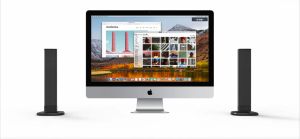
GSE Soundbar Bluetooth Speaker: A Comprehensive Guide
![[YoungStyle] Magnetic Lapel Microphone with LED Power Display Noise Canceling Clip Lapel Mic Mini Clip On Microphone for IOS Android](https://img.lazcdn.com/g/ff/kf/S6f1f9a1fee604cf591c5bbd921df42e1V.jpg_300x300q80.jpg)
[YoungStyle] Magnetic Lapel Microphone with LED Power Display Noise Canceling Clip Lapel Mic Mini Clip On Microphone for IOS Android
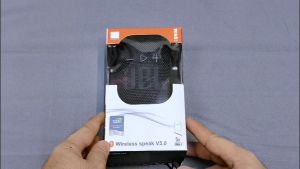
3DAYS SALE Wind 3 Original JBL Portable Bluetooth Speaker Waterproof Free Bracket For Motorcycle And Bike
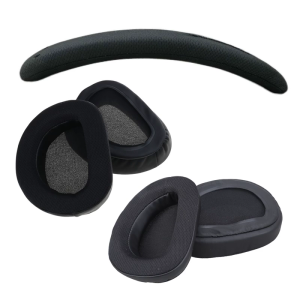
Ear Pads Head Beam Cover for ROG Theta 7.1 Over-Ear Headphones Foam Earpads Ear Pads Sponges Ear Cushions
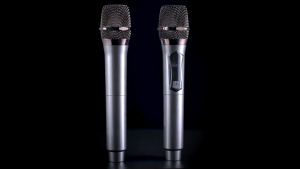
Professional Wireless Microphone with Receiver UHF Handheld Rechargeable Dynamic Microphones for Singing Karaoke FM Conference Speech Recording Cordless Charging Mic

Advanced Microphones Windscreen Cover with NonDestructive High Frequency Sound Preservation for Rode Go II

Magnetic Bluetooth wireless portable speaker IPX7 Waterproof with 24H Playtime 360° Surround Sound Stereo Bass Mini Shower Outdoor Haut Parleur Bluetooth Speaker with Microphone USB AUX
Soft and Breathable Ear Pad for P5 Wireless Pulse 3D Headsets Ear Cushions Earpads for Long Last Comfort Earmuff