The Ultimate Guide to Owning a Playstation 3 Super Slim/Slim/Fat with 100+ Games
The Ultimate Guide to Owning a Playstation 3 Super Slim/Slim/Fat with 100+ Games
Understanding the Playstation 3 Super Slim/Slim/Fat
What is the PS3 Super Slim/Slim/Fat?
The Sony Playstation 3 (PS3) Super Slim, Slim, and Fat models are all variations of the popular gaming console that has been around since 2006. Each model has its own unique features and specifications, but they all share the same core components that make the PS3 one of the most beloved gaming consoles of all time.
Key Features & Specifications
The PS3 Super Slim, Slim, and Fat models offer a range of features and specifications, including:
- High-definition graphics
- Blu-ray Disc player
- Online gaming capabilities
- USB ports for external hard drives and other accessories
Why Choose a Second-hand PS3?
While it may seem counterintuitive to purchase a used gaming console, there are several reasons why choosing a second-hand PS3 could be a great option:
- Cost-effective: Second-hand PS3 consoles can be significantly cheaper than brand new ones.
- Excellent performance: Despite being a few years old, the PS3 still offers excellent gaming performance.
- Soft modded units: Some second-hand PS3 consoles come pre-modded, allowing you to play games from both internal and external hard drives.
Setting Up Your PS3 Gaming Console
Connecting Your PS3 to TV
To connect your PS3 to your TV, you'll need either an HDMI cable or an AV cable, depending on the type of TV you have. Simply plug one end of the cable into the appropriate port on the back of your PS3, and the other end into the corresponding port on your TV.
Setting Up Controllers & Other Accessories
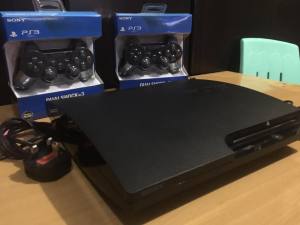
The PS3 comes with two brand-new controllers, as well as a charge and sync cable, power cable, and either an HDMI or AV cable. To set up your controllers, simply plug them into the USB ports on the back of your PS3, and they'll automatically be recognized by the system.
Customizing Your PS3 Experience
Once you've connected your PS3 to your TV and set up your controllers, you can start customizing your gaming experience. This includes setting up your profile, adjusting the audio and video settings, and installing any additional accessories you may have purchased.
Exploring the World of 100+ Games
What Comes with the Soft Modded Unit?
A soft modded PS3 unit comes pre-loaded with a wide variety of games, with approximately 100+ random games included. These games can be played from either the internal hard drive or an external hard drive, depending on your preference.
Choosing Your Favorite Games
With so many games included, it can be overwhelming to choose which ones to play first. To help you get started, we've compiled a list of some of the most popular games available on the PS3, including:
- Grand Theft Auto V
- Call of Duty: Modern Warfare 3
- Assassin's Creed IV: Black Flag
- The Last of Us
- Uncharted 3: Drake's Deception
Playing Offline: No Internet Required
One of the best things about the soft modded PS3 unit is that you don't need an internet connection to play any of the included games. Simply insert your game disc or load up a game from your hard drive, and you're ready to go!
Additional Features & Benefits
Watching Netflix & YouTube
In addition to playing games, the PS3 also allows you to stream movies and TV shows from popular services like Netflix and YouTube. Simply connect to your Wi-Fi network, and you can enjoy your favorite content on the big screen.
Browsing Facebook & More
The PS3 also comes with a web browser, allowing you to browse the internet and access social media sites like Facebook. While the browser may not be as robust as a desktop or mobile version, it's still a convenient way to stay connected while you're gaming.
Charging & Syncing Your PS3
To keep your PS3 running smoothly, it's important to regularly charge and sync your console. This includes charging your controllers and syncing your PS3 with your external hard drive.
Maintaining & Troubleshooting Your PS3
Keeping Your PS3 in Good Condition
To keep your PS3 running smoothly, it's important to take good care of it. This includes keeping it clean and free of dust, avoiding extreme temperatures, and regularly updating the system software.
Addressing Common Issues
If you encounter any issues with your PS3, there are several troubleshooting steps you can take. These include restarting the console, checking for software updates, and resetting the system settings.
Extending the Lifespan of Your PS3
By taking good care of your PS3 and addressing any issues that arise, you can extend the lifespan of your console and enjoy years of gaming fun.

Game Selections
Review
You May Also Like
![[PERNG] Tehe 1Pcs For PS5 Game Console EDU-020 030 Replacement Part For PS5 1000 1100 1200 Console Side Board With USB TYPE-C Connector](https://img.lazcdn.com/g/p/c494c8c4346112085315fd0fcaeee32e.jpg_300x300q80.jpg)
[PERNG] Tehe 1Pcs For PS5 Game Console EDU-020 030 Replacement Part For PS5 1000 1100 1200 Console Side Board With USB TYPE-C Connector
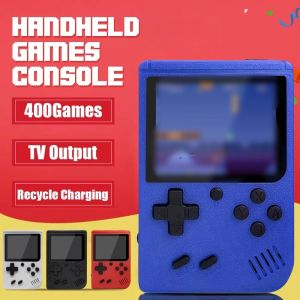
2.4 Inch LCD Screen Retro Video Game Console Built-in 400 In Handheld Portable Pocket Mini Game Console Christmas Gift Christmas

3D Printed Interactive Rabbit Muscle Arm Hanging Necklace Punching Bag Pet Toy VOA Creative Internet Famous Virtual Reality Device
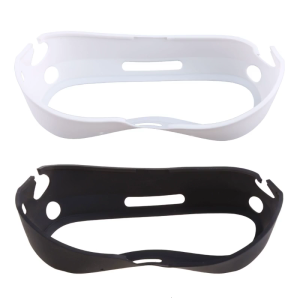
Anti-Throw Silicone VR Protective Cover Frame for Pico 4 VR Headset Protective Skin Grips Cover VR Headset Accessories
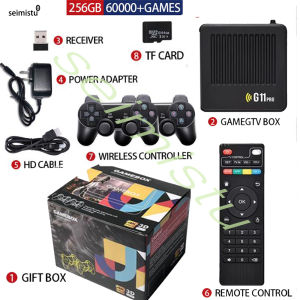
G11 Pro Game Box TV Box Video 256G Built in 60000+ Retro Games 4K HD Game Stick Video Game Console 2.4G Wireless Gamepad For PS1
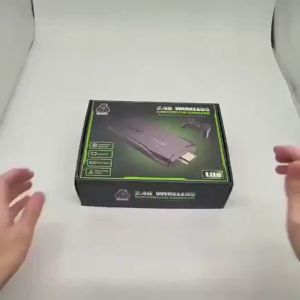
30000 games 64GB M8 video game console 4K ultra high definition video game console TV box controller Home TV projector
New Replacement Housing Shell for Gameboy Advance SP IPS Laminated Shell for GBA SP IPS Gaming Case no need cut
Nintendo Switch Lite Protective Case Transparent Separate Body Accessories Soft Cover NS Clear Design Inspired by Japanese Style
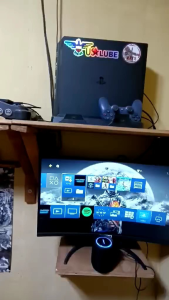
Bd JB For PS4 9.00 to 12.52 legit hindi na kailangan ng usb ready to use na
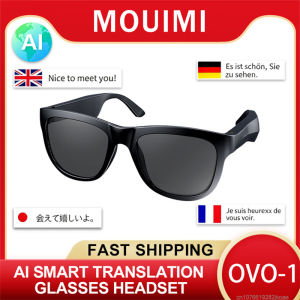
New OVO-1 AI Glasses Headphones Wireless Bluetooth 6.0 intelligent Translation Earphones outdoor sunglasses HiFi Stereo Headset
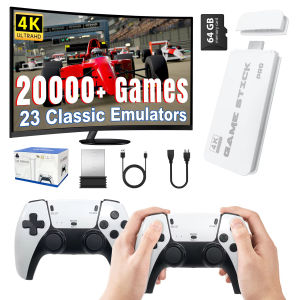
4K TV Game Stick M15 Video Game Console 64G Built in 20000 Games Wireless Controller Gamepad Retro Handheld Game Console