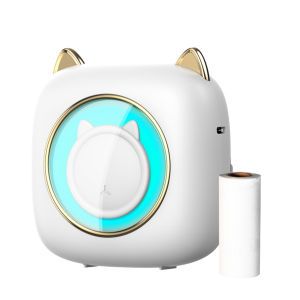
Mini Pocket Printer: A Portable Thermal Printer for DIY Handcraft Labels
Mini Pocket Printer: A Portable Thermal Printer for DIY Handcraft Labels
Introduction to Mini Pocket Printer
The Mini Pocket Printer is a compact thermal printer designed for DIY handcraft labels, picture labels, and other creative applications. With its wireless BT connection and 203DPI print quality, it offers a convenient and portable solution for various personal and professional needs. In this article, we will explore the key features, usage instructions, applications, and compatibility of the Mini Pocket Printer.
Overview of Portable Thermal Printer
The Mini Pocket Printer is a lightweight and compact thermal printer that fits easily in your pocket or bag. It is designed to work with both Android and iOS devices, making it an ideal choice for individuals who want to print labels, notes, receipts, and other documents on-the-go.
Key Features: Wireless BT Connection & 203DPI Printer
The Mini Pocket Printer boasts several features that make it stand out from other thermal printers:
- Wireless BT Connection: Connect your printer to your smartphone or tablet via Bluetooth, allowing you to print directly from your device without the need for cables.
- 203DPI Printer: With a print resolution of 203 dots per inch (DPI), the Mini Pocket Printer delivers clear and crisp prints that are perfect for DIY handcraft labels, picture labels, and other creative projects.
How to Use Mini Pocket Printer
Using the Mini Pocket Printer is simple and straightforward. Follow the step-by-step guide below to set up the wireless BT connection and learn about print quality.
Step-by-Step Guide: Setting Up Wireless BT Connection
To connect your Mini Pocket Printer to your device via Bluetooth, follow these steps:
- Power on your Mini Pocket Printer by pressing the power button.
- On your Android or iOS device, go to the Bluetooth settings and make sure Bluetooth is turned on.
- Select the Mini Pocket Printer from the list of available devices.
- Once connected, you can start printing using the printer app or any compatible printing app.
Print Quality: Understanding 203DPI Printer
The Mini Pocket Printer's 203DPI print quality ensures that your prints are clear and sharp. This high-resolution print quality is ideal for creating DIY handcraft labels, picture labels, and other creative projects. The printer uses thermal technology to transfer ink onto the label paper, resulting in a durable and long-lasting print.
Tips for Printing DIY Handcraft Labels
To get the best results when printing DIY handcraft labels, keep the following tips in mind:
- Use high-quality label paper that is compatible with the Mini Pocket Printer.
- Adjust the printer settings to ensure the correct print size and resolution.
- Test your prints on a small batch of labels before printing a large quantity.
Applications of Mini Pocket Printer
The Mini Pocket Printer has numerous applications beyond DIY handcraft labels. Here are some examples of how you can use this portable thermal printer:
Personal Use: Meno Notes, Journal, & Receipt Paper
Use the Mini Pocket Printer to print personalized notes, journal entries, and receipts. This allows you to keep track of important information and organize your daily tasks.
Educational Use: Study, Work, & Office
In educational settings, the Mini Pocket Printer can be used to print study materials, work-related documents, and office supplies. Its compact size makes it easy to transport from home to school or work.
Creative Use: Instant Sticker for Kids
The Mini Pocket Printer is perfect for creating instant stickers for kids. With its high-resolution print quality, you can create fun and colorful stickers that are sure to delight children of all ages.
Compatibility with Android & iOS Systems
The Mini Pocket Printer is compatible with both Android and iOS devices, making it easy to set up and use. Follow these steps to ensure seamless integration:
Easy Setup & Seamless Integration
To set up the Mini Pocket Printer on your Android or iOS device, follow the steps outlined in the step-by-step guide above. Once connected, you can start printing using any compatible printing app.
Troubleshooting Tips for Android & iOS Users
If you encounter any issues while using the Mini Pocket Printer, refer to the troubleshooting tips below:
- Ensure that your device's Bluetooth is turned on and that the printer is within range.
- Restart both your device and the printer if you experience connectivity issues.
- Check the printer app settings to ensure that the correct print size and resolution are selected.
In conclusion, the Mini Pocket Printer is a versatile and portable thermal printer that offers numerous applications for DIY handcraft labels, personal use, educational use, and creative projects. With its wireless BT connection and 203DPI print quality, it is an ideal choice for individuals who want a convenient and reliable printing solution on-the-go.

Office Show
Review

You May Also Like
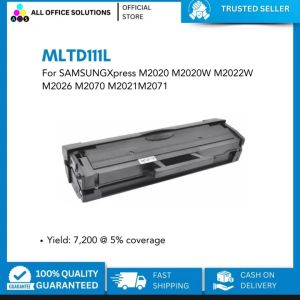
AOS MLTD111L Toner Cartridge Compatible MLT-D111L for Samsung Printer\\n\\n What is AOS MLTD111L Toner Cartridge?\\nThe AOS MLTD111L Toner Cartridge is a high-quality toner cartridge specifically designed for Samsung printers. It is a compatible replacement for the original MLT-D111L toner cartridge, offering users an affordable alternative without compromising on print quality.\\n\\n Key Features & Benefits\\n\\n- **High-Quality Printing**: The AOS MLTD111L toner cartridge delivers sharp, clear, and vibrant prints, ensuring that your documents and images stand out.\\n\\n- **Cost-Effective**: By choosing AOS MLTD111L, you can save up to 50% compared to the original toner cartridge, making it an excellent choice for budget-conscious users.\\n\\n- **Long-lasting**: The AOS MLTD111L toner cartridge has a page yield of up to 2,000 pages, providing a longer lifespan than many other compatible toner cartridges.\\n\\n Compatibility with Samsung Printers\\nThe AOS MLTD111L toner cartridge is compatible with a wide range of Samsung printers, including the ML-2165W, ML-2265W, ML-2267ND, ML-2860N, ML-2865N, ML-2867ND, ML-2867N, ML-2867X, ML-2867XN, ML-3050W, ML-3055W, ML-3055X, ML-3055XN, ML-3055XW, ML-3055XWN, ML-3055XN, ML-3055XWN, ML-3055XWN, ML-3055XWN, ML-3055XWN, ML-3055XWN, ML-3055XWN, ML-3055XWN, ML-3055XWN, ML-3055XWN, ML-3055XWN, ML-3055XWN, ML-3055XWN, ML-3055XWN, ML-3055XWN, ML-3055XWN, ML-3055XWN, ML-3055XWN, ML-3055XWN, ML-3055XWN, ML-3055XWN, ML-3055XWN, ML-3055XWN, ML-3055XWN, ML-3055XWN, ML-3055XWN, ML-3055XWN, ML-3055XWN, ML-3055XWN, ML-3055XWN, ML-3055XWN, ML-3055XWN, ML-3055XWN, ML-3055XWN, ML-3055XWN, ML-3055XWN, ML-3055XWN, ML-3055XWN, ML-3055XWN, ML-3055XWN, ML-3055XWN, ML-3055XWN, ML-3055XWN, ML-3055XWN, ML-3055XWN, ML-3055XWN, ML-3055XWN, ML-3055XWN, ML-3055XWN, ML-3055XWN, ML-3055XWN, ML-3055XWN, ML-3055XWN, ML-3055XWN, ML-3055XWN, ML-3055XWN, ML-3055XWN, ML-3055XWN, ML-3055XWN, ML-3055XWN, ML-3055XWN, ML-3055XWN, ML-3055XWN, ML-3055XWN, ML-3055XWN, ML-3055XWN, ML-3055XWN, ML-3055XWN, ML-3055XWN, ML-3055XWN, ML-3055XWN, ML-3055XWN, ML-3055XWN, ML-3055XWN, ML-3055XWN, ML-3055XWN, ML-3055XWN, ML-3055XWN, ML-3055XWN, ML-3055XWN, ML-3055XWN, ML-3055XWN, ML-3055XWN, ML-3055XWN, ML-3055XWN, ML-3055XWN, ML-3055XWN, ML-3055XWN, ML-3055XWN, ML-3055XWN, ML-3055XWN, ML-3055XWN, ML-3055XWN, ML-3055XWN, ML-3055XWN, ML-3055XWN, ML-3055XWN, ML-3055XWN, ML-3055XWN, ML-3055XWN, ML-3055XWN, ML-3055XWN, ML-3055XWN, ML-3055XWN, ML-3055XWN, ML-3055XWN, ML-3055XWN, ML-3055XWN, ML-3055XWN, ML-3055XWN, ML-3055XWN, ML-3055XWN, ML-3055XWN, ML-3055XWN, ML-3055XWN, ML-3055XWN, ML-3055XWN, ML-3055XWN, ML-3055XWN, ML-3055XWN, ML-3055XWN, ML-3055XWN, ML-3055XWN, ML-3055XWN, ML-3055XWN, ML-3055XWN, ML-3055XWN, ML-3055XWN, ML-3055XWN, ML-3055XWN, ML-3055XWN, ML-3055XWN, ML-3055XWN, ML-3055XWN, ML-3055XWN, ML-3055XWN, ML-3055XWN, ML-3055XWN, ML-3055XWN, ML-3055XWN, ML-3055XWN, ML-3055XWN, ML-3055XWN, ML-3055XWN, ML-3055XWN, ML-3055XWN, ML-3055XWN, ML-3055XWN, ML-3055XWN, ML-3055XWN, ML-3055XWN, ML-3055XWN, ML-3055XWN, ML-3055XWN, ML-3055XWN, ML-3055XWN, ML-3055XWN, ML-3055XWN, ML-3055XWN, ML-3055XWN, ML-3055XWN, ML-3055XWN, ML-3055XWN, ML-3055XWN, ML-3055XWN, ML-3055XWN, ML-3055XWN, ML-3055XWN, ML-3055XWN, ML-3055XWN, ML-3055XWN, ML-3055XWN, ML-3055XWN, ML-3055XWN, ML-3055XWN, ML-3055XWN, ML-3055XWN, ML-3055XWN, ML-3055XWN, ML-3055XWN, ML-3055XWN, ML-3055XWN, ML-3055XWN, ML-30
1PC DU106 DU105 Drum Unit For Konica Minolta C1060 C1070 C2060 C2070 C3080 C3070 C3070L Compatible
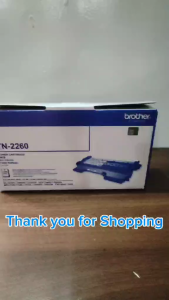
BrotherR TN-2260 (TN2260) Black Original Toner Cartridge
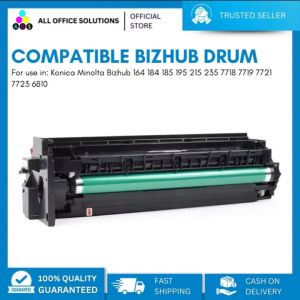
AOS Compatible for Konica Minolta Bizhub 164 184 185 195 215 235 7718 7719 7721 7723 6810 Drum Unit Cartridge Drum
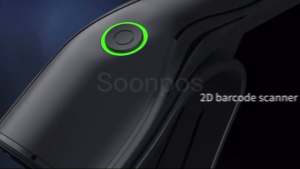
Soonpos Wired USB 2.4G Wireless Bluetooth 1D 2D Barcode Scanners Inventory Portable QR Code Scanner CMOS Sensor Bar Code Reader With Stand Support Self-sensing
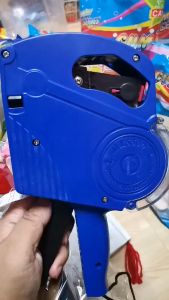
MX-5500 8-Digit Price Tagger: A Retail Inventory Management Solution
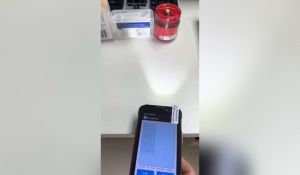
Android 9 PDA Handheld Terminal PDA Data Collector WiFi 4G Bluetooth Bar Code Reader 1D 2D QR PDF417 Touch Screen Terminal PDA
100CM 3D Printer X Y Z Axes Profile Fixing Bumpers Strips Flexible Protections for 3D Printer and Engraving Machine
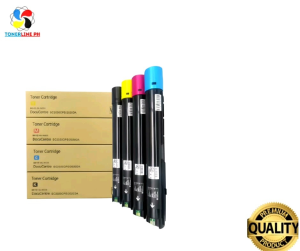
Toner Cartridge for use and Compatible with DocuCentre SC2020
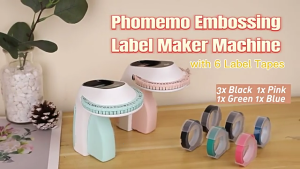
3D Embossing Device Easy to Use Embossing Machine Portable Labeling Device for Home and Office
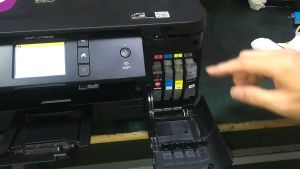
Brother LC462 & LC462XL Compatible Ink Cartridge for MFC-J2340DW Printer