COD 16000Pa Portable Vacuum Cleaner: A Comprehensive Guide
COD 16000Pa Portable Vacuum Cleaner: A Comprehensive Guide
Introduction to COD Vacuum Cleaner
The COD 16000Pa Portable Vacuum Cleaner is a powerful, versatile cleaning solution designed for both home and office environments. With its wireless handheld design, wet and dry vacuum capabilities, and impressive suction power, this vacuum cleaner is perfect for tackling various cleaning tasks. In this comprehensive guide, we will delve into the key features, benefits, and usage instructions for the COD Vacuum Cleaner.
Key Features & Benefits
- Powerful Suction: The COD Vacuum Cleaner boasts a powerful 16000Pa suction force, making it effective in cleaning up dust, debris, and pet hair from various surfaces.
- Wireless Design: With its wireless handheld design, the COD Vacuum Cleaner offers unmatched convenience and portability, allowing users to easily clean hard-to-reach areas.
- Wet & Dry Capabilities: This versatile vacuum cleaner can handle both wet and dry messes, making it ideal for cleaning up spills and pet accidents.
- Dust Collection System: The vacuum cleaner features a HEPA filter and dust collection bag, ensuring that allergens and debris are captured and contained.
How to Choose the Right Vacuum Cleaner
When selecting a vacuum cleaner, consider the following factors:
- Suction Power: Ensure the vacuum cleaner has sufficient suction power to handle your cleaning needs.
- Design: Choose a vacuum cleaner that suits your cleaning preferences, whether it be corded, cordless, or handheld.
- Wet & Dry Capabilities: If you need to clean up wet messes, opt for a vacuum cleaner with wet and dry capabilities.
- HEPA Filter: Look for a vacuum cleaner with a HEPA filter to capture allergens and improve indoor air quality.
How to Use COD Vacuum Cleaner
Cleaning Car Interior
To clean your car interior using the COD Vacuum Cleaner, follow these steps:
- Remove any loose debris from the car seats, floor, and dashboard.
- Attach the appropriate cleaning attachment to the vacuum cleaner.
- Turn on the vacuum cleaner and carefully vacuum the car seats, floor, and dashboard.
- For stubborn dirt or stains, use the wet/dry function to clean the affected areas.
Cleaning Home & Office Spaces
The COD Vacuum Cleaner is perfect for cleaning home and office spaces. Follow these steps to ensure a thorough clean:
- Attach the appropriate cleaning attachment to the vacuum cleaner.
- Turn on the vacuum cleaner and carefully vacuum carpets, rugs, and floors.
- For hard-to-reach areas, use the crevice tool to clean corners and edges.
- For wet messes, switch to the wet/dry function and carefully clean the affected area.
Wet & Dry Vacuuming Techniques
To effectively use the COD Vacuum Cleaner's wet and dry capabilities, follow these steps:
- Wet Cleaning:
- Switch the vacuum cleaner to the wet cleaning mode.
- Carefully vacuum the affected area, ensuring that the water is absorbed by the vacuum cleaner.
- Dispose of the collected water and clean the vacuum cleaner according to the manufacturer's instructions.
- Dry Cleaning:
- Switch the vacuum cleaner to the dry cleaning mode.
- Carefully vacuum the desired area, ensuring that dust and debris are captured by the vacuum cleaner.
- Dispose of the collected dust and clean the vacuum cleaner according to the manufacturer's instructions.
COD Vacuum Cleaner Maintenance & Care
Regular Cleaning & Storage Tips
To keep your COD Vacuum Cleaner in good working condition, follow these maintenance and care tips:
- Regular Cleaning: Clean the vacuum cleaner after each use to remove dust and debris from the filters and attachments.
- Storage: Store the vacuum cleaner in a cool, dry place away from direct sunlight and moisture.
- Battery Care: Charge the battery according to the manufacturer's instructions and avoid overcharging.
Troubleshooting Common Issues
If you encounter any issues with your COD Vacuum Cleaner, refer to the troubleshooting guide below:
- Low Suction Power: Check the filters and attachments for blockages and clean them if necessary.
- Battery Not Charging: Ensure that the battery is properly inserted and that the charging port is free from debris.
- Vacuum Not Turning On: Check the power switch and ensure that the battery is fully charged.
Extending the Lifespan of Your Vacuum Cleaner
To extend the lifespan of your COD Vacuum Cleaner, follow these tips:
- Regular Maintenance: Perform regular cleaning and maintenance tasks to keep the vacuum cleaner in good working condition.
- Proper Storage: Store the vacuum cleaner in a cool, dry place away from direct sunlight and moisture.
- Follow Manufacturer's Instructions: Follow the manufacturer's instructions for usage, maintenance, and storage to ensure optimal performance and longevity.

ViaC
You May Also Like
USB TurboFan JetFan Aircraft Engine Creative Desktop Small Electric Fan Can Be Wirelessly Charged
Wireless UV Light Bed Bug Vacuum Cleaner 2-in-1 Dust Mite Detector And Killer Handheld Machine with Strong Suction Power
Ubeator Mini Cliper for pet/adult/children Electric Clippers Hair removal Groomers Trimmers Shavers Household Men beauty tools

Heatless Hair Curlers Satin Curling Rod Headband No Heat Silk Curls Lazy Hair Rollers Soft Hair Curler to Sleep In Styling Tools
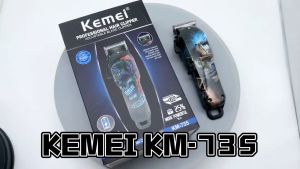
Kemei KM-735 Rechargeable 2200mA Hair Clipper For Men Professional Cordless Hair Trimmer Electric Hair Cutting Machine
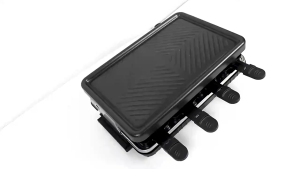
1300W Electric Grill: A Smokeless Multi-functional Barbecue with Removable Non-Stick Surface & Temperature Control
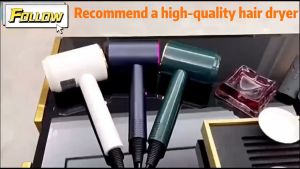
Blower Hair Dryer Blower for Women High Power 49s Heavy Duty Fast Drying Blue Light Negative Ions Professional Hair Care 5 in 1 Hot and Cold Portable Travel Hair Dryer
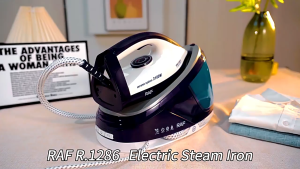
3100W Steam Iron Steam Station for Clothes with Removable Water Tank Ironing Steamer for Various Fabrics
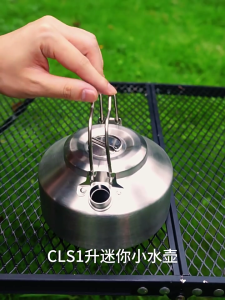
Outdoor Coffees Kettles Quick Heating Camp Kettles Folded Camping Utensils for Outdoor Hiking
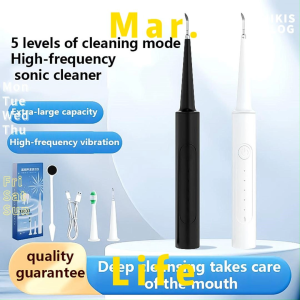
Tartar Remover & Electric Teeth Whitening: A Comprehensive Guide
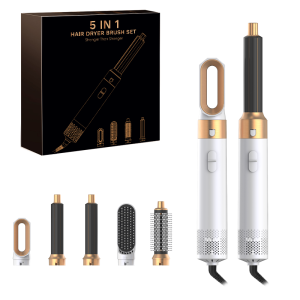
Professional Air Hair Styler 5 In 1 Low Noise Hair Curling Straightening Hair Drying 1000W Hot Air Brushes