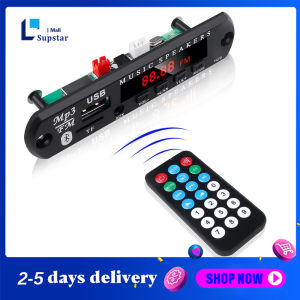
【Ship from Manila】Wireless Bluetooth 5.0 MP3 Decoder Board 12V With Power Amplifier Color Screen with Recording Call Lossless Motherboard with Bluetooth USB TF FM Radio MP3 Player Audio Accessories
Key operation introduction: -VOL-button (previous song/volume down): in MP3 state, VOL-short press is the previous song, long press is the volume decrease; in FM state, short press is to increase a station number; in Bluetooth Under the function, a short press is the previous song on Bluetooth, and a long press is the volume down.-PAUSE/PLAY button (play/pause): short press PAUSE/PLAY in MP3 state to play/pause; in FM state, short press to play/pause, short press to automatically close and save the station; in the Bluetooth function Short press to play/pause.-VOL+ button (next song/volume up): in MP3 state, short press VOL+ for the next song, long press to increase the volume; in FM state, short press to decrease a station number; in the Bluetooth function Short press for the next bluetooth song, long press for volume down.-MODE button: switch between USB / TF / FM / audio input / Bluetooth function in turn.Function Description:1. Support folder playback2. Support call/support recording (outside recording). Recording only supports operation in TF mode or USB mode.3. Support power-off memory (support last mode and volume memory)4. The supply voltage is 12V, and the current is between 0.5-2A.5. Can be directly connected to speakers, with power amplifier and decoding functions.6. Support song formats MP3/WMA/WAV/APE/FLAC7. Main functions MP3/USB/TF/LINE IN/FM/BLUETOOTH/remote control/DC12V8. The Bluetooth version is version 5.09. Power 6W, true stereo two-channel. (23W)10. Size: 10825MMDescription of call/recording function:1. Press and hold the MODE button for 2 seconds to start recording, press and hold the MODE button again for 2 seconds to cancel the recording and play the current recording file;2. In recording mode, you need to connect a storage device: U disk or TF card. (Recording only supports USB/TF mode)3. When there is an incoming call, long press the pause button to answer the call.package instruction:1 x MP3 Bluetooth Decoder1 x Remote control (With battery)1 x wire

Supstar Mall
Review
You May Also Like
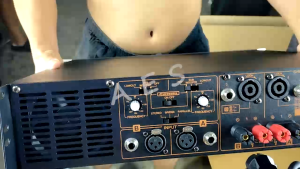
P3500S Super Professional 590 Watts RMS Tosunra Power Amplifier Pure Copper
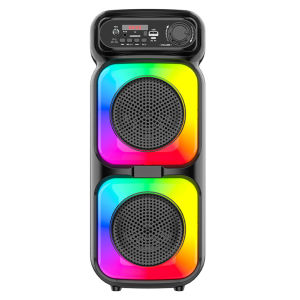
Outdoor Wireless Karaoke Speaker with Microphone Compact Portable Audio System for Travel and Parties
Megaphone RD66u 150watts
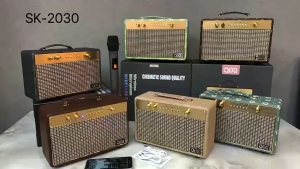
QIXI SK-2030 Thickened Wooden Design Super Bass Sound Wireless Bluetooth Karaoke Speaker with Wireless Microphone
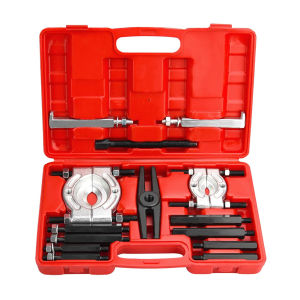
14-Piece Car Brake Bearing Separator Set for Gear-Box and Wheel Hub Detachment Tasks
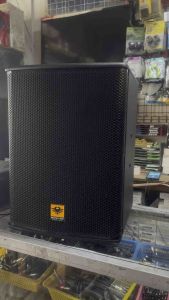
2pcs. Kevler KR-312 12 2-Way 650W Speaker System 12" Speaker Bass Reflex Passive Karaoke Loudspeaker
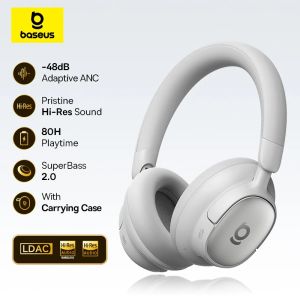
Baseus Bowie MH1 Bluetooth Headphones 48dB Noise Cancellation Hi-res LDAC Over Ear Headset Audio Wireless Earphone Earbuds
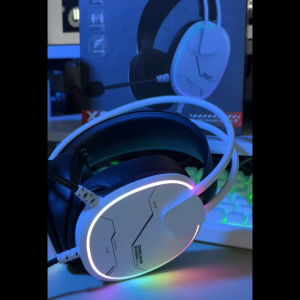
Onikuma X91 Gaming Headset RGB Gaming Headphones Wired Stereo Gaming Headset With Mic For PC/Mobile/PS4 /XBOX /ONIKUMA Gaming Headset
![[UEB AUTO] 500W High-Low Frequency Crossover Module High Medium Low 3 Way Stereo Audio Frequency Divider for Home Theater Speaker Upgrade](https://img.lazcdn.com/3rd/q/aHR0cDovL3cubmVvdG90ZW0uY29tL2ltYWdlL0FJdHEtY3JtMVBESHBzVExLaUNwMFgzU2Y0enpsRzNTYko3a2xNTUlDR1EuanBn_300x300q80.png)
[UEB AUTO] 500W High-Low Frequency Crossover Module High Medium Low 3 Way Stereo Audio Frequency Divider for Home Theater Speaker Upgrade

Wireless Sports Bluetooth Headphones Highend Tws Dual Ear Sleep In Ear Md538 Mini Painless Call Noise Cancelling Thin Headphones
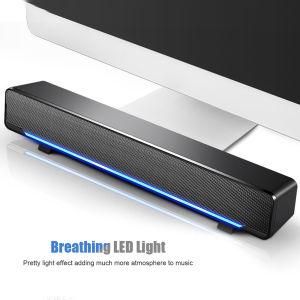
Portable Stereo Soundbar USB Wired Speaker Music Player Bass Surround Sound Box 3.5mm Input for TV PC Laptop Home Theater System