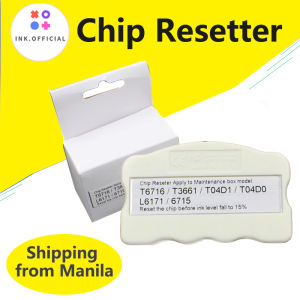
Epson T6716 T6715 T04D1 T3661 T04D0 EPMB1 PXMB8 EWMB2 Maintenance Box For Epson T 6716 T 6715 T 04D1 T 3661 Maintenance Box Chip Resetter
Epson T6716 T6715 T04D1 T3661 T04D0 EPMB1 PXMB8 EWMB2 Maintenance Box For Epson T 6716 T 6715 T 04D1 T 3661 Maintenance Box Chip Resetter
Introduction to Epson Printer Maintenance Boxes
Epson printers are renowned for their reliability and quality output. However, like any other electronic device, they require regular maintenance to ensure optimal performance. One crucial aspect of printer maintenance is the use of maintenance boxes, which help keep your printer running smoothly.
What is an Epson Maintenance Box?
An Epson maintenance box is a component that performs various tasks, such as cleaning print heads, replacing ink cartridges, and resetting printer chips. These boxes are essential for maintaining the overall health of your printer and ensuring it continues to produce high-quality prints.
Types of Maintenance Boxes for Epson Printers
There are different types of maintenance boxes available for Epson printers, including the EPMB1, PXMB8, and EWMB2 models. Each type has its unique features and benefits, catering to specific printer models and requirements.
Benefits of Using Maintenance Boxes
Using maintenance boxes for your Epson printer offers numerous advantages, such as:
- Ensuring consistent print quality
- Extending the lifespan of your printer
- Reducing the risk of clogged print heads
- Saving time and effort by automating maintenance tasks
Understanding EPMB1, PXMB8, & EWMB2 Maintenance Boxes
Now that we've covered the basics of Epson maintenance boxes, let's delve deeper into the specifics of the EPMB1, PXMB8, and EWMB2 models.
What is EPMB1?
The EPMB1 is a maintenance box designed for Epson printers, primarily used for cleaning print heads and resetting printer chips. This model is compatible with various Epson printer models, offering a versatile solution for printer maintenance.
What is PXMB8?
The PXMB8 is another maintenance box available for Epson printers. It focuses on cleaning print heads and replacing ink cartridges, ensuring optimal print quality and extending the lifespan of your printer.
What is EWMB2?
The EWMB2 is a maintenance box that performs similar functions to the EPMB1 and PXMB8, but with enhanced capabilities. It offers improved print head cleaning and chip resetting, making it an excellent choice for users who require top-notch printer performance.
T04D1 Maintenance Chip & T3661 Printer Parts: An In-depth Look
In addition to maintenance boxes, there are other components that play a crucial role in keeping your Epson printer running smoothly. Two of these components are the T04D1 maintenance chip and T3661 printer parts.
What is T04D1 Maintenance Chip?
The T04D1 maintenance chip is a component used in Epson printers to reset printer chips and perform other maintenance tasks. It is compatible with various Epson printer models and helps ensure optimal print quality.
What are T3661 Printer Parts?
T3661 printer parts are components used in Epson printers, primarily for replacing ink cartridges and performing other maintenance tasks. These parts are essential for keeping your printer running smoothly and producing high-quality prints.
How to Replace T04D1 & T3661 Parts
Replacing T04D1 and T3661 parts is a straightforward process that can be done by following these steps:
- Turn off your printer and unplug it from the power source.
- Open the printer cover and locate the T04D1 and T3661 parts.
- Carefully remove the old parts and replace them with the new ones.
- Close the printer cover and reconnect it to the power source.
- Turn on your printer and run a test print to ensure everything is working correctly.
Tips for Maintaining Epson Printers
Regular cleaning and maintenance are crucial for keeping your Epson printer running smoothly. Here are some tips to help you maintain your printer:
Regular Cleaning & Maintenance
- Clean the print heads regularly to prevent clogging and ensure optimal print quality.
- Replace ink cartridges as needed to avoid streaky or faded prints.
- Use maintenance boxes to automate cleaning and maintenance tasks.
Troubleshooting Common Printer Issues
- If your printer is not printing correctly, check the ink levels and replace any empty cartridges.
- If your printer is producing streaky or faded prints, clean the print heads and replace any worn-out parts.
- If your printer is not responding, turn it off and unplug it from the power source. Wait a few minutes before reconnecting it and turning it back on.
Extending Printer Lifespan
- Follow the manufacturer's guidelines for regular cleaning and maintenance.
- Use genuine Epson ink cartridges and printer parts to ensure compatibility and optimal performance.
- Store your printer in a cool, dry place when not in use to prevent damage from dust and humidity.
Conclusion
Epson printers are a reliable choice for both home and office use, but like any electronic device, they require regular maintenance to ensure optimal performance. By using maintenance boxes, such as the EPMB1, PXMB8, and EWMB2 models, and replacing components like the T04D1 maintenance chip and T3661 printer parts, you can extend the lifespan of your printer and enjoy consistent print quality. Remember to follow the manufacturer's guidelines for regular cleaning and maintenance, and don't hesitate to seek professional assistance if you encounter any issues.

ink.print
Review

You May Also Like
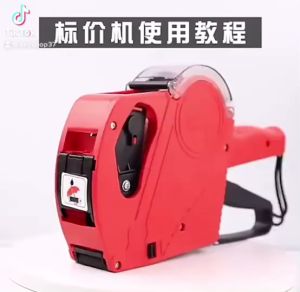
Price Tag Gun Crown MX-5500 Price Labeller With Labels Introductory package (Free ink roll and Tag)
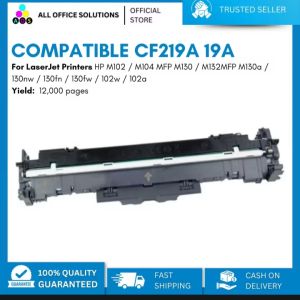
AOS Compatible CF219A CF 219A 19A Imaging Drum for HP Printers

DTF Adhesive Powder Hot Melt Powder High Quality 1Kg For DTF Printer PET Film Laser Toners
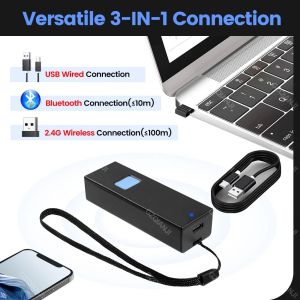
Bluetooth 1D QR 2D Barcode Scanner USB Wired & 2.4G Wireless & Bluetooth Bar Code Reader Portable CCD Screen Scanning PDF417 Data Matrix Image Scanner works with PC Android iOS
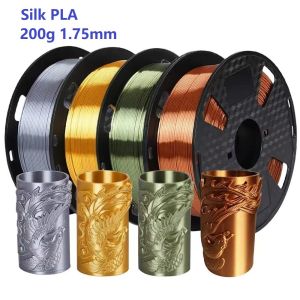
200G Filament Silk PLA 1.75mm FDM 3D Printer Plastic Material Shiny Filament Smooth PLA Gold Silver Bronze Copper Vacuum Package
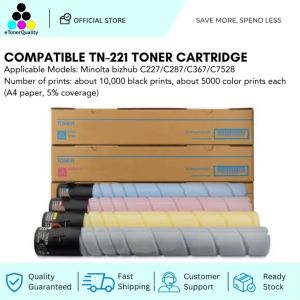
ETQ TN221 Compatible Toner Cartridge for C227, C287, C367, and C7528 Models
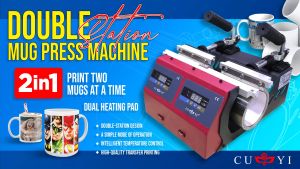
CUYI Double Heat Mug Press Machine: A Comprehensive Guide

12\" 24\" 36\" 42\" 44\" 50\" x 30m Roll Transparent Inkjet Film Roll for Plate Making

OPC Drum for Use and Compatible with Ecosys P2235 M2040 M2540 FS1150

Compatible CRG-319 CRG-719 CRG-119 Black Toner Cartridge for Canon Printer
EKLEVA Portable Thermal Printer MINI Wirelessly BT 203dpi Photo Label Memo Wrong Question Printing With USB Cable Imprimante Portable