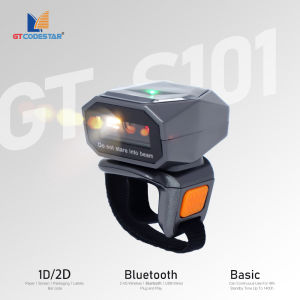
GTCODESTAR GT-S101 Mini Pocket Portable Ring Barcode Scanner Wireless Wearable Finger 1D 2D Qr Code Scanner Barcode Reader
GTCODESTAR. GTCODESTAR GT-S101 Mini Pocket Portable Ring Barcode Scanner Wireless Wearable Finger 1D2D Qr Code Scanner Barcode Reader. Solutions to. FAQ. Q. Can not. turn on or turn off immediately after turning on. A This situation is mostly caused by insufficient battery power, please charge in time to ensure sufficient power the red light is on when charging, and the red light is off when fully charged). Q Barcode data is not uploaded. A The scanner and receiver are not successfully matched, please match the machine according to the instructions, maybe the distance between the scanner and the receiver is far, please. set it to inventory mode in advance the. barcode. will be automatically uploaded within the acceptance range). Q There is a laser line, but can't read the bar code. A Maybe the barcode system is not turned on, follow the instructions to open it, try other barcodes to confirm whether the barcode has been damaged, it is also possible that the scanning angle is. irregular,

Gtcodestar Barcode scanner specialty store
Review

You May Also Like
Maintenance Model T04D1 T6711 C9345 for Epson L6290 L6580 M3178 WF-7621 WF-3010DW EcoTank L15150
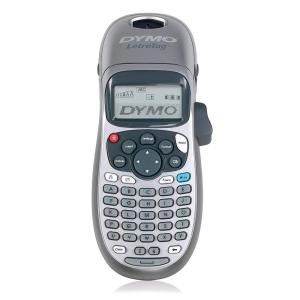
Original Dymo LT-100H Handheld Label Printer add 6 tape compatible Dymo Letratag (12267 91201 91202 91203 91204 91205)
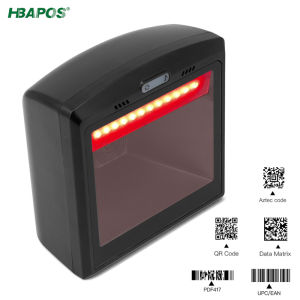
HBAPOS Handsfree 2D 1D Barcode Scanner Omnidirectional Desktop Automatic QR Bar Code Reader for POS PC Supermarket
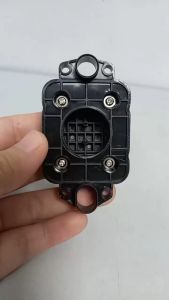
PPS CAPTOP/CAPPING Black for Epson XP600 / DX11 TX800 DX9 DX10 Printhead for Solvent Printer
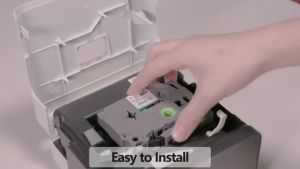
BYZ TAPE TZe221 9mm 5 Pack Black On White Tze-221 Tze221 Tze 221 tze221 TZE221 Label Compatible for Brother P-Touch Maker
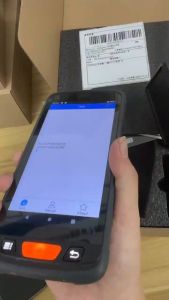
4G Android 11 POS PDA with Grips Barcode Scanner 1D 2D QR Code 5.5 Inch Handheld Terminal 4GB+64GB Running Date Collector Warehouse Inventory Express PDA
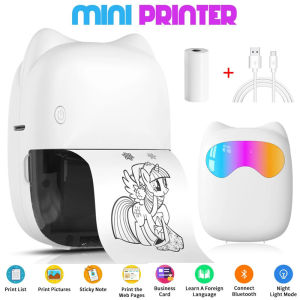
Mini Portabl Printer Inkless Sticker Maker Free Cut Small Pocket Printer Portable Thermal Printer for Photo Journal Notes Memo
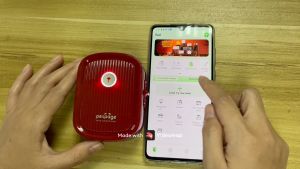
Peripage P10 Label Printer: A Portable & Efficient Mini Label Maker
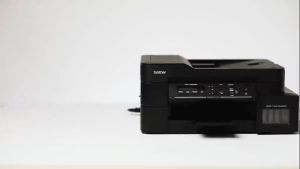
100% Original Brother Ink BTD60BK BT5000 Dye Ink No Box Compatible for Brother Printer DCP-T220 T310 T420W T425W T428W T510W T520W T710W T720DW T725DW T820DW T825DW MFC-T810W T910DW T920DW T925DW T4500DW T5400W J3930DW HL-T4000DW BKCMY Ink\\n\\n What Is Compatible Brother Printer?\\n\\nA compatible Brother printer refers to a device that can use third-party ink cartridges without compromising print quality or damaging the printer. Compatible Brother printers can help users save money by using affordable third-party ink instead of expensive Brother-branded ink.\\n\\n How to Choose the Right Brother Printer\\n\\nWhen selecting a compatible Brother printer, consider the following factors:\\n\\n- **Print Quality:** Ensure the printer meets your desired level of print quality.\\n- **Print Speed:** Choose a printer that can handle your printing needs within a reasonable time frame.\\n- **Ink Compatibility:** Verify that the printer supports third-party ink cartridges.\\n- **Connectivity:** Consider the printer's connectivity options, such as Wi-Fi, Ethernet, or USB.\\n\\n Benefits of Using Compatible Brother Printer\\n\\nUsing a compatible Brother printer offers several advantages:\\n\\n- **Cost Savings:** Third-party ink cartridges can significantly reduce printing costs.\\n- **Waste Reduction:** By using third-party ink, users can minimize waste and contribute to environmental sustainability.\\n- **Versatility:** Compatible Brother printers often support various ink cartridge types, providing greater flexibility.\\n\\n Understanding Brother Ink BTD60BK & BT5000 Dye Ink\\n\\nBrother Ink BTD60BK and BT5000 Dye Ink are high-quality ink cartridges designed for Brother printers. These ink cartridges offer excellent print quality and are available in various colors, including black (BTD60BK) and cyan, magenta, yellow (BT5000).\\n\\n How to Identify Authentic Brother Ink\\n\\nTo ensure you're purchasing authentic Brother ink cartridges, look for the following features:\\n\\n- **Brother Logo:** Authentic Brother ink cartridges display the Brother logo prominently.\\n- **Product Number:** Verify that the product number on the cartridge matches the one listed in the Brother documentation.\\n- **Package:** Authentic Brother ink cartridges come in official Brother packaging.\\n\\n Advantages of Using Brother Ink BTD60BK & BT5000 Dye Ink\\n\\nUsing Brother Ink BTD60BK and BT5000 Dye Ink offers several benefits:\\n\\n- **Print Quality:** These ink cartridges produce high-quality prints with vibrant colors and sharp details.\\n- **Durability:** Brother ink cartridges are designed to last longer than many third-party alternatives.\\n- **Compatibility:** These ink cartridges are compatible with a wide range of Brother printers, ensuring seamless integration.\\n\\n Compatible Brother Printer Models for BTD60BK & BT5000 Dye Ink\\n\\nThe following Brother printer models are compatible with Brother Ink BTD60BK and BT5000 Dye Ink:\\n\\n DCP-T220 & T310: Ink Compatibility\\n\\nThe Brother DCP-T220 and T310 printers support Brother Ink BTD60BK and BT5000 Dye Ink, offering excellent print quality and reliability.\\n\\n T420W, T425W, & T428W: Ink Compatibility\\n\\nThe Brother T420W, T425W, and T428W printers are compatible with Brother Ink BTD60BK and BT5000 Dye Ink, providing users with high-quality prints and efficient printing capabilities.\\n\\n T510W, T520W, T710W, T720DW, T725DW, T820DW, T825DW, MFC-T810W, T910DW, T920DW, T925DW, T4500DW, T5400W, J3930DW, HL-T4000DW: Ink Compatibility\\n\\nThese Brother printer models support Brother Ink BTD60BK and BT5000 Dye Ink, ensuring users can enjoy reliable and high-quality printing experiences.\n}
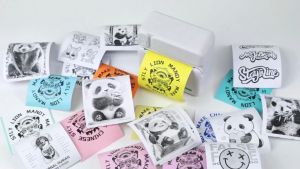
Mini HD Portable Thermal Bluetooth Printer Print Photo Pocket Sticker 58mm Printing Wireless Android iOS Machine with Paper Roll
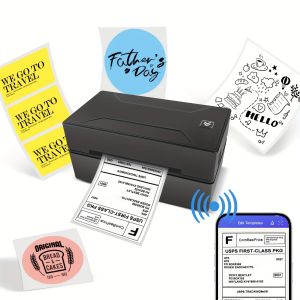
Marklife D100 Bluetooth Thermal Label Printer Wireless Small Shipping Label Printer 4X6 Compatible with iOS Android Mac Window