ORICO 20Gbps M.2 NVME SSD Case: A Comprehensive Guide
ORICO 20Gbps M.2 NVME SSD Case: A Comprehensive Guide
Introduction
The ORICO 20Gbps M.2 NVME SSD Case is a versatile and efficient solution for users looking to enhance their storage capacity and performance. This high-quality enclosure supports both NVMe and NGFF SATA M.2 SSDs, making it compatible with a wide range of devices and systems. In this comprehensive guide, we will explore the key features, benefits, compatibility, installation process, and performance capabilities of the ORICO M.2 NVME SSD Case.
Product Overview
The ORICO M.2 NVME SSD Case is a robust and compact enclosure designed to provide reliable storage solutions for various applications. It features a transparent plastic case, allowing users to easily identify the installed SSD, while its compact size ensures easy portability. With support for up to 4TB PCIe M Key SSDs, this enclosure offers ample storage capacity for demanding tasks.
Key Features & Benefits
- Supports 2TB Hard Drive Capacity: The ORICO M.2 NVME SSD Case is compatible with up to 2TB M.2 SSDs, providing ample storage space for various applications.
- External Interface: USB: The enclosure features a USB interface, allowing for easy connection to computers and other devices.
- Internal Interface: M.2: The built-in interface supports M.2 M-Key SSDs, ensuring seamless integration with supported drives.
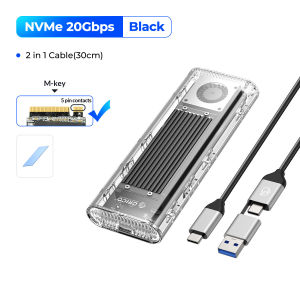
- Transmission Speed: The ORICO M.2 NVME SSD Case delivers exceptional transmission speeds of up to 10Gbps for NVMe models and 5Gbps for NGFF models, ensuring fast data transfer rates.
- Built-in Cooling Fan: The enclosure includes a cooling fan to maintain optimal operating temperatures, extending the lifespan of the installed SSD.
- USB 3.2 Gen 2 x 2 Adapter: The ORICO M.2 NVME SSD Case supports USB 3.2 Gen 2 x 2 adapters, enabling faster data transfer rates and improved performance.
Compatibility & Specifications
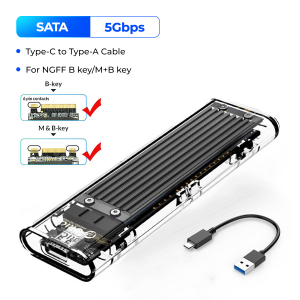
The ORICO M.2 NVME SSD Case is compatible with a wide range of devices and systems, including Windows, Mac, and Linux operating systems. It supports NVMe PCIE M2 SSDs and NGFF SATA M2 SSDs, ensuring compatibility with various storage solutions. The enclosure is designed to accommodate 2230/2242/2260/2280 M.2 SSDs, offering flexibility in terms of drive size and capacity.
Installation & Setup
The ORICO M.2 NVME SSD Case is easy to install and setup, thanks to its screw fixing method. Users can simply attach the SSD to the enclosure using the provided screws, ensuring a secure connection. The transparent plastic case allows for easy identification of the installed drive, while the compact size ensures easy portability.
Performance & Functionality
The ORICO M.2 NVME SSD Case offers exceptional performance and functionality, thanks to its support for NVMe PCIE M2 SSDs and NGFF SATA M2 SSDs. Users can enjoy fast data transfer rates and improved performance, making this enclosure ideal for demanding tasks such as video editing, gaming, and large-scale data storage.
Conclusion
The ORICO 20Gbps M.2 NVME SSD Case is a reliable and efficient solution for users looking to enhance their storage capacity and performance. With support for up to 4TB PCIe M Key SSDs, USB 3.2 Gen 2 x 2 adapters, and built-in cooling fans, this enclosure offers a comprehensive set of features and benefits. Whether you're a professional working on demanding tasks or a casual user looking to expand your storage capacity, the ORICO M.2 NVME SSD Case is an excellent choice.

Orico Transmission Mall
You May Also Like

FREE+COD Vivo 1024GB 512GB 256GB 128GB High Speed Memory Micro SD Card XC Microsd Mobile TF Card C10V

YiRight Mini SD Memory Card TF Card 1GB Storage for Elderly Mobile Phones Radio Sound Amplifier Small Capacity Flash Drive
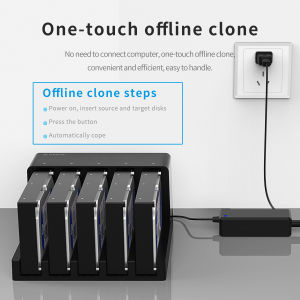
ORICO Hard Drive Docking Station: 5 Bay SATA to USB 3.0 HDD Docking Station with Offline Clone Function

Micro Memory SD Card extreme pro 512GB 256GB 128GB TF Card SDXC HDD SD Memory Card
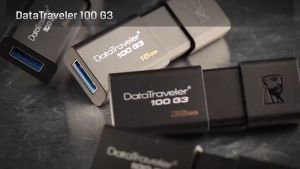
Kingston USB 16GB/32GB/64GB/128GB Flash Drive: A Comprehensive Guide
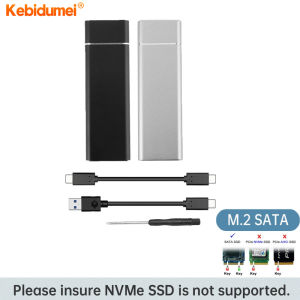
Kebidumei M.2 SSD Case USB 3.1: A Comprehensive Guide

Lossless Car Music USB Flash Drive: 4000+ Popular Classic English Songs & 200 Music Movies
【Local Shop】Toshiba Hard Drive 2TB/1TB USB3.0 Portable External Hard Disk HDD Canvio Basics
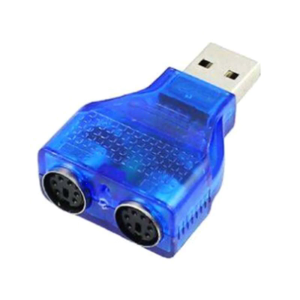
Hot Sale PS/2 Dual PS/2 Mini Din 6Pin 2.0 Laptop USB Male Converter Adapter To for Female

2025 Langke 1T Mobile SSD Z Slim Series High Speed USB3.1 Mobile Phone Computer Universal Type-C Interface\\n\\n Introduction to Slim Series Mobile SSD\\n\\nIntroducing the 2025 Langke 1T Mobile SSD Z Slim Series, a revolutionary storage solution designed specifically for mobile devices. With its sleek and lightweight design, this high-speed USB3.1 Type-C interface SSD offers unparalleled convenience and performance for both personal and professional use. \\n\\n Key Features of Slim Series Mobile SSD\\n\\nThe Slim Series Mobile SSD boasts a range of features that make it stand out in the market:\\n\\n- **High Speed USB3.1 SSD:** With transfer speeds up to 5 Gbps, this mobile SSD ensures lightning-fast data transfer, making it perfect for transferring large files, streaming media, and more.\\n- **Universal Compatibility with Mobile Phone SSD:** The Langke 1T Mobile SSD is compatible with a wide range of devices, including smartphones, tablets, laptops, and desktop computers, thanks to its USB3.1 Type-C interface.\\n- **Lightweight and Portable Design:** Weighing just a few grams, the Slim Series Mobile SSD is easy to carry around and fits seamlessly into any pocket or bag.\\n\\n Benefits of High Speed USB3.1 SSD\\n\\nThe high-speed USB3.1 SSD offers several benefits that make it an excellent choice for users who require fast data transfer and storage capabilities:\\n\\n- **Faster Data Transfer:** With transfer speeds up to 5 Gbps, the Slim Series Mobile SSD allows you to transfer large files quickly and efficiently, saving time and increasing productivity.\\n- **Increased Storage Capacity:** With a 1TB storage capacity, the Langke 1T Mobile SSD provides ample space for storing photos, videos, documents, and more.\\n- **Compatibility with Multiple Devices:** Thanks to its USB3.1 Type-C interface, the Slim Series Mobile SSD is compatible with a wide range of devices, making it a versatile storage solution for users on-the-go.\\n\\n Universal Compatibility with Mobile Phone SSD\\n\\nThe Langke 1T Mobile SSD is designed to work seamlessly with a wide range of devices, including smartphones, tablets, laptops, and desktop computers. Its USB3.1 Type-C interface ensures compatibility with the latest devices, while its compact design makes it easy to carry around.\\n\\n How to Use Langke 1T USB3.1 Type-C SSD\\n\\nUsing the Langke 1T Mobile SSD is simple and straightforward. Follow these steps to get started:\\n\\n1. Connect the Langke 1T Mobile SSD to your device using the USB3.1 Type-C interface.\\n2. Once connected, your device will automatically recognize the SSD and prompt you to format it if necessary.\\n3. Once formatted, you can start transferring files to and from the SSD using your device's file explorer or management software.\\n\\n Step-by-step Guide to Using Langke 1T Mobile SSD\\n\\nTo use the Langke 1T Mobile SSD, follow these steps:\\n\\n1. Connect the SSD to your device using the USB3.1 Type-C interface.\\n2. Format the SSD if prompted by your device.\\n3. Transfer files to and from the SSD using your device's file explorer or management software.\\n\\n Troubleshooting Common Issues with Langke 1T Mobile SSD\\n\\nIf you encounter any issues while using the Langke 1T Mobile SSD, try the following troubleshooting steps:\\n\\n- **Check Connection:** Ensure that the SSD is properly connected to your device using the USB3.1 Type-C interface.\\n- **Check Compatibility:** Make sure that your device is compatible with the Langke 1T Mobile SSD by checking its specifications.\\n- **Check for Software Updates:** Ensure that your device's operating system and software are up-to-date.\\n\\n Ordering and Delivery Information\\n\\nTo order the Langke 1T Mobile SSD, please follow these guidelines:\\n\\n- **Pre-order Guidelines and Requirements:** Before placing an order, please enter the exact phone number and address where you want the product delivered. Once ordered, we do not accept changes to the name, number, address, or item.\\n- **Order Confirmation and Delivery Process:** After placing your order, you will receive an order confirmation email. Your Langke 1T Mobile SSD will be shipped within 3-5 business days and delivered to your specified address.\\n- **Customer Service and Support for Langke 1T Mobile SSD:** If you have any questions or concerns about your Langke 1T Mobile SSD, please contact our customer service team. We strive to provide excellent support and assistance to all our customers.\\n\\nThank you for choosing the Langke 1T Mobile SSD Z Slim Series! We hope you enjoy the convenience and performance it provides.\n}
♥100%Original Product+Free Send adapter+card reader♥Lenovo 2TB SD Memory Card 1TB 512GB 256GB A2 U3 Micro TF SD Card 128GB High Speed TF Flash Card For