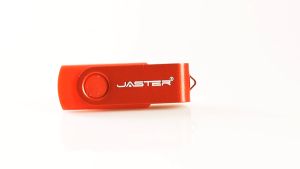
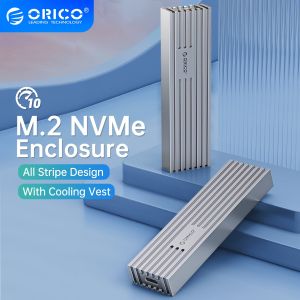
ORICO Upgraded Aluminum M.2 NVMe SSD Enclosure: UASP Support & 10Gbps PCIe Type C
ORICO Upgraded Aluminum M.2 NVMe SSD Enclosure: UASP Support & 10Gbps PCIe Type C
What is the ORICO Upgraded Aluminum M.2 NVMe SSD Enclosure?
The ORICO Upgraded Aluminum M.2 NVMe SSD Enclosure is a high-performance solid-state drive case designed to provide exceptional transfer rates and compatibility with various systems. This enclosure supports up to 4TB hard drives and offers a maximum read speed of up to 10Gbps. With UASP support, users can experience faster data transfers and improved performance compared to traditional USB interfaces.
Key Features
- Supporting Hard Drive Capacity: Up to 4TB
- External Interface: USB
- Internal Interface: M.2
- Transfer Rate: 10Gbps
- Compatible Size: 2280mm
- NVMe Model: Support NVMe PCIE M2 SSD
- System Compatibility: Windows / Mac OS/ Linux
- Continuous Write Speed: up to 1000MB/s
- Maximum Read Speed: up to 10Gbps
- 2-in-1 Cable: USB C to C /USB C to A
Compatibility & System Support
The ORICO Upgraded Aluminum M.2 NVMe SSD Enclosure is compatible with various systems, including Windows, Mac OS, and Linux. It supports NVMe SSDs and is suitable for USB3.2 GEN2 interfaces. The enclosure is designed to work seamlessly with both gaming and general-purpose applications.
How to Use the ORICO Upgraded Aluminum M.2 NVMe SSD Enclosure
Using the ORICO Upgraded Aluminum M.2 NVMe SSD Enclosure is straightforward. Follow these steps to install and use the enclosure:
Installation Process
- Open the enclosure by pressing the release button located on the side.
- Insert the M.2 NVMe SSD into the enclosure, ensuring proper alignment with the connector.
- Close the enclosure by pressing the sides until it clicks into place.
- Connect the 2-in-1 cable to the enclosure and your computer.
Troubleshooting Tips
If you encounter any issues while using the ORICO Upgraded Aluminum M.2 NVMe SSD Enclosure, try the following troubleshooting tips:
- Make sure the M.2 NVMe SSD is properly inserted and aligned with the connector.
- Check if the cable is securely connected to both the enclosure and your computer.
- Try using a different USB port or cable if the issue persists.
Why Choose the ORICO Upgraded Aluminum M.2 NVMe SSD Enclosure?
The ORICO Upgraded Aluminum M.2 NVMe SSD Enclosure offers several benefits that make it an excellent choice for gaming and general-purpose applications:
Performance Benefits
- UASP Support: Faster data transfers and improved performance compared to traditional USB interfaces.
- Maximum Read Speed: Up to 10Gbps, providing lightning-fast access to your data.
- Continuous Write Speed: Up to 1000MB/s, ensuring smooth and efficient data storage.
Durability & Reliability
- Aluminum Construction: The enclosure is made of high-quality aluminum, offering excellent heat dissipation and durability.
- Compact Design: The compact size makes it easy to carry and store, perfect for on-the-go gaming and work.
Where to Buy the ORICO Upgraded Aluminum M.2 NVMe SSD Enclosure
You can purchase the ORICO Upgraded Aluminum M.2 NVMe SSD Enclosure from authorized retailers and online marketplaces. For dropshipping and wholesale options, please contact the manufacturer directly.

Orico Transmission Mall
You May Also Like
3 In 1 Multi Function USB Flash Drive Apple And Android Compatible Type C Waterproof High Speed Transfer Large Capacity Metal OTG Flash Drive

External Hard Drive Full of Movies & More: A Multi-Media Storage Solution
2.5 Inch HDD SSD Case SATA to USB 3.1 Type C 4TB Transparent External Hard Drive Housing Compatible UASP SATA III Laptop
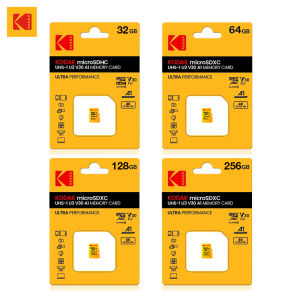
KODAK Original U3 Micro Sd Card 128GB 256GB High Speed Microsd Memory Card HK HD Video TF card for Phone&Cameras
Lightweight and Shockproof Laptop Organizer 15.6/17 inch Handbag Convenient for Office School and Travel
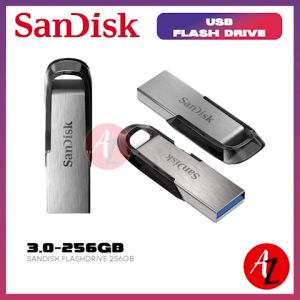
SanDisk Ultra Flair 256GB USB 3.0 Flash Drive: High-Speed Data Transfer & Storage
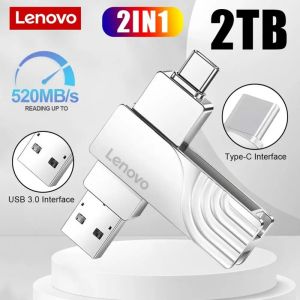
Hot selling Super Lenovo 2TB Waterproof 2IN1 OTG Flash Drive Type-C Smart Phone Pen Drive
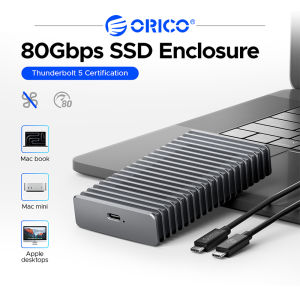
ORICO 80Gbps Portable SSD Compatible with Thunderbolt 5 External SSD Diskless/512GB/2TB/4TB 360° Finned Metal Housing
COD100% original authentic TOSHIBA USB Flash Drive 128GB 64GB 32GB Pen Drive Pendrive Waterproof
Ready Stock + FREE Shipping + COD: Xiaomi Original 1TB Micro SD Card