Canon CLI65 & CLI-42 Ink Cartridges: A Comprehensive Guide
Canon CLI65 & CLI-42 Ink Cartridges: A Comprehensive Guide
Introduction to Canon CLI65 & CLI-42 Ink Cartridges
What are Canon CLI65 & CLI-42 Ink Cartridges?
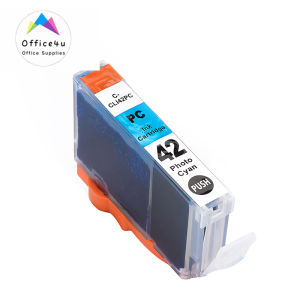
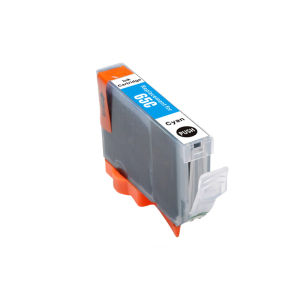
Canon CLI65 and CLI-42 ink cartridges are high-quality ink solutions designed specifically for Canon PIXMA Pro printers. These ink cartridges offer superior print quality and color accuracy, making them ideal for photographers and graphic designers. The Canon CLI65 ink cartridge is compatible with the Canon Pixma PRO-200 printer, while the Canon CLI-42 ink cartridge is compatible with the Canon PIXMA Pro-100 printer.
How Do They Work?
These ink cartridges work by dispensing small droplets of ink onto the paper through tiny nozzles inside the cartridge. The printer controls the amount of ink dispensed to achieve the desired color and print quality. The Canon CLI65 and CLI-42 ink cartridges use pigment-based ink, which provides excellent color accuracy, fade resistance, and water resistance.
Choosing the Right Ink Cartridge for Your Printer
Canon PIXMA Pro-100 vs. Canon PIXMA Pro-200 Printers
When choosing the right ink cartridge for your printer, it is important to consider the specific model you have. The Canon PIXMA Pro-100 printer requires the Canon CLI-42 ink cartridge, while the Canon PIXMA Pro-200 printer requires the Canon CLI65 ink cartridge. Both printers offer high-quality prints, but the Canon PIXMA Pro-200 printer has a larger print head and faster print speeds.
Compatibility Considerations
Before purchasing ink cartridges, make sure they are compatible with your printer model. Using incompatible ink cartridges can lead to print quality issues, clogged nozzles, and even damage to your printer. Always refer to your printer's manual or check the manufacturer's website to determine which ink cartridges are compatible with your specific model.
Installing & Replacing Ink Cartridges
Step-by-Step Installation Process
To install or replace ink cartridges in your Canon PIXMA Pro printer, follow these steps:
- Turn on your printer and open the front cover.
- Lift the carriage to the far left and remove the used ink cartridge by pressing down on the tab and pulling it out.
- Remove the new ink cartridge from its packaging and remove the tape covering the ink nozzles.
- Insert the new ink cartridge into the empty slot and press down until it clicks into place.
- Close the front cover and turn off the printer.
Troubleshooting Common Issues
If you experience any issues with your ink cartridges, such as clogged nozzles or poor print quality, try the following troubleshooting steps:
- Clean the ink cartridge nozzles using the printer's built-in cleaning function.
- Replace the ink cartridge if it is low on ink or damaged.
- Check the printer's settings to ensure they are optimized for the type of paper and ink being used.
Maximizing Printer Performance & Ink Cartridge Lifespan
Proper Storage & Handling Techniques
To maximize the lifespan of your ink cartridges, store them in a cool, dry place away from direct sunlight. Keep the ink cartridges sealed in their original packaging until ready for use. Handle the ink cartridges carefully to avoid damaging the nozzles or spilling ink.
Tips for Maintaining Optimal Printer Performance
To maintain optimal printer performance, perform regular maintenance tasks such as cleaning the print head and checking the ink levels. Follow the manufacturer's guidelines for proper care and maintenance of your Canon PIXMA Pro printer.
By following these tips and guidelines, you can ensure that your Canon CLI65 and CLI-42 ink cartridges provide high-quality prints and optimal performance for your Canon PIXMA Pro printer.

ink.print
Review
You May Also Like

TN2280 TN2250 Toner Cartridge Compatible DCP-7065 HL2130
NIIMBOT M2 Wireless Bluetooth Printer| 300DPI Thermal Transfer for Office/Home | Waterproof Labels
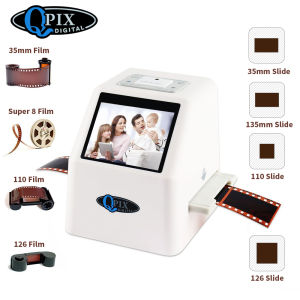
QPIX Portable 35mm Negative Slide Scanner Film Scanner Resolution 22 Mega Pixels 110 135 126KPK Digital Film Converter with 2.4\"LCD

Sunlu ABS-Like Resin 1KG (Photopolymer Resin for 3D Printing)
Compatible Toner Cartridge CE255A 55A: A High-Quality & Affordable Solution
Portable EVA Hard Carrying Case Storage Bag Handheld Shockproof Bag Replacement for B31 Label Maker Accessories

CLI-281 XXL Magenta Ink Cartridge Replacement for Canon 281XXL M Work with Canon PIXMA TR7520 TR8520 TS6320 TS8120 TS8320 TS9120 (2X CLI-281XXL M)
004 INK WITH BOX COMPATIBLE TO PRINTERS ● L1110 ● L1210 ● L3100 L3101 L3106 L3108 ● L3110 L3115 L3116 L3118 L3119 ● L3150 L3151 L3156 L3158 ● L3160 ●
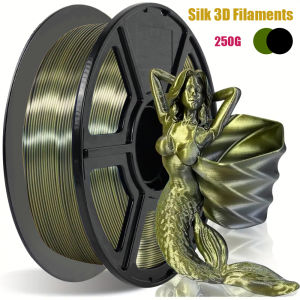
Two-color Silk PLA Filament Dimensional Accuracy +/- 0.03 mm 250g Spool(0.55lbs) 1.75 mm Bronze Black

Pla Plastic 3D Printer Filament Refill Carbon Fiber Marble Drink Black Gray Asa PC Flexibe TChancelier 1.75mm 10m
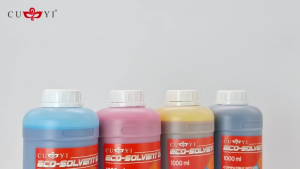
MP00 CUYI Eco-Solvent Ink 1000ML (C M Y K)