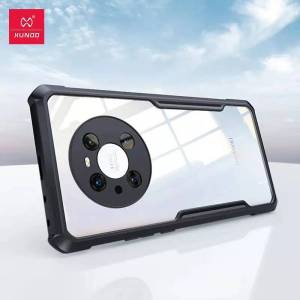
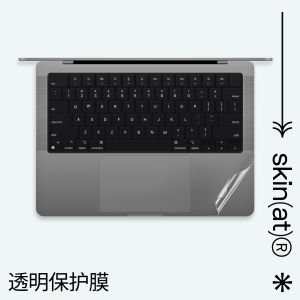
Transparent Creative SkinAT Protective Film for Apple Laptop Shell Macbook Pro14/16 Sticker Computer M1 Mac Air15 M4 Creative Protection Decal
Transparent Creative SkinAT Protective Film for Apple Laptop Shell Macbook Pro14/16 Sticker Computer M1 Mac Air15 M4 Creative Protection Decal
What is Transparent SkinAT Protective Film?
Transparent SkinAT Protective Film is a high-quality, transparent protective film designed specifically for Apple laptops, including the MacBook Pro 14/16 and M1 Mac Air 15 M4 models. This innovative product serves as a creative protection decal, safeguarding your laptop shell from scratches, dust, and other potential damage while maintaining its sleek and stylish appearance.
Understanding the Benefits of SkinAT Protective Film
By using Transparent SkinAT Protective Film, you can enjoy several benefits:
- Protection: The film effectively shields your laptop shell from minor scratches, dents, and other surface damage, preserving its pristine condition.
- Durability: Made from high-quality materials, SkinAT Protective Film is built to last, ensuring long-term protection for your valuable device.
- Ease of Installation: The film is simple to apply, requiring no special tools or expertise. Just follow the step-by-step instructions, and you'll have a perfectly protected laptop shell in no time.
- Customization: With SkinAT Protective Film, you can personalize your laptop's appearance by choosing from a variety of designs and colors, making it truly one-of-a-kind.
How Does SkinAT Protective Film Work?
Transparent SkinAT Protective Film works by creating a barrier between your laptop shell and the external environment. The film adheres seamlessly to the surface of your device, forming a protective layer that shields it from scratches, dust, and other potential hazards. This innovative technology allows you to enjoy the sleek, stylish look of your Apple laptop while ensuring its longevity and durability.
Key Features of SkinAT Protective Film
- Transparent Design: The film's transparent nature ensures that it doesn't interfere with the aesthetics of your laptop, allowing you to maintain its original look and feel.
- Easy Application: The film is simple to install, requiring no special tools or expertise. Just follow the step-by-step instructions, and you'll have a perfectly protected laptop shell in no time.
- Customizable: Choose from a variety of designs and colors to personalize your laptop's appearance, making it truly one-of-a-kind.
- High-Quality Materials: Made from high-quality materials, SkinAT Protective Film is built to last, ensuring long-term protection for your valuable device.
Choosing the Right SkinAT Protective Film for Your Apple Laptop
Selecting the perfect SkinAT Protective Film for your Apple laptop can be a daunting task, especially with so many options available. However, by considering a few key factors, you can easily find the ideal solution for your needs.
Deciding Between M1 Mac Air 15 M4 Decal & Macbook Pro 14/16 Sticker
When choosing between the M1 Mac Air 15 M4 Decal and MacBook Pro 14/16 Sticker, consider the following:
- Device Compatibility: Ensure that the chosen film is compatible with your specific Apple laptop model. This will guarantee a perfect fit and optimal protection.
- Design Preferences: Choose a design that aligns with your personal style and preferences. Whether you prefer a minimalist look or a bold statement, there's a SkinAT Protective Film that will suit your needs.
Selecting the Best Creative Protection Decal for Laptop
When selecting the best creative protection decal for your laptop, consider the following:
- Design: Choose a design that complements your personal style and preferences. Whether you prefer a simple, elegant look or a bold, eye-catching design, there's a SkinAT Protective Film that will suit your needs.
- Compatibility: Ensure that the chosen film is compatible with your specific Apple laptop model. This will guarantee a perfect fit and optimal protection.
Customizing Your Laptop Shell Sticker
With SkinAT Protective Film, you have the freedom to personalize your laptop's appearance by choosing from a variety of designs and colors. To customize your laptop shell sticker, simply select the desired design and color, and follow the step-by-step instructions for installation. With SkinAT Protective Film, you can make your laptop truly one-of-a-kind.
Installing & Maintaining SkinAT Protective Film
Installing and maintaining SkinAT Protective Film is a straightforward process that requires minimal effort and expertise. By following these simple steps, you can ensure that your laptop shell remains protected and in excellent condition.
Easy Steps to Install SkinAT Protective Film
To install SkinAT Protective Film, follow these easy steps:
- Clean the surface of your laptop shell thoroughly using a soft cloth and mild soap.
- Peel off the protective backing from the film.
- Align the film with the surface of your laptop shell, making sure it is centered and straight.
- Slowly press the film onto the surface of your laptop shell, working from the center outward to avoid air bubbles.
- Once the film is fully adhered, use a credit card or similar tool to smooth out any remaining air bubbles.
Tips for Maintaining SkinAT Protective Film
To maintain the integrity and effectiveness of SkinAT Protective Film, follow these simple tips:
- Regular Cleaning: Clean the surface of your laptop shell regularly using a soft cloth and mild soap to remove dust and debris.
- Avoid Excessive Force: Be gentle when handling your laptop, as excessive force can cause damage to the film and your device.
- Replace Damaged Film: If the film becomes damaged or worn, replace it promptly to maintain optimal protection for your laptop shell.
Troubleshooting Common Issues with SkinAT Protective Film
If you encounter any issues while installing or maintaining SkinAT Protective Film, don't worry! Here are some common problems and their solutions:
- Air Bubbles: If air bubbles form during installation, use a credit card or similar tool to smooth them out.
- Misalignment: If the film becomes misaligned during installation, carefully peel it off and reapply it, making sure it is centered and straight.
- Damage: If the film becomes damaged or worn, replace it promptly to maintain optimal protection for your laptop shell.

TAO Electronic Accessories
You May Also Like
LPO Laptop Keyboard MSI GS60 Compatible with MSI GS70 GE62 GT62 GL62 GP62 GL72 GP72 with Backlit

T-Wolf G560 Wired Mouse With RGB LED Light: A Comfortable Touch Mouse for PC
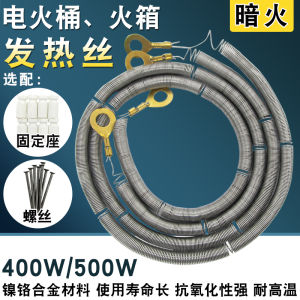
Nickel Chrome Heating Wire for Electric Fire Barrel 400W/500W Dark Fire Heating Black Wire Stove Electric Heater Accessories
Retro Arcade Game Rocker Controller USB Joystick for PS2/PS3/PC/Android Smart TV Built-In Vibrator Eight Direction
Huawei Honor X50 Phone Case: A Comprehensive Guide
Drawing Lines on Fabric: A Guide to Using Disappearing Pens & Fabric Markers
Four Corner Anti Drop Magnetic Circular Bracket Phone Case for iPhone 17 Air 16 E 15 14 13 12 Pro Max Skin Feel Shockproof Cover
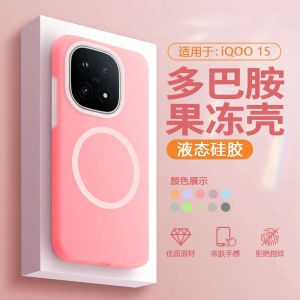
Liquid Silicone Jelly Shockproof Phone Case for iQOO15 Magnetic Absorption Full Cover Protective Shell Men Women Style
Strong Light Mini USB Light: A Creative LED Lamp for College Students
Case for Tecno Camon 16 Phone Casing: Softcas Silicone Protector Shockproof Cover with New Design Aesthetic Flower and Holder Accessory
TPU Shock Absorbing Case for AirPods: Charlie Snoopy Design & Drop Resistance