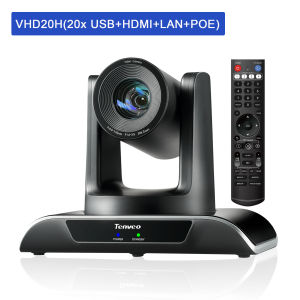
Tenveo PTZ Camera VHD20H: A Comprehensive Guide
Tenveo PTZ Camera VHD20H: A Comprehensive Guide
Introduction to the Tenveo PTZ Camera VHD20H
The Tenveo PTZ Camera VHD20H is a powerful 1080P 60FPS video conference camera designed specifically for business meetings, church education, and live streaming events. With its 20X optical zoom, HDMI/LAN/USB3.0 PoE connectivity, and compatibility with OBS, Zoom, Teams, and vMix, this camera is the perfect solution for a variety of video conferencing and live streaming needs.
Key Features of the Tenveo PTZ Camera VHD20H
- 1080P 60FPS Video Conference Camera
- Business Meeting Live Streaming Camera
- Church Education Video Conference Camera
- HDMI/LAN/USB3.0 PoE Camera
- PTZ Camera 20X Optical Zoom
Applications of the Tenveo PTZ Camera VHD20H
The Tenveo PTZ Camera VHD20H is ideal for business meetings, church education programs, and live streaming events. Its versatile connectivity options and compatibility with popular video conferencing software make it a valuable addition to any organization's technology arsenal.
Setting Up Your Tenveo PTZ Camera VHD20H
Setting up your Tenveo PTZ Camera VHD20H is a straightforward process that involves connecting the camera to your network and configuring the settings.
Connecting the Camera to Your Network
To connect your Tenveo PTZ Camera VHD20H to your network, follow these steps:
- Connect the camera to a power source using the included PoE cable.
- Connect the camera to your router or switch using an Ethernet cable.
- Access the camera's web interface by entering the IP address into your web browser.
Configuring the Camera Settings
Once connected to your network, you can configure the camera settings through its web interface. Some of the key settings include:
- Resolution and frame rate
- Exposure and white balance
- PTZ controls
- Audio settings
Using the Tenveo PTZ Camera VHD20H for Business Meetings
The Tenveo PTZ Camera VHD20H is an excellent choice for business meetings, offering high-quality video and audio, and compatibility with popular video conferencing software.
Live Streaming with OBS, Zoom, Teams, and vMix
The Tenveo PTZ Camera VHD20H is compatible with OBS, Zoom, Teams, and vMix, making it easy to stream your business meetings to remote participants. Simply connect the camera to your computer and select it as the video input source in your chosen software.
Enhancing Your Business Meeting Experience
To enhance your business meeting experience with the Tenveo PTZ Camera VHD20H, consider using its PTZ controls to pan, tilt, and zoom the camera to capture different angles and focus on specific participants.
Using the Tenveo PTZ Camera VHD20H for Church Education
The Tenveo PTZ Camera VHD20H is also an excellent choice for church education programs, offering high-quality video and audio, and compatibility with popular video conferencing software.
Setting Up Your Church Video Conference Environment
To set up your church video conference environment with the Tenveo PTZ Camera VHD20H, follow these steps:
- Connect the camera to your network using the included PoE cable and Ethernet cable.
- Configure the camera settings through its web interface.
- Connect the camera to your computer and select it as the video input source in your chosen software.
Utilizing the Camera for Church Education Programs
To utilize the Tenveo PTZ Camera VHD20H for church education programs, consider using its PTZ controls to pan, tilt, and zoom the camera to capture different angles and focus on specific participants.
Conclusion and Next Steps
The Tenveo PTZ Camera VHD20H is a powerful video conference camera that offers high-quality video and audio, compatibility with popular video conferencing software, and versatile connectivity options. Whether you're using it for business meetings, church education programs, or live streaming events, the Tenveo PTZ Camera VHD20H is the perfect solution for your needs.
To learn more about the Tenveo PTZ Camera VHD20H and how it can benefit your organization, visit the Tenveo website today.

Tenveo official store
You May Also Like
EZVIZ C7 Dual-Lens Pan & Tilt Wi-Fi Smart Home Camera 360°Pan/Til Connect Cellphone with Speaker Two-Way Talk CCTV Camera Full color Night Vision
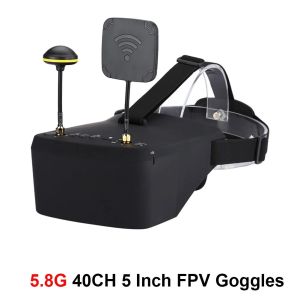
EV800D 5.8G 4.9G 40CH 5 Inch Headset HD DVR Diversity FPV Transmitter VTX For RC FPV Drone
【Shipping From Philippines/COD】100% Original Tan 551 Tactical Optics Red Green Dot Sight Scope Aluminium Alloy Optics 20mm Mount with Free Battery and Brightness Adjustment
TTARTISAN NEW AF 14mm F3.5 APSC Autofocus Pancake Lens X E-Mount Xmount Emount All Metal MVP CAMERA
BOBLOV N9 HD 1296P Mini Body Camera Worn Police Camera Security Guards Video Camcorder Recorder with Night Vision 2300MAH Recorder 165° Wide Angle Stealth Mode Playback Motorcycle Dash Cam For Vlogging
Brightin Star 10mm F5.6 Fisheye Wide Angle APS-C Mirrorless Camera Lens for Sony ZV-E10 A6400 for Canon EF-M Nikon Z Fujifilm
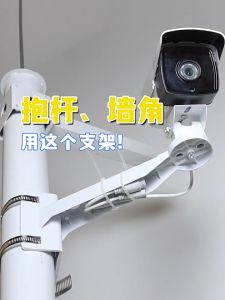
29cm CCTV Wall Mount Bracket Surveillance Camera Corner/Pole Mount Bracket with D20cm Adjustable Hoop
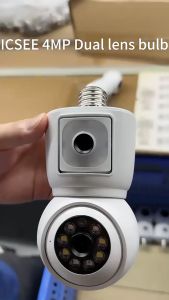
Icsee 4MP Dual Lens Bulb CCTV Camera: A Comprehensive Guide
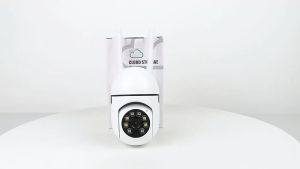
V380 WiFi IP Camera Indoor Surveillance Camera Color Night Vision Human Detection Security CCTV Camera
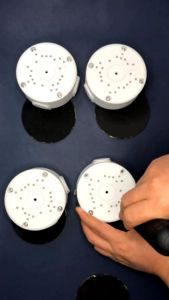
Universal CCTV Junction Box Mount Bracket Waterproof Outdoor Ceiling Mount Hide Cable Box
DJI Drone With Camera And Drone With 4K Dual Camera Original Drone 4k HD Camera and Drone Camera For Vlogging Drone Camera For Kids Boys and Girls