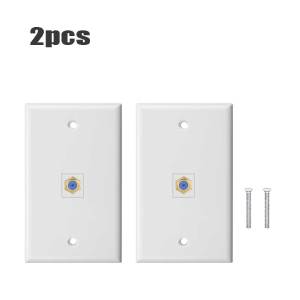
1Pcs Cat6 Ethernet Wall Plate Outlet (White/Blue) For 1 Port RJ45 Network
1Pcs Cat6 Ethernet Wall Plate Outlet (White/Blue) For 1 Port RJ45 Network
Understanding Cat6 Ethernet Wall Plates
What is a Cat6 Ethernet Wall Plate?
A Cat6 Ethernet wall plate outlet is a device used to connect wired network devices, such as computers, printers, and routers, to a network infrastructure. It provides a convenient and organized way to connect multiple devices to a network using a single cable. Cat6 wall plates offer high-speed data transmission rates and improved signal integrity compared to older standards.
Why Choose a Cat6 Ethernet Wall Plate?
There are several reasons why choosing a Cat6 Ethernet wall plate is beneficial:
- Higher Data Transmission Rates: Cat6 wall plates support data transmission rates up to 1 Gbps, making them ideal for modern networking needs.
- Improved Signal Integrity: Cat6 cables have better shielding and twisted pairs, reducing interference and signal loss.
- Future-Proofing: Cat6 wall plates are compatible with future networking standards, ensuring your network infrastructure remains up-to-date.
Choosing the Right Ethernet Wall Plate
Factors to Consider When Selecting an Ethernet Wall Plate
When choosing an Ethernet wall plate, consider the following factors:
- Compatibility: Ensure the wall plate is compatible with your network infrastructure and devices.
- Design: Choose a wall plate that matches your home or office decor.
- Number of Ports: Determine how many ports you need based on the number of devices you plan to connect.
Comparing White & Blue Network Outlets
Both white and blue network outlets offer similar functionality, but the choice ultimately depends on your personal preference and the decor of your home or office. White outlets may blend better with neutral color schemes, while blue outlets can add a pop of color to a room.
Installation and Setup
How to Install a Cat6 Ethernet Wall Plate
Installing a Cat6 Ethernet wall plate is a straightforward process. Here are the basic steps:
- Turn off power to the area where you will be installing the wall plate.
- Remove the existing faceplate from the wall.
- Connect the Cat6 cable to the wall plate.
- Secure the wall plate to the wall using screws.
- Turn power back on and test the connection.
Connecting Devices to the Network Outlet
Once your Cat6 Ethernet wall plate is installed, connecting devices to the network outlet is simple. Simply plug an Ethernet cable into the device and the wall plate, and you're ready to go.
Troubleshooting Common Issues
Identifying Problems with Your Ethernet Wall Plate
If you're experiencing connectivity issues with your Cat6 Ethernet wall plate, consider the following potential problems:
- Loose Connections: Check that all cables are securely connected to the wall plate and devices.
- Damaged Cables: Inspect cables for damage or wear and replace if necessary.
- Interference: Look for sources of electromagnetic interference, such as power lines or appliances, and try relocating the wall plate if possible.
Solutions for Network Connectivity Issues
If you're experiencing network connectivity issues, try the following solutions:
- Restart Devices: Restart the router, modem, and connected devices to refresh the network connection.
- Check Cable Length: Ensure the length of the Cat6 cable does not exceed 100 meters to maintain optimal data transmission rates.
- Contact Support: If problems persist, contact your internet service provider or a professional technician for further assistance.
In conclusion, a Cat6 Ethernet wall plate outlet (white/blue) for a 1 port RJ45 network is an essential component of any modern networking setup. By understanding the features and benefits of Cat6 wall plates, choosing the right wall plate for your needs, and properly installing and troubleshooting issues, you can ensure a reliable and efficient network connection for all your devices.

ezLink
Review

You May Also Like
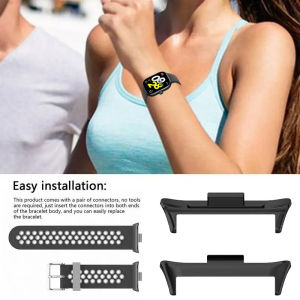
1Pair Adapter For Redmi Watch 4 & Mi Band 8 Pro: A Comprehensive Guide

Realme True Me V23 Phone Case 2024 New Model Strawberry Avocado Simple Sweet Girl Heart Small Fresh Cute Glass Shell Protection
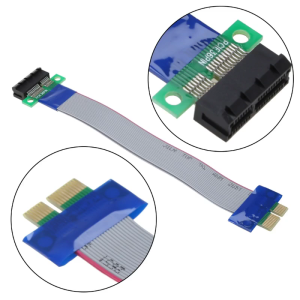
Computer PCI-E Extension Adapter Cable PCIE X1 Male to Female Converter for Graphics Power Extension Flexible Line
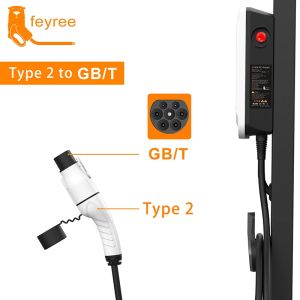
Feyree EV Charger Adapter Type 2 IEC 62196-2 to GB/T Converter for China Standard Electric Vehicle Charging EV Connector 16A 32A

XIAOMI REDMI & POCO M7 PRO 5G Cases: The Ultimate Guide to Shockproof Protection
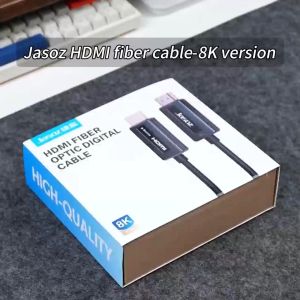
Jasoz HDMI Fiber Optic Cable: A Comprehensive Guide

European Embroidering Cotton and Linen Cloth Embroidered Fabric Polyester Cotton and Linen Plain Color Solid Color Background Fabric Linen Embroidering Cloth Clothes Cotton Cloth
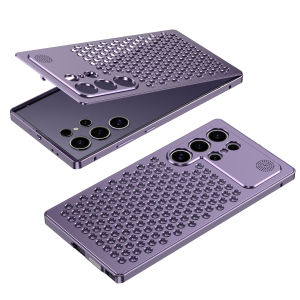
Ultimate Guide to Samsung S24 & S23 Ultra Aluminum Alloy Metal Frame Phone Cases

Beautiful Laser Gradient Shinning Multi Color Matching Chameleon iPhone Case

Funny Female Silicone Liquid Phone Case for Apple 15 Anti-fall Double Buckle Protection Cover Cartoon Style with Lanyard
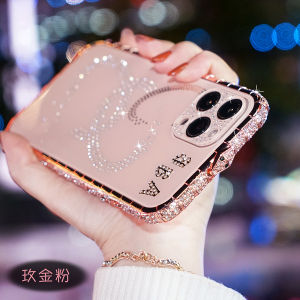
Luxury Bling Diamond Metal Bumper For iPhone 15 14 13 12 11 Pro Max XR X Max 8 7 Plus Case Frame Acrylic Back Cover Phone Casing