Wistino 2CH & 3CH FHD 3MP & 6MP CCTV Security Systems
Wistino 2CH & 3CH FHD 3MP & 6MP CCTV Security Systems
Overview of Wistino 2CH & 3CH FHD 3MP & 6MP CCTV Security Systems
Wistino offers two high-quality FHD CCTV security systems: the 2CH FHD 3MP system and the 3CH FHD 6MP system. Both systems are designed to provide reliable surveillance for residential and commercial properties.
Key Features of Wistino 2CH FHD 3MP Security System
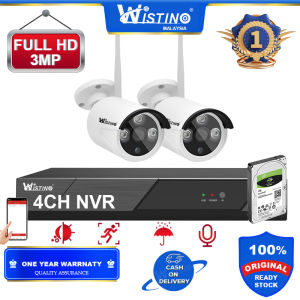
The Wistino 2CH FHD 3MP security system includes a 4CH WIFI NVR, 2 HD WIFI IP cameras, 3 adaptors, and a USB mouse. Some of its key features include:
- FHD 3MP Resolution: High-definition video quality ensures clear and crisp images for better monitoring.
- Wireless P2P Connectivity: Easy setup and configuration using Wi-Fi connectivity.
- Outdoor IR Night Vision: Equipped with infrared LEDs, these cameras can capture clear footage even in low-light conditions.
- Plug and Play NVR Kit: Simplified installation process, making it easy for users to set up their security system.
Key Features of Wistino 3CH FHD 6MP Security System
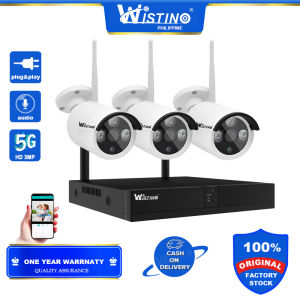
The Wistino 3CH FHD 6MP security system includes a 4CH WIFI NVR, 3 HD WIFI IP cameras, 4 adaptors, and a USB mouse. Some of its key features include:
- FHD 6MP Resolution: Ultra-high-definition video quality ensures even clearer and crisper images for better monitoring.
- Wireless P2P Connectivity: Easy setup and configuration using Wi-Fi connectivity.
- Outdoor IR Night Vision: Equipped with infrared LEDs, these cameras can capture clear footage even in low-light conditions.
- Plug and Play NVR Kit: Simplified installation process, making it easy for users to set up their security system.
Setting Up Your Wistino CCTV Security System
Setting up your Wistino CCTV security system is straightforward, thanks to its plug-and-play design. Follow these steps to get started:
Preparing the NVR & IP Cameras
- Unpack the box and remove all components.
- Identify the NVR, IP cameras, adaptors, and USB mouse.
Connecting the Adapters & USB Mouse
- Connect the power adaptors to the NVR and IP cameras.
- Plug the USB mouse into the NVR's USB port.
Configuring the NVR & IP Cameras
- Power on the NVR and wait for it to boot up.
- Configure the NVR settings, including Wi-Fi connectivity and camera configuration.
- Set up motion detection, alerts, and recording schedules.
Using Your Wistino CCTV Security System
Once your Wistino CCTV security system is set up, you can start monitoring your property with ease. Here's how to use your system effectively:
Recording & Monitoring Video Footage
- Access the NVR interface through a web browser or mobile app.
- View recorded video footage from each camera.
- Monitor live video streams in real-time.
Accessing Live Video Streams
- Connect to the NVR's Wi-Fi network using a smartphone or computer.
- Open the appropriate app or web browser and log in to the NVR interface.
- Select the camera you want to view and start monitoring live video streams.
Customizing Settings & Alerts
- Adjust motion detection sensitivity, recording schedules, and alert settings.
- Set up email or push notifications for motion alerts.
- Customize video quality, frame rate, and storage settings.
Troubleshooting Common Issues
If you encounter any issues while using your Wistino CCTV security system, refer to these troubleshooting tips:
Connectivity Problems
- Check if the NVR and IP cameras are properly connected to power sources.
- Ensure the Wi-Fi network is stable and the NVR is connected to the correct network.
- Restart the NVR and IP cameras if necessary.
Video Quality Issues
- Adjust the camera's exposure settings to improve video quality.
- Check if the camera lens is clean and free from obstructions.
- Verify that the NVR's storage settings are properly configured.
NVR Configuration Errors
- Review the NVR's configuration settings and ensure they are correct.
- Reset the NVR to factory defaults if necessary.
- Contact Wistino support for further assistance.

Wistino Official Store
You May Also Like
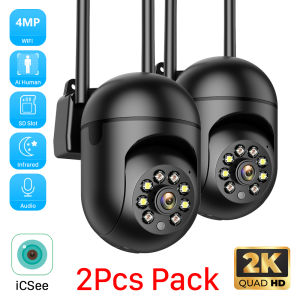
2pcs-Pack iCSee 5MP Mini PTZ WiFi IP Camera with AI Human Detection Color Night Vision for Outdoor Video Surveillance 4MP 2MP
🔥24H DELIVERY🔥HD Mini Camera CCTV Surveillance Cameras wifi Mini Camera With Night Vision camera cctv camera connect to cellphone Remote monitoring Security Camera mini spy camera

V380 PRO Dual Lens 2K 1080P Ultra HD CCTV PTZ Camera Motion Detect 360 Degree Rotation Infrared Night Vision Two-Way Voice Audio Surveillance Monitoring Security Color Camera Video WIFI Wireless Connection Phone Indoor Outdoor

TP-Link VIGI C540V VIGI 4MP Outdoor Full-Color Dual- Varifocal Pan Tilt Network Camera

Hikvision 4/8 Channel CCTV Camera Kit: 5MP Full HD With Audio Complete CCTV Set Package IP67 Outdoor Waterproof Security Camera CCTV Security Systems
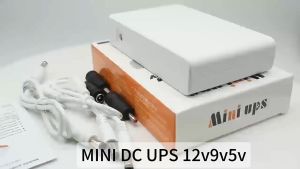
AVIDUS V380 PRO Compact 10400mAh Mini UPS Battery Backup for Smart Home Security Systems Multi-Output 5V/9V/12V 12-Hour Power Supply
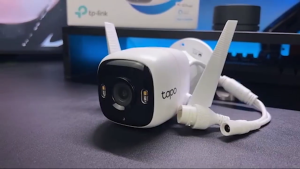
TP-Link Tapo C320WS CCTV Camera Outdoor Wi-Fi CCTV | 4MP IP Wireless | Surveillance Camera | IP66 Weather Proof
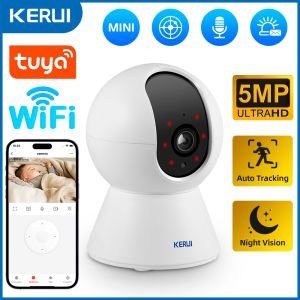
KERUI 5MP Tuya Smart Mini WiFi IP Camera: Auto Tracking & AI Human Detection
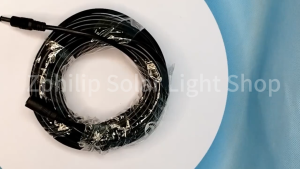
Extension Cable TP-Link TAPO IP CCTV CAMERA C500 C320WS C310 C225 C210 C200 C110 C100 DC 12V DC power extension cable DC extension cable DC male connector CCTV Power Cord CCTV tplink CCTV cable connector cctv power cord cctv cord extension
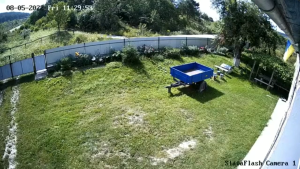
Hikvision IP Camera 2MP/4MP HD IR Bullet Network Camera Outdoor Wired Night Vision CCTV POE Camera
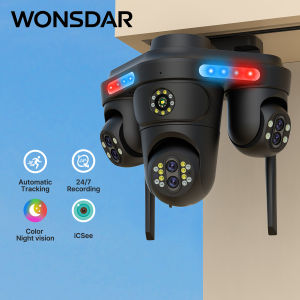
WONSDAR WiFi IP Camera 7 Lens 4 Screens HD 10X Zoom Outdoor PTZ Security Protection Camera Human Detetion Surveillance FFVideo