Kingston Flash Drive: Your Ultimate Guide to Portable Data Storage
Kingston Flash Drive: Your Ultimate Guide to Portable Data Storage
What is a Kingston Flash Drive?
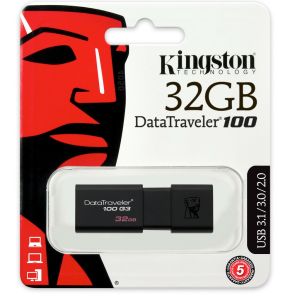
A Kingston Flash Drive, also known as a DataTraveler Pendrive, is a portable storage device that allows users to store and transfer data between computers and other devices. It features a USB interface, making it compatible with most modern operating systems, including Windows, macOS, and Linux. Kingston Flash Drives come in various capacities, such as 16GB, 32GB, 64GB, and 128GB, providing ample space for storing files, documents, and multimedia content.
Key Features & Benefits
- High Capacity: Kingston Flash Drives offer generous storage options, ranging from 16GB to 128GB, allowing users to store large files and multimedia content.
- Fast Transfer Speed: With USB 3.0 connectivity, Kingston Flash Drives provide quick data transfer rates, reducing the time spent copying and moving files.
- Compatibility: Kingston Flash Drives are compatible with most modern operating systems, including Windows, macOS, and Linux, ensuring seamless integration with various devices.
- Durability: Kingston Flash Drives are designed to withstand everyday wear and tear, making them a reliable choice for storing important data.
Kingston Flash Drive Models: 16GB, 32GB, 64GB, 128GB
Kingston offers a range of flash drive models with varying storage capacities to cater to different user needs. Here's a brief overview of each model:
- 16GB: Ideal for storing small files, documents, and basic multimedia content.
- 32GB: Suitable for storing larger files, such as high-resolution images and videos, and moderate-sized software installations.
- 64GB: Offers ample space for storing large multimedia files, software installations, and other data-intensive applications.
- 128GB: Provides extensive storage capacity for users requiring significant space for large files, multimedia content, and extensive software installations.
How to Choose the Right Kingston Flash Drive
Selecting the appropriate Kingston Flash Drive depends on various factors, including storage requirements, transfer speed, and compatibility. Consider the following aspects when choosing the right Kingston Flash Drive:
- Storage Capacity: Determine the amount of data you need to store and select a Kingston Flash Drive with sufficient capacity to accommodate your needs.
- Transfer Speed: If you frequently transfer large files, opt for a Kingston Flash Drive with USB 3.0 connectivity for faster data transfer rates.
- Compatibility: Ensure the Kingston Flash Drive you choose is compatible with your operating system and other devices you plan to use it with.
Comparing Kingston Flash Drive Models: 16GB vs 32GB vs 64GB vs 128GB
When comparing Kingston Flash Drive models, consider the following aspects:
- Storage Capacity: As mentioned earlier, Kingston Flash Drives come in various capacities, ranging from 16GB to 128GB. Choose the model that offers sufficient storage for your needs.
- Transfer Speed: All Kingston Flash Drive models support USB 3.0 connectivity, providing fast data transfer rates. However, higher-capacity models may offer slightly faster transfer speeds due to their larger storage capacity.
- Compatibility: Kingston Flash Drives are compatible with most modern operating systems, so compatibility shouldn't be a concern when choosing a model.
Using Kingston Flash Drive: Tips & Tricks
To make the most out of your Kingston Flash Drive, follow these tips and tricks:
- Formatting Your Kingston Flash Drive: To prepare your Kingston Flash Drive for use, format it using the appropriate file system, such as FAT32 or exFAT. This will ensure compatibility with various operating systems and devices.
- Securing Your Data on Kingston Flash Drive: To protect your data, consider using encryption software or password protection features offered by some Kingston Flash Drive models. Additionally, regularly back up your data to prevent loss due to accidental deletion or corruption.
Kingston Flash Drive: Maintenance & Troubleshooting
To maintain the performance and longevity of your Kingston Flash Drive, follow these maintenance and troubleshooting tips:
- Common Issues & Solutions: If you encounter issues with your Kingston Flash Drive, such as slow transfer speeds or data corruption, try formatting the drive or updating the firmware. If the problem persists, contact Kingston's customer support for assistance.
- Extending the Life of Your Kingston Flash Drive: To extend the life of your Kingston Flash Drive, avoid exposing it to extreme temperatures, moisture, or physical damage. Additionally, regularly update the firmware and keep your operating system up-to-date to ensure optimal performance.

BOVE HDD
You May Also Like
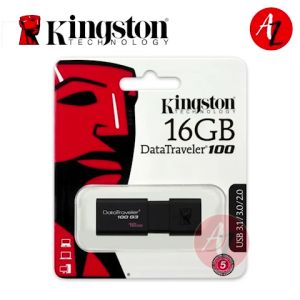
KINGSTON USB Flash Drive 16GB: Compact & High-Speed Data Storage
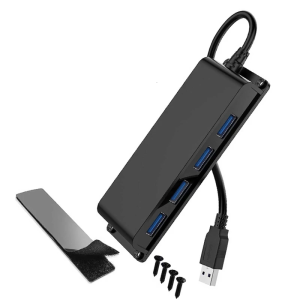
4 Port USB version Divider Center 5Gbps Speed Wall Mountable Link With 3.3ft Extension Cord For Computer Notebook Office Arrange
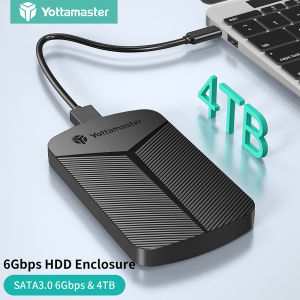
Yottamaster HDD Case: A Comprehensive Guide
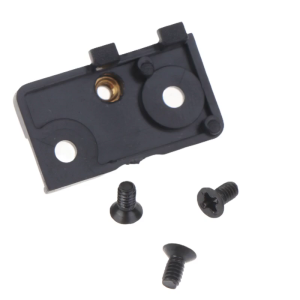
HDD Hard Drive Caddy TraySSD Solid State Disk Support Rack ForDell E5480 5490 5580 Precision M3530 M3520
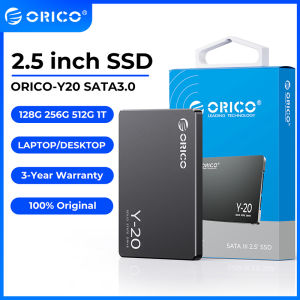
ORICO 2.5 Inch HDD Enclosure: Auto Sleep & 5Gbps Speed
TOSHIBA External Harddisk 1TB/2TB/4TB Hard Drives portable Hard Drives HDD 2.5" USB 3.0 high quality Harddisk Externa
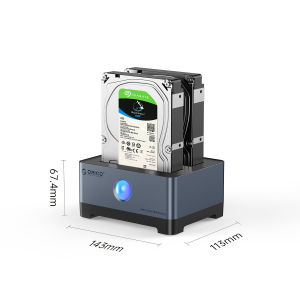
ORICO RGB HDD Docking Station Type-C Aluminum 2.5/3.5 Inch HDD Case RGB Cyberpunk Design 10Gbps Fast Speed Hard Disk Bay for PC(Y20 SSD)
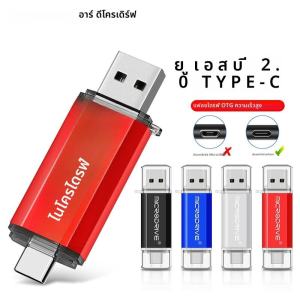
OTG USB Flash Drive: 8GB to 128GB Options for Android Phone Memory
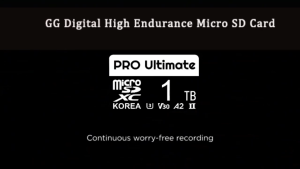
SD Card For CCTV Loop Recording Universal Memory Card FAT32 Format Class 10 High Speed Card

Synology DS725+ 2bay DiskStation® NAS (Diskless) with 3 years Local Warranty
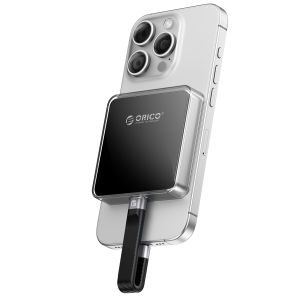
ORICO 2230 M.2 NVMe SSD Enclosure 10Gbps M.2 to USB Type C 2TB Large Capacity For Tablet Laptop Phone