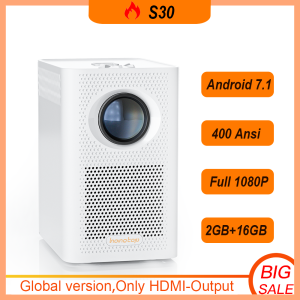
FintexPro S30MAX: A Portable Projector Smart TV for Your Home Entertainment
FintexPro S30MAX: A Portable Projector Smart TV for Your Home Entertainment
What is the FintexPro S30MAX?
FintexPro S30MAX is a portable projector smart TV that brings home entertainment to a whole new level. This powerful device offers an unparalleled viewing experience with its high-resolution 4K HD 10000 lumens display, Android 10.0 LCD projector, and wireless mirror screen capabilities. With a 300-inch screen projector, you can enjoy your favorite movies, TV shows, and games in stunning detail and clarity.
Key Features & Specifications
Here are some of the key features and specifications of the FintexPro S30MAX:
- 4K HD 10000 Lumens: Enjoy crystal-clear visuals with a resolution of 3840 x 2160 pixels and 10000 lumens brightness.
- Android 10.0 LCD Projector: Run your favorite apps and games on the latest Android operating system.
- Wireless Mirror Screen: Share your screen wirelessly with up to 5G WiFi connectivity.
- Bluetooth & HDMI: Connect your devices via Bluetooth or HDMI for seamless audio and video streaming.
- Streaming Content: Stream your favorite content from YouTube, Netflix, and other streaming services.
- Mirroring Mobile Device Screen: Mirror your mobile device's screen to the projector for a shared viewing experience.
Comparison with Other Portable Projectors
Compared to other portable projectors on the market, FintexPro S30MAX stands out with its high-resolution 4K display, Android 10.0 operating system, and wireless mirror screen capabilities. Other notable features include its 300-inch screen projector, Bluetooth connectivity, and HDMI port for seamless audio and video streaming.
How to Set Up Your FintexPro S30MAX
Setting up your FintexPro S30MAX is a breeze with its user-friendly interface and intuitive controls. Follow these steps to get started:
Connecting to Power & Wi-Fi
- Plug in the power adapter to the projector and connect it to a power outlet.
- Turn on the projector using the power button.
- Connect to your Wi-Fi network using the on-screen menu.
Setting Up Audio & Video
- Connect your audio devices via Bluetooth or HDMI port.
- Adjust the volume using the on-screen menu or remote control.
- Fine-tune the picture settings to your liking using the on-screen menu.
Using Your FintexPro S30MAX
With its versatile features, FintexPro S30MAX offers endless possibilities for home entertainment. Here are some ways to use your projector:
Streaming Content from YouTube & Netflix
Stream your favorite content from YouTube, Netflix, and other streaming services directly on your projector. Simply connect to Wi-Fi and download the app of your choice from the Google Play Store.
Mirroring Your Mobile Device's Screen
Share your mobile device's screen wirelessly with up to 5G WiFi connectivity. Simply connect your device to the projector using the on-screen menu and start mirroring.
Maintenance & Troubleshooting
To ensure optimal performance, it's important to maintain your FintexPro S30MAX properly. Here are some tips for cleaning and troubleshooting:
Cleaning the Projector Lens
Regularly clean the projector lens with a soft, lint-free cloth to prevent dust and debris buildup. Avoid using harsh chemicals or abrasive materials.
Resolving Common Issues
If you encounter any issues with your projector, refer to the user manual or contact customer support for assistance. Some common issues include:
- No Picture: Check the power connection and ensure the projector is properly connected to Wi-Fi.
- Audio Issues: Check the audio settings and ensure the audio devices are properly connected via Bluetooth or HDMI port.
- Streaming Issues: Check the Wi-Fi connection and ensure the streaming app is up-to-date.

Fintex Pro store
Review
You May Also Like
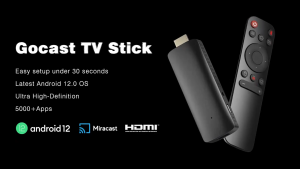
TV Stick 4K FULL HD 2+16GB Smart Streaming Media Player Android 11.0 Supports Netflix/Youtube /Disney/Google Smart TV Chromecast TV box Android with WiFi for all TVs Mini Android TV Box Xiaomi
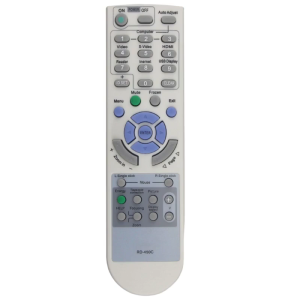
New Replaced Remote Control for NEC Projector Rd-450c Rd-448e Projectors Controller Lightweight Remote High Performance
BOKEWU 1080P Wireless WiFi Display Dongle TV Stick Video Adapter Airplay DLNA Screen Mirroring Share for iPhone Android
ZDSSY X98K Android 13 Smart TV Box 8K HD 2.4G&5G Dual WiFi Set Top Box Streaming Media Player WIFI 6 BT 5.0 RK3528 Ram 4GB Rom 32GB Smart 4K Android TV Box
New Remotes Control Design for PJD7822HDL PJD5126 PJD5324 Projectors Convenient Remotes Offering Seamlessly Operations
H96MAX M7 Android 13 TV Box with Bluetooth Speaker BT5.0 Quad Core HDR 4K Player Media 4GB 32GB Set Top Box
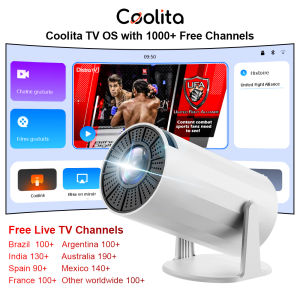
SALANGE X8Mini Smart Projector with Lifetime Free TV Channels WiFi6 BT5 Support 1080P Video Projector Coolita OS Home Cinema
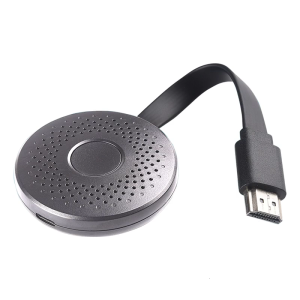
New Model A30 1080P Screen Transmitter for Easy Multimedia Projection in Various Environment

Backlight Set 55inch TCL 55sc4000 Led55p2us Led55d2900 Led55s4901 Led55s4903 Brandnew 8pcs YHF-4C-LB5504-YH01J 55HR330M08A2 V2 55D2900
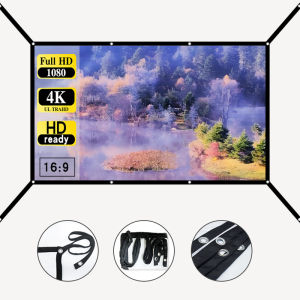
16: 9 Simple Projection Screen (Extended) 60-72-84-100-120-150 inch Wall Mounted Folding Projection Screen
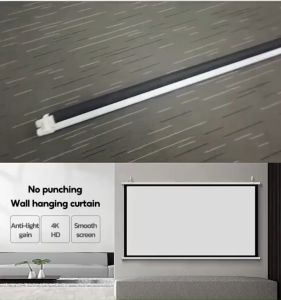
AUN Glass Fiber 100 Inch 4K HD Projector Screen: Ultimate Guide