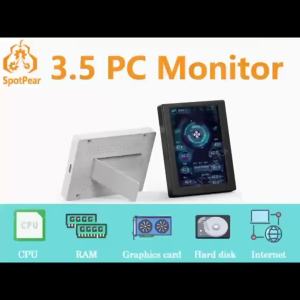
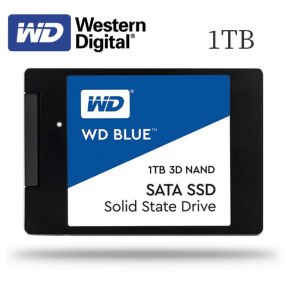
Western Digital Element 250GB, 500GB & 1TB SSD: A Comprehensive Guide
Western Digital Element 250GB, 500GB & 1TB SSD: A Comprehensive Guide
Western Digital Element SSDs are reliable, high-performance solid-state drives designed for both desktop and notebook computers. In this guide, we will explore the key features, benefits, and installation process of these SSDs.
What is the Western Digital Element SSD?
The Western Digital Element SSD is a series of solid-state drives that offer fast read speeds, reliability, and compatibility with both desktop and notebook computers. These SSDs come in three different capacities: 250GB, 500GB, and 1TB, making them suitable for various storage needs.
Key Features & Benefits
- High Performance: With a read speed of up to 560MB/s, the Western Digital Element SSD delivers fast data transfer rates, making it ideal for everyday computing tasks, gaming, and multimedia applications.
- Compatibility: These SSDs are compatible with both desktop and notebook computers, allowing users to upgrade their existing systems or build new ones.
- Reliability: The Western Digital Element SSDs are built to last, with a mean time between failures (MTBF) of up to 2 million hours, ensuring reliable performance and long-term storage.
Compatibility with Desktop & Notebook Computers
The Western Digital Element SSDs are designed to work seamlessly with both desktop and notebook computers. They come in a standard 2.5-inch form factor, which is compatible with most modern computer systems. Additionally, these SSDs use the SATA III interface, providing a stable and reliable connection to your computer.
How to Choose the Right Western Digital Element SSD for Your Needs
When choosing the right Western Digital Element SSD, consider your storage needs and budget. Here's a breakdown of the different capacities available:
250GB vs. 500GB vs. 1TB: Which Capacity is Best?
- 250GB: Ideal for users who need a compact and affordable SSD for basic computing tasks, such as web browsing, word processing, and light multimedia applications.
- 500GB: Suitable for users who require more storage space for larger files, such as high-resolution images, videos, and gaming libraries.
- 1TB: Perfect for power users who need ample storage for large data sets, extensive gaming collections, and high-capacity multimedia projects.
SATA III & 560MB/s Read Speed: What Does it Mean for Performance?
The Western Digital Element SSDs use the SATA III interface, which provides a maximum transfer rate of up to 600MB/s. With a read speed of up to 560MB/s, these SSDs offer fast data transfer rates, making them ideal for everyday computing tasks, gaming, and multimedia applications.
Installation & Setup Guide
Installing a Western Digital Element SSD is a straightforward process. Here's a step-by-step guide to help you get started:
How to Install Western Digital Element SSD in Desktop Computers
- Power off your computer and unplug all cables.
- Open the case and locate an available drive bay.
- Mount the SSD in the drive bay using screws and mounting brackets.
- Connect the SATA data cable and power cable to the SSD.
- Close the case and reconnect all cables.
- Power on your computer and install the necessary drivers and software.
How to Install Western Data Element SSD in Notebook Computers
- Power off your notebook and remove the battery (if possible).
- Locate the SSD bay and remove any existing hard drive or SSD.
- Insert the Western Digital Element SSD into the bay and secure it with screws.
- Connect the SATA data cable and power cable to the SSD.
- Replace the battery (if removed) and close the case.
- Power on your notebook and install the necessary drivers and software.
Frequently Asked Questions
Is the Western Digital Element SSD Suitable for Gaming?
Yes, the Western Digital Element SSD is suitable for gaming. With its fast read speeds and reliable performance, it can significantly improve load times and overall gaming experience.
Can I Upgrade My Existing Computer with This SSD?
Absolutely! The Western Digital Element SSD is compatible with most modern desktop and notebook computers, making it easy to upgrade your existing system.
In conclusion, the Western Digital Element SSD is a reliable and high-performance solid-state drive that offers fast read speeds, compatibility with both desktop and notebook computers, and long-term reliability. With three different capacities available, there's a Western Digital Element SSD to suit every storage need.

BOVE HDD
Review
You May Also Like
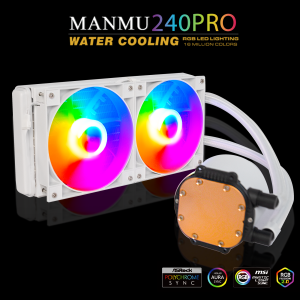
MANMU White Liquid CPU Cooler 240 Addressable RGB & PWM Pump & Fans TDP AIO Water Cooler W/Controller
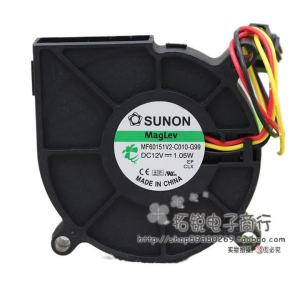
60mm Fan for Sunon MF60151V2-C010-G99 12V 1.05W 6cm Quiet Turbofan Hydraulic Magnetic Bearing High-Efficiency Cooling Fan

COOLMOON GPU Stand Support Aluminum GPU Bracket Adjustable Graphics Card Holder
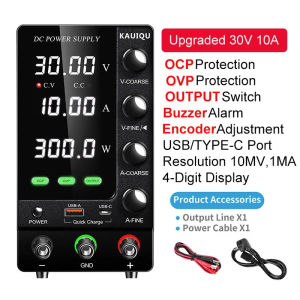
30V 10A US Plug DC Power Supply Variable30V 10A Adjustable Bench Power Supply with OCP OVP OUTPUT Current threshold alarm
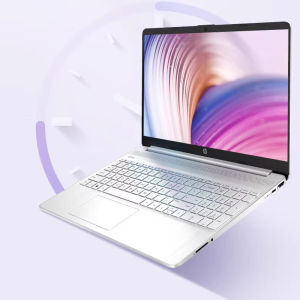
Brand new HP Notebook 15s Office Gaming Laptop: A Versatile Choice for Office & Gaming

18W/Mk Laptop Thermal Putty Fehonda LTP81 Liquid Thermal Pad 12g 50g 100g Thermal Putty For Pc Vga Gpu Cpu

Samsung Seagate Momentus ST1000LM024 2.5" 1TB 5400 RPM HDD Hard Disk
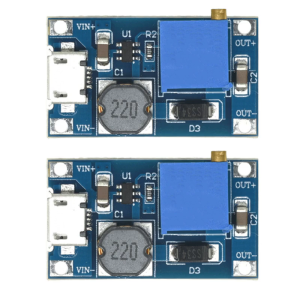
Compactly Adjustable Micros/TYPE C Voltages Boosters Module 2V-24V Input 5V-28V Output for Portable Electronic Devices

SECURE 500W AVR Computer 220V High Performance Overload Protection Power Supply For PC Desktop
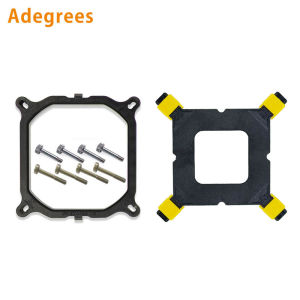
10PCS/Lot CPU Cooler Holder Tower Heatsink Bracket Base Backplane for Intel LGA 2011/1366/1700/1200 Motherboard Computer Part
NICE-POWER Digital Dual-Channel DC Power Supply: A Comprehensive Guide