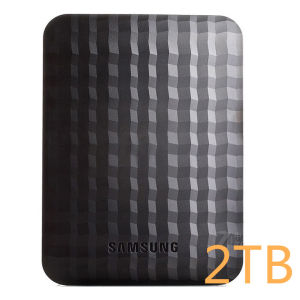
Samsung M3 1TB/2TB External Hard Disk: A Comprehensive Guide
Samsung M3 1TB/2TB External Hard Disk: A Comprehensive Guide
Introduction to Samsung M3 External Hard Disk
The Samsung M3 external hard disk is a high-capacity USB external drive that comes in two storage options - 1TB and 2TB. It is a versatile and reliable storage solution that offers users the ability to store and transfer large amounts of data quickly and easily. This article will provide a comprehensive guide to help you understand the key features and benefits of the Samsung M3 external hard disk, its compatibility and system requirements, and how to use it effectively.
Key Features & Benefits
The Samsung M3 external hard disk has several key features and benefits that make it stand out among other high-capacity USB external drives:
- High capacity: With storage options of 1TB and 2TB, the Samsung M3 can accommodate a vast amount of data, making it ideal for users who need to store and transfer large files.
- Fast data transfer: Thanks to its USB 3.0 connection, the Samsung M3 external hard disk offers fast data transfer speeds, allowing users to quickly copy and move files between devices.
- Easy-to-use: The Samsung M3 external hard disk is simple to set up and use, with a drag-and-drop functionality that makes file management a breeze.
- Compatibility: The Samsung M3 external hard disk is compatible with both Windows and Mac operating systems, making it a versatile choice for users across different platforms.
Comparison with Other High-Capacity USB External Drives
When compared to other high-capacity USB external drives, the Samsung M3 external hard disk stands out due to its fast data transfer speeds, ease of use, and compatibility with both Windows and Mac operating systems. Additionally, its sleek design and portable size make it easy to carry around and store.
Compatibility & System Requirements
To ensure that the Samsung M3 external hard disk works seamlessly with your device, it is important to understand its compatibility and system requirements:
Supported Operating Systems
The Samsung M3 external hard disk is compatible with the following operating systems:
- Windows 7/8/8.1/10
- MAC
Minimum Hardware Requirements
To use the Samsung M3 external hard disk, your device must meet the following minimum hardware requirements:
- 750Mhz CPU or faster
- 10MB free hard disk space
- 256MB system memory
- Free USB 3.0 or USB 2.0 port
How to Use Samsung M3 External Hard Disk
Using the Samsung M3 external hard disk is simple and straightforward. Here are some steps to help you get started:
Setting Up & Connecting the Device
To set up and connect the Samsung M3 external hard disk, simply plug it into a free USB 3.0 or USB 2.0 port on your device. Once connected, the drive will automatically be recognized by your operating system.
Drag-and-Drop Functionality
To transfer files to or from the Samsung M3 external hard disk, simply drag and drop them onto the drive's icon on your desktop or in File Explorer (Windows) or Finder (Mac).
Data Transfer via USB 3.0 Connection
Thanks to its USB 3.0 connection, the Samsung M3 external hard disk offers fast data transfer speeds. To take advantage of this feature, make sure to connect the drive to a USB 3.0 port on your device.
Samsung M3 External Hard Disk: COD & Shipping Options
If you are interested in purchasing the Samsung M3 external hard disk, you have the option to choose COD (Cash On Delivery) as a payment method. Here are some important details about COD availability and shipping options:
COD Availability & Shipping Process
COD is available for orders placed within the United States. When placing your order, simply select COD as your payment method. Once your order is confirmed, a delivery agent will bring the Samsung M3 external hard disk to your doorstep, and you can pay for it upon delivery.
Delivery Time & Tracking Information
Delivery times may vary depending on your location within the United States. However, orders typically arrive within 3-7 business days. To track your order, you will receive a tracking number via email once your order has been shipped.
In conclusion, the Samsung M3 external hard disk is a reliable and efficient storage solution that offers fast data transfer speeds, ease of use, and compatibility with both Windows and Mac operating systems. With its sleek design and portable size, it is an ideal choice for users who need to store and transfer large amounts of data.

BOVE HDD
Review
You May Also Like
ORICO Tool-Free M2 SSD NVMe 10Gbps Case PCIe SSD Box for M.2 NVMe NGFF SATA SSD Disk Tool Free M.2 SSD Case Built-in Metal Heat Sink
♥【COD】Free Send adapter + card reader OPPO 32GB 64GB 512GB Class 10 Micro SD Card Card 16GB 128GB 256GB TF Flash Memory Card
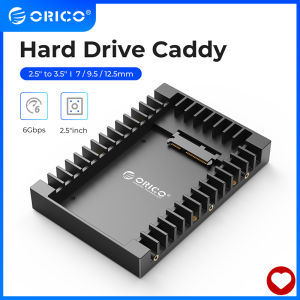
ORICO 2.5 to 3.5 inch Hard Drive Caddy Support SATA 3.0 Support 7 / 9.5 / 12.5mm 2.5 inch SATA HDDs and SSDs (1125SS)
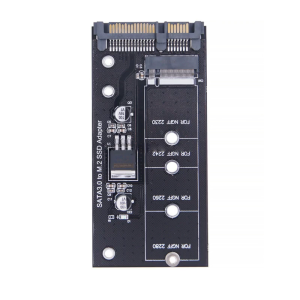
Hard Disk M.2 Adapter M.2 SATA3 Adapter Risers M.2 to SATA3 Adapter M.2 Converter SATA3 for 2230-2280 M.2 SATA3 Hard Disk

iPower SlideType Flash Drive: A Compact & High-Speed USB Flash Drive
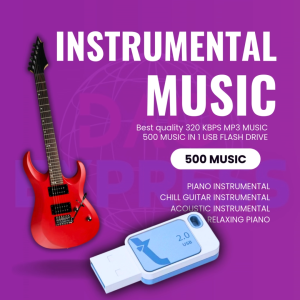
INSTRUMENTAL MUSIC COLLECTION 500 MUSIC | USB Flash Drive with Song Music | MP3 320 KBPS HIGH QUALITY MUSIC

Custom Logo USB Flash Drives: A Unique Gifting Solution
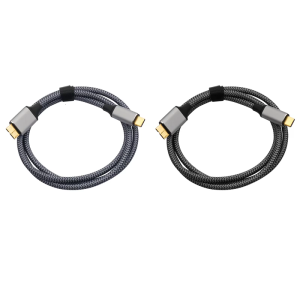
5Gbps Hard Drive Cable Type C Male to MicroB Data Sync and Charging Cable for External Hard Drive
💖FREE+COD+Ready Stock💖Kimsnot Extreme Pro Memory Card: A Comprehensive Guide
MAIWO Aluminum 3.5\" HDD Case: A Comprehensive Guide
2.5inch to 3.5inch HDD Converter Card 2.5" IDE 44 PIN Female to 3.5" IDE 40 Pin Male SSD Hard Disk Drive Adapter with LED Light