WD Elements 1TB 2TB Portable Hard Drive: A Comprehensive Guide
WD Elements 1TB 2TB Portable Hard Drive: A Comprehensive Guide
Western Digital's WD Elements portable hard drive is a reliable and efficient solution for those seeking a compact external storage device. This comprehensive guide will help you understand the key features, choose the right drive, set it up, and maximize its performance.
Understanding the WD Elements Portable Drive
Key Features of WD Elements Portable Drive
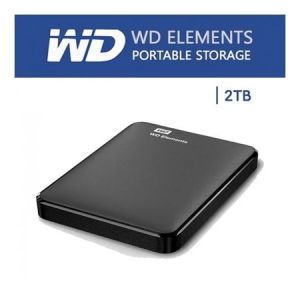
The WD Elements portable drive is a 2.5-inch hard disk drive (HDD) that comes in two storage capacities: 1TB and 2TB. It is equipped with USB3.0 connectivity, which offers fast data transfer speeds. The drive is lightweight and compact, making it perfect for travel and on-the-go use.
Compatibility & Connectivity
The WD Elements portable hard drive is compatible with Windows and Mac operating systems. It comes with a USB3.0 cable, allowing users to connect it to their computer easily. The drive is backward-compatible with USB2.0 ports, although data transfer speeds will be slower.
Durability & Portability
The WD Elements portable drive is designed to withstand the rigors of daily use. It has a shock-resistant design and a durable outer casing that protects the drive from accidental drops and bumps. Its compact size and lightweight make it easy to carry around, fitting comfortably in a backpack or briefcase.
Choosing the Right WD Elements Hard Drive
Storage Capacity: 1TB vs 2TB
When choosing a WD Elements portable hard drive, consider your storage needs. A 1TB drive is suitable for storing a moderate amount of files, while a 2TB drive provides ample space for larger collections of photos, videos, and documents.
USB3.0 External Hard Drive: Benefits & Limitations
A USB3.0 external hard drive offers faster data transfer speeds compared to its USB2.0 counterpart. However, it requires a USB3.0 port on your computer to take advantage of these speeds. If your computer only has USB2.0 ports, you may experience slower data transfer rates.
Compact External Storage Device: Size & Weight
The WD Elements portable drive is compact and lightweight, making it easy to carry around. It measures just 113mm x 80mm x 13mm and weighs only 170g, making it perfect for travel.
Setting Up Your WD Elements Portable Drive
Installation & Configuration
Setting up your WD Elements portable drive is simple. Connect the drive to your computer using the included USB3.0 cable. Your computer will automatically detect the drive and install any necessary drivers. Once the drive is recognized, you can begin transferring files and data.
Transferring Files & Data
Transferring files and data to your WD Elements portable drive is easy. Simply drag and drop files from your computer to the drive. For larger transfers, consider using a file transfer utility to optimize the process.
Security & Backup
The WD Elements portable drive includes a built-in backup software that allows you to easily back up your important files and data. It also supports password protection, ensuring that your data remains secure.
Maximizing Your WD Elements Portable Drive Experience
Optimizing Performance
To get the most out of your WD Elements portable drive, keep it clean and free of unnecessary files. Regularly defragmenting the drive can also help improve performance.
Troubleshooting Common Issues
If you experience issues with your WD Elements portable drive, consult the troubleshooting guide included with the drive. Common issues include slow data transfer speeds and connectivity problems.
Tips & Tricks for Efficient Use
To make the most of your WD Elements portable drive, consider using cloud storage services to back up important files. This will help ensure that your data is safe and accessible even if the drive fails.

BOVE HDD
Review
You May Also Like
USB3.2 Type C Solid Disk External Enclosure Aluminum M.2 Double Protocols Solid Disk Case Efficient Data Transfer
Personalized Name Metal OTG Flash Drives Glowing Blue Light 32GB USB High Speed 2 in 1 Disk Data Storage OTG Cables with Gift Box
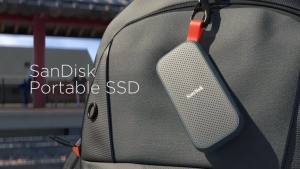
Sandisk Portable SSD USB 3.2 Type-C: Fast Data Transfer & Compact Storage
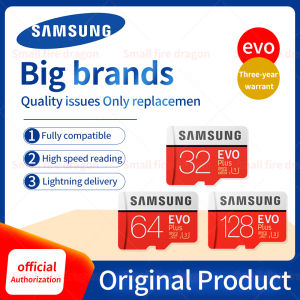
💖FREE+COD+Ready Stock💖 Samsung EVO Plus 2TB Memory Card: High-Speed SD Card Solutions
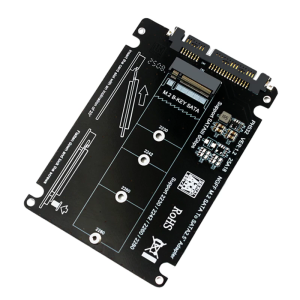
M.2 B Key Converter for 2230 2242 2260 2280 Hard Disk Adapter Hard Disk Adapter Board Converter
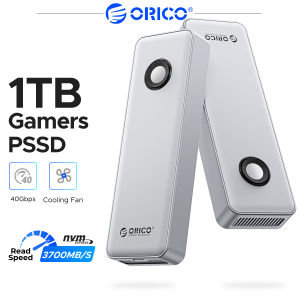
ORICO RGB Mobile Solid State Drive USB4 Gaming Portable SSD Rapid Loading Enhanced Gaming Experience Powerful Heat Dissipation RGB Gaming Ambient Light
【Car Music USB Flash Drive】High Quality Popular Songs USB Flash Drive 16/32/64gb Car Metal High Speed USB Flash Drive Mini USB Flash Drive
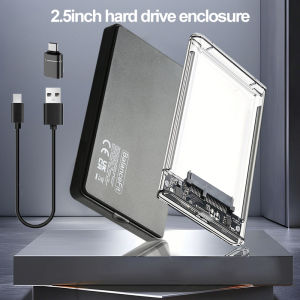
USB 3.0 / 3.1 USB C to SATA III HDD Adapter 5Gbps Tool Free Clear External Hard Drive Case 2.5 External Hard Drive Enclosure
Applicable to Sony/Sony CCD Old Camera Card Memory Card TF Card to Ms Card Stub Memory Stick Memory Card
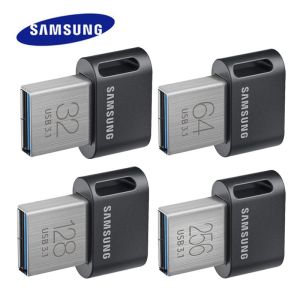
💖FREE+COD+Ready Stock💖 SAMSUNG USB3.1 Flash Drive & USB Type C Pendrive
Acasis 80Gbps M.2 NVMe SSD Enclosure 80GBS/40gbs&USB4.0&USB4v2 speed over 6000MB/s JHL9480Compatible with 80GBS/40gbs&USB4.0&USB4v2 (With Adjustable Cooling Fan)